


.jpg)
Quick Answer: To share your music effectively, you can either Embed a player (so fans listen directly on your page) or use a Smart Link (to redirect fans to Spotify or Apple Music). [La.Bio] offers both widgets for free, allowing you to centralize all your releases in one professional link in bio.
Promoting a new single or album in the digital age is a logistical challenge. You have your music distributed across Spotify, Apple Music, Tidal, YouTube, and SoundCloud, but social platforms like Instagram and TikTok only grant you one single link in your bio.
This creates a major pain point: How do you choose which platform to prioritize? If you paste your Spotify link in bio, you immediately alienate your fans who use Apple Music. If you link to SoundCloud, you miss out on potential streaming royalties from paid platforms.
The solution is a "Smart Music Link."
A Smart Link acts as a digital hub—a professional landing page that groups every streaming option in one place. It ensures that no matter where your listener prefers to stream, they can access your track with a single click.
However, most tools that offer this level of customization come with a price tag. Competitors like Linkfire or Linktree Pro often lock these advanced music features behind a paywall.
This is where [La.Bio] changes the game. We believe independent artists shouldn't have to pay monthly subscriptions just to share their art. Unlike other platforms, [La.Bio] offers free music smart links and unlimited music embeds, giving you the same professional tools as major label artists at zero cost.
Method 1: How to Embed Music (Play Directly in Bio)
If your primary goal is engagement, embedding a player is the best strategy. When a fan lands on your bio, you want to capture their attention immediately.
An embedded player removes the friction of leaving your page. Instead of asking fans to click a link, wait for an app to open, and then find the song, they can simply press "Play" and listen to your track directly on your [La.Bio] page. This is perfect for teasing a new release, sharing a specific podcast episode, or showcasing your best track to new listeners.
Follow these steps to add a music player to your bio:
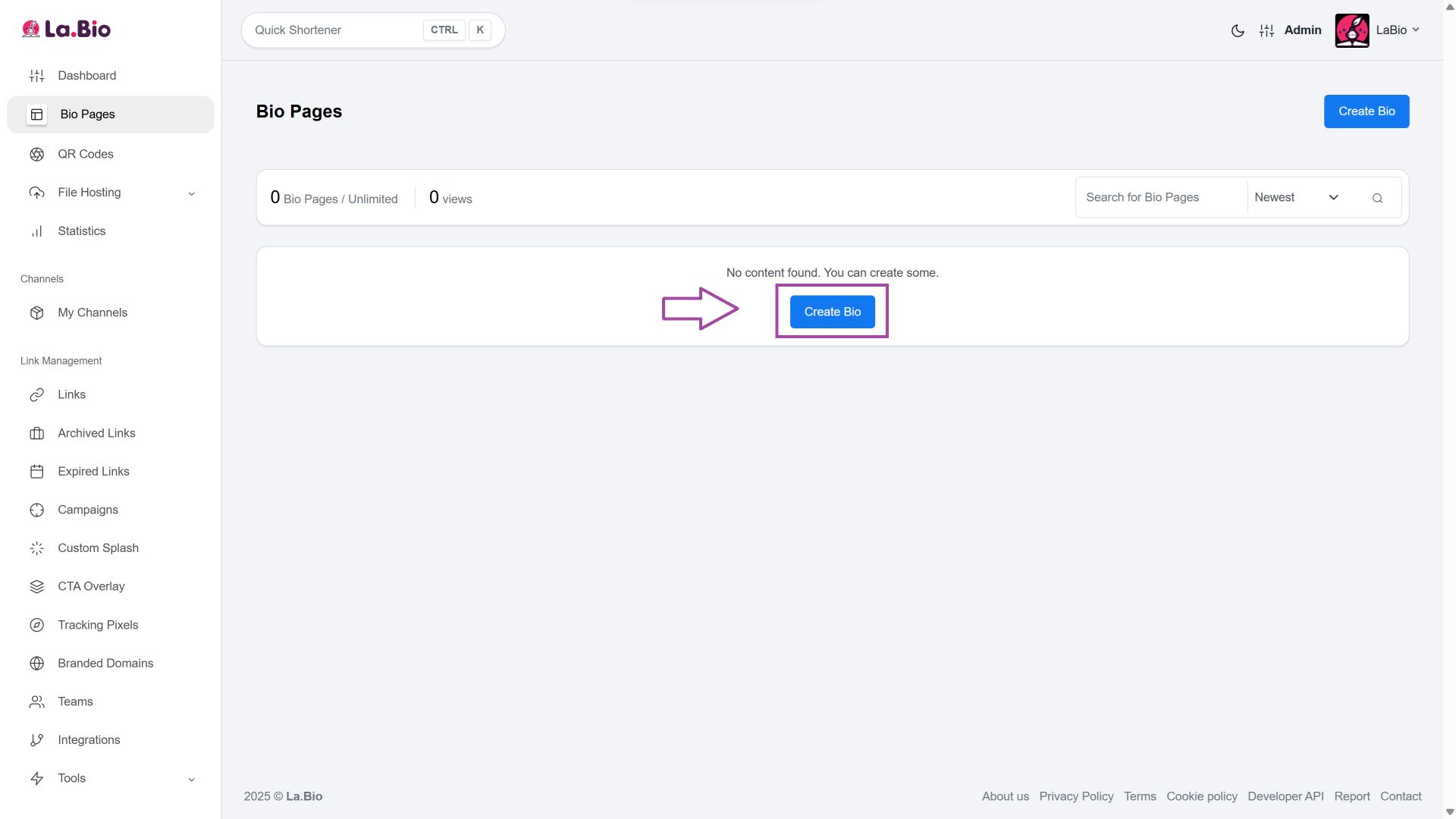
Click on "Create Biolink": Start by initializing your new landing page from your dashboard.
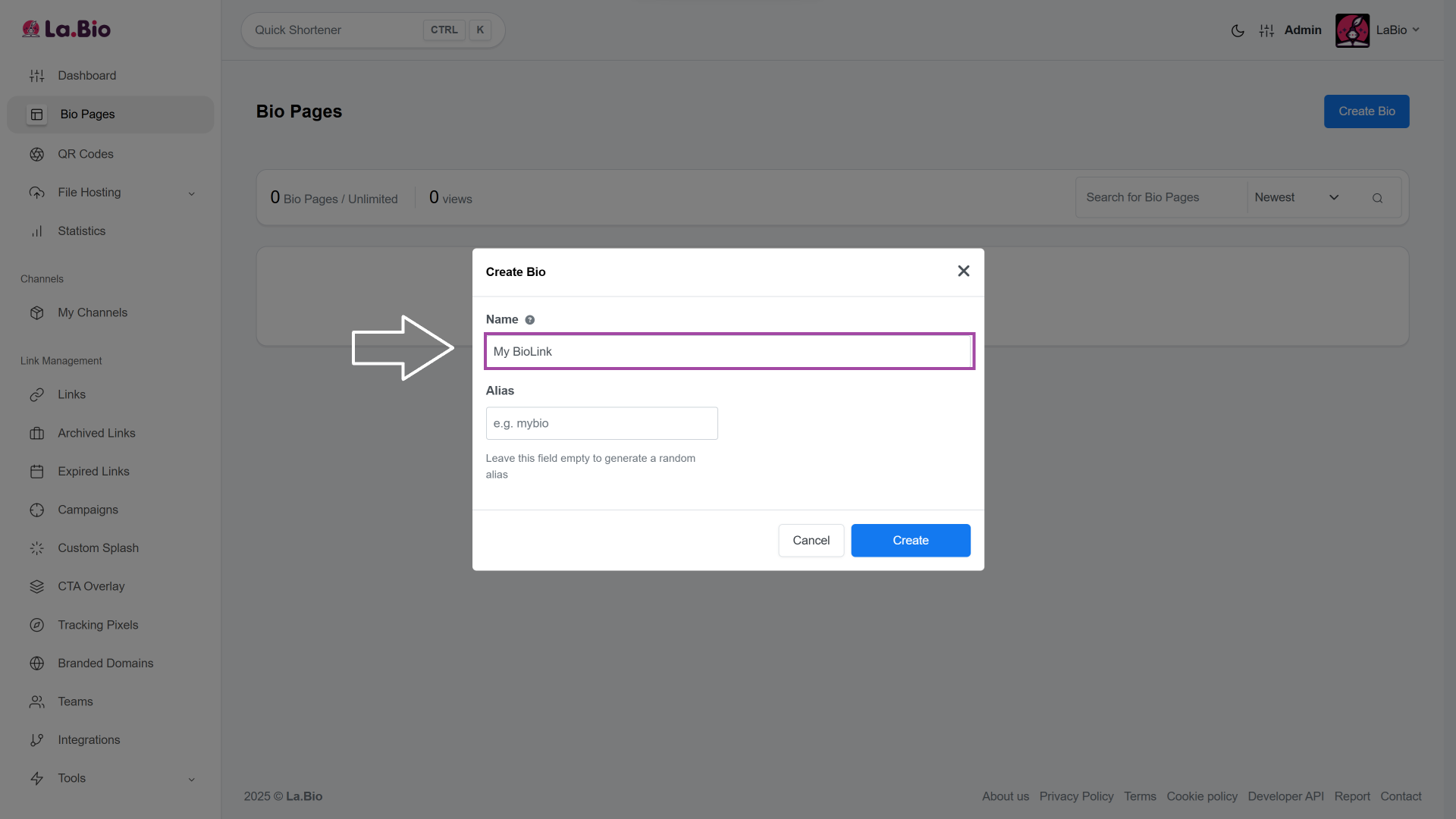
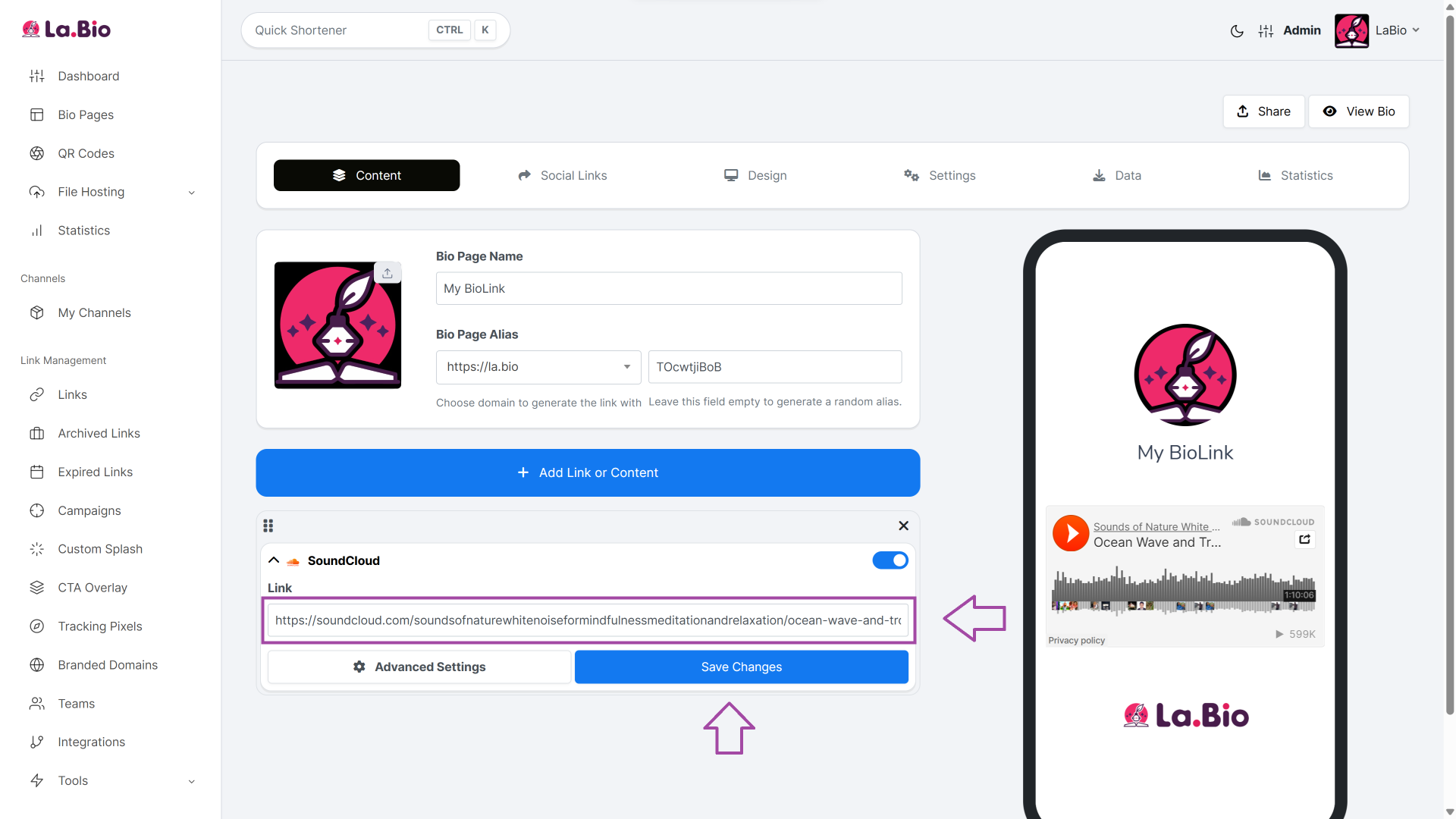
Name your Page: Choose the name of your Biolink page (e.g., My BioLink).
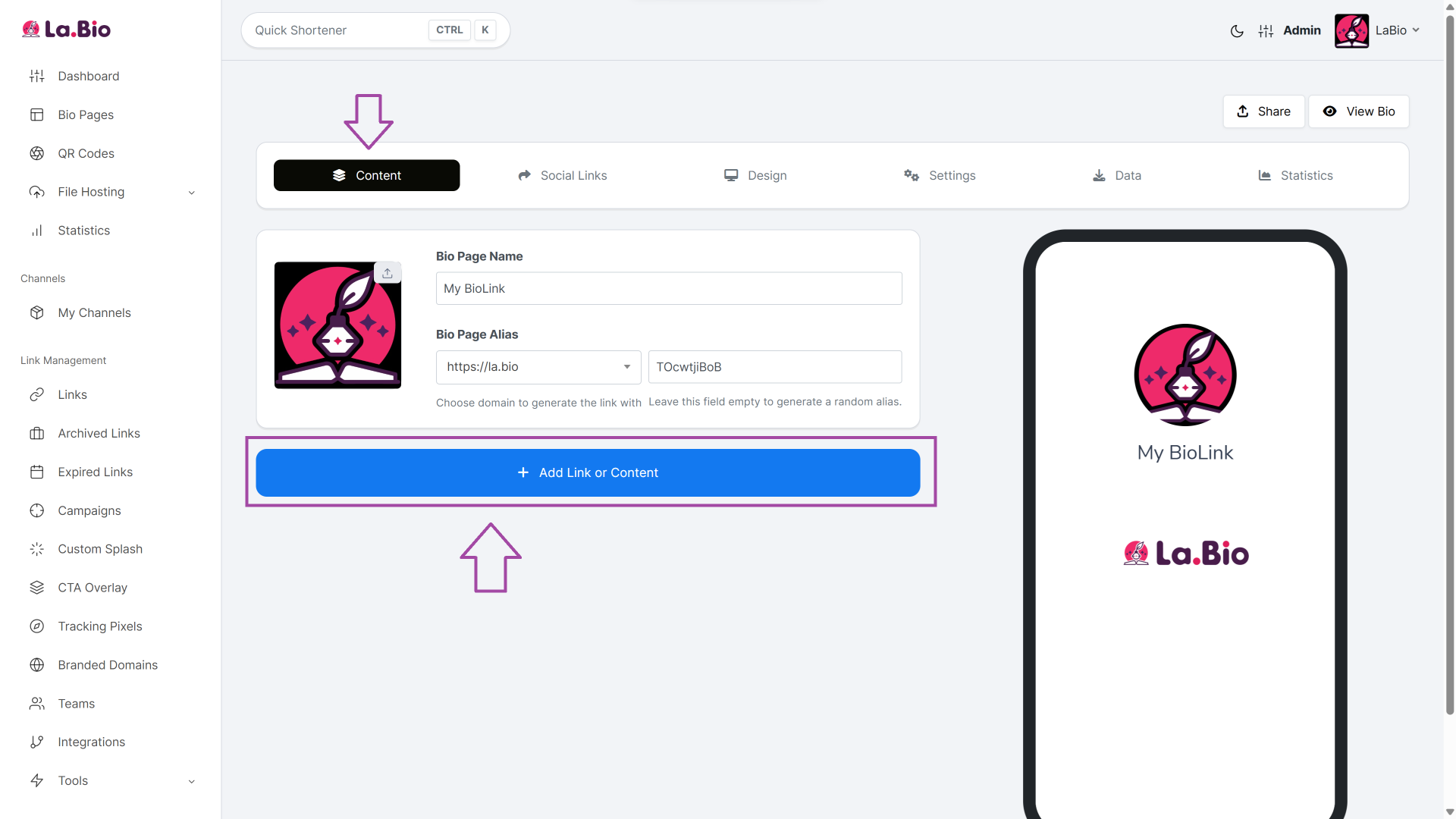
Go to Content: Once inside the editor, click on the "Add Link or Content" button to open the widget menu.
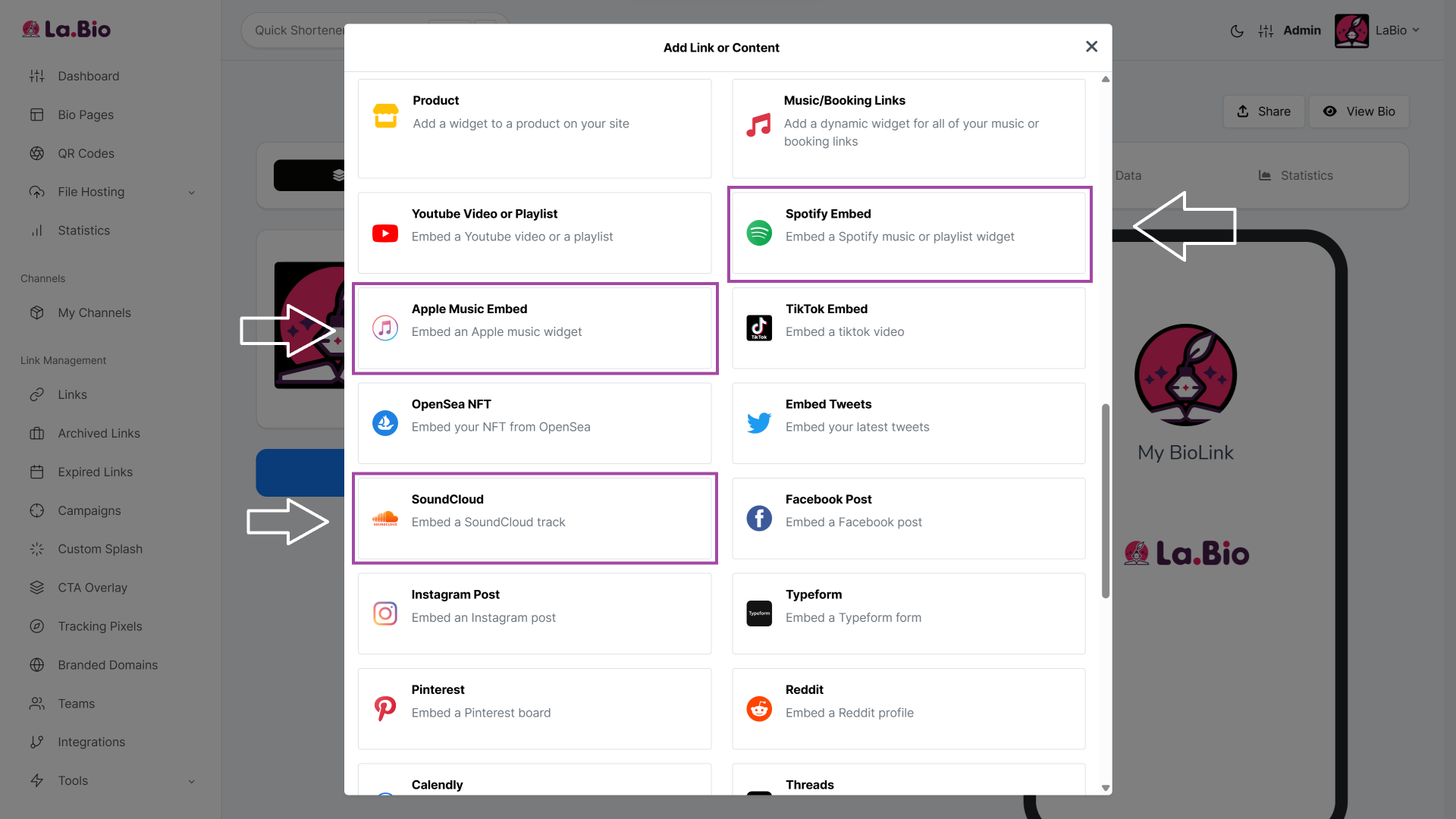
Choose Your Player: Browse the list and select the specific widget for your platform, such as "Spotify Embed", "SoundCloud", or "Apple Music Embed".
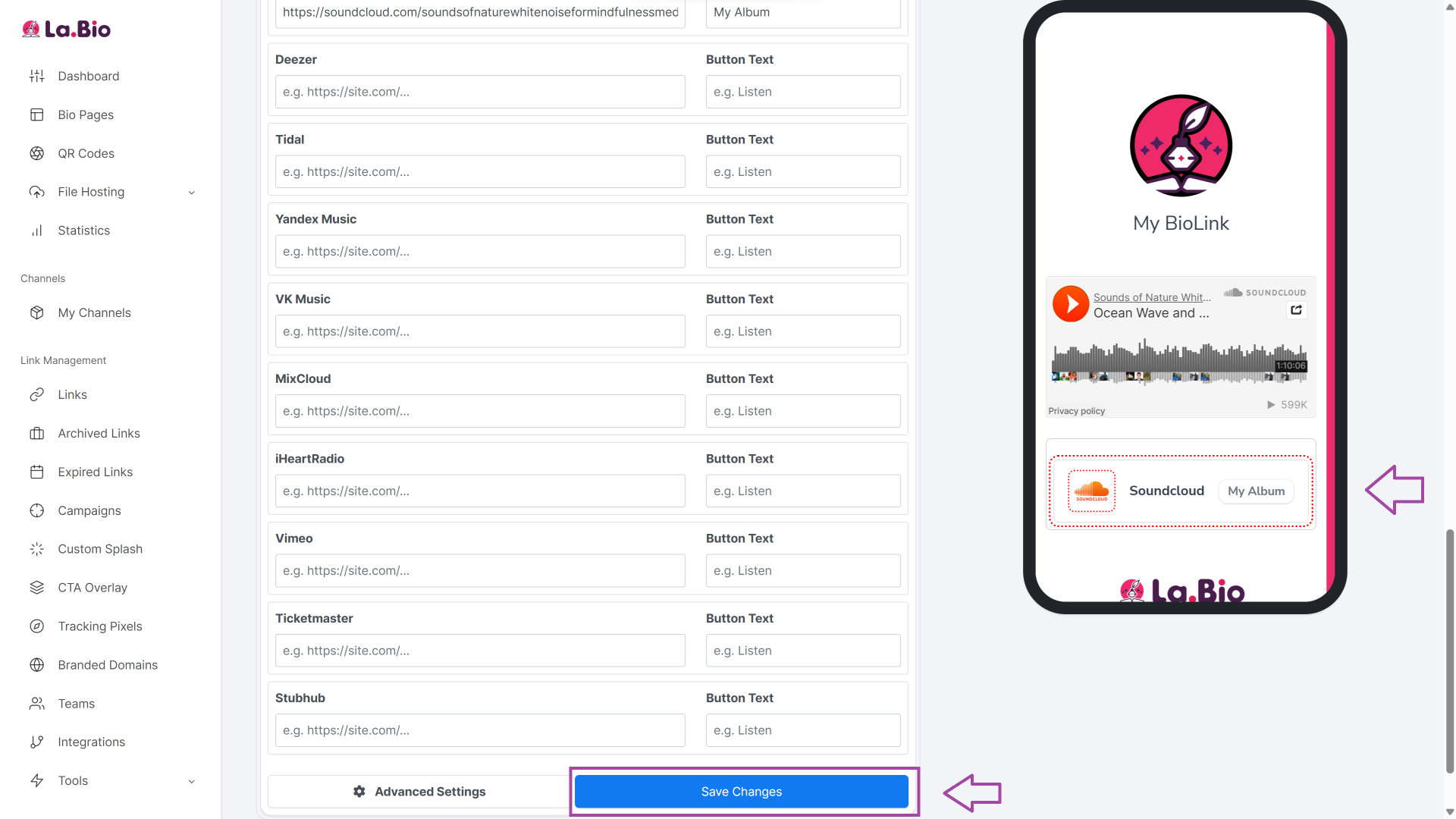
Paste & Save: Paste the direct URL of your track, album, or playlist into the field and click "Save Changes". The fully functional player will appear instantly on your page.
Method 2: How to Create a Smart Link (Redirect to Streaming Apps)
While embedding is fantastic for immediate engagement, a Smart Link is the best tool for the business side of music: generating actual Streams and Royalties.
To get paid and trigger streaming algorithms, you need fans to leave the browser and open their specific music app (like Spotify or Apple Music). This allows them to "Heart" the song, follow your profile, or add the track to their personal playlists—actions that directly boost your visibility and revenue.
Follow these steps to create a professional redirection list:
Select the Widget: Instead of choosing an embed block, select the "Music/Booking Links" widget block from the content menu.
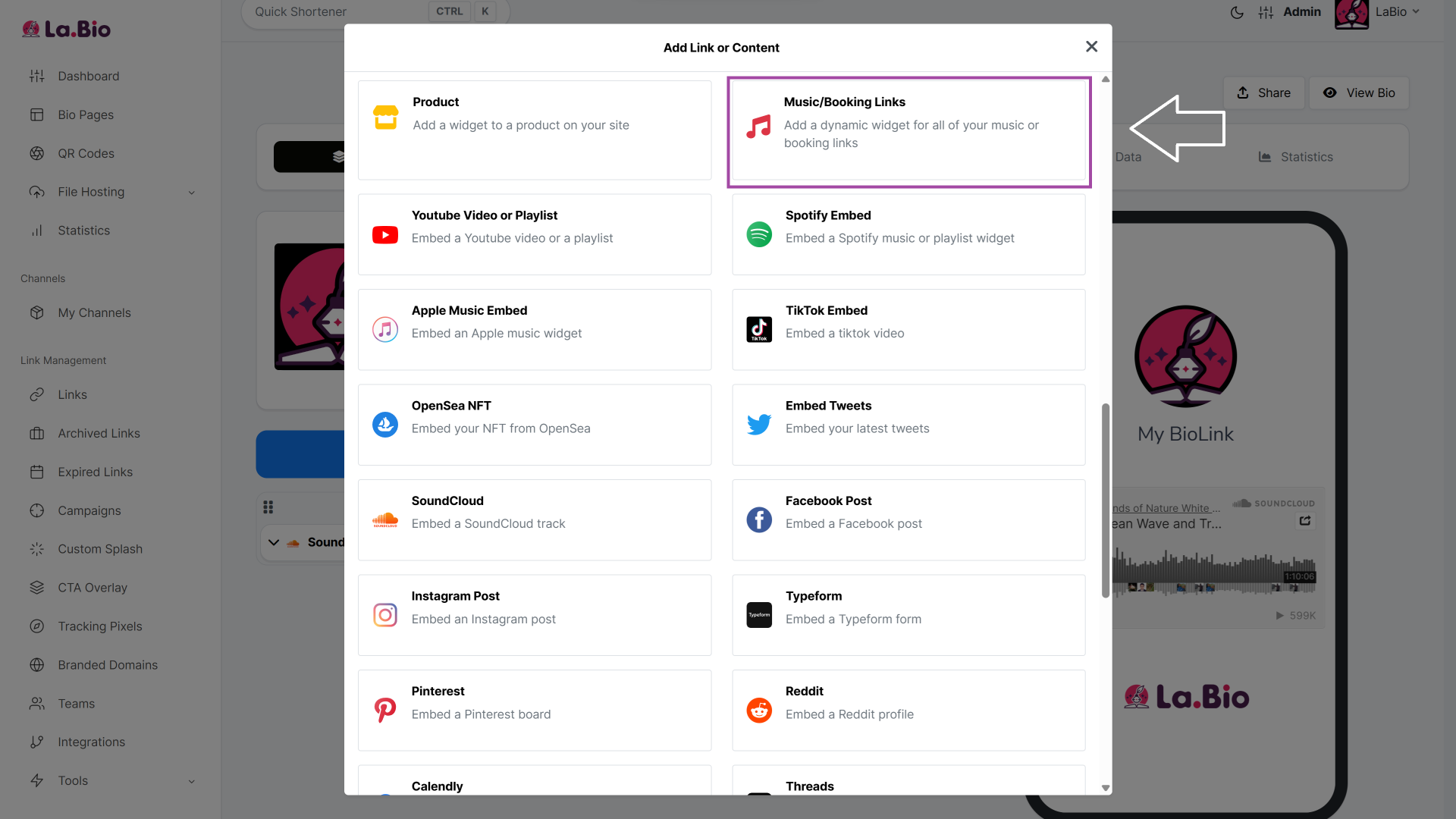
Fill in the Details: Enter your song title or album name in the header field so fans know exactly what release they are looking at.
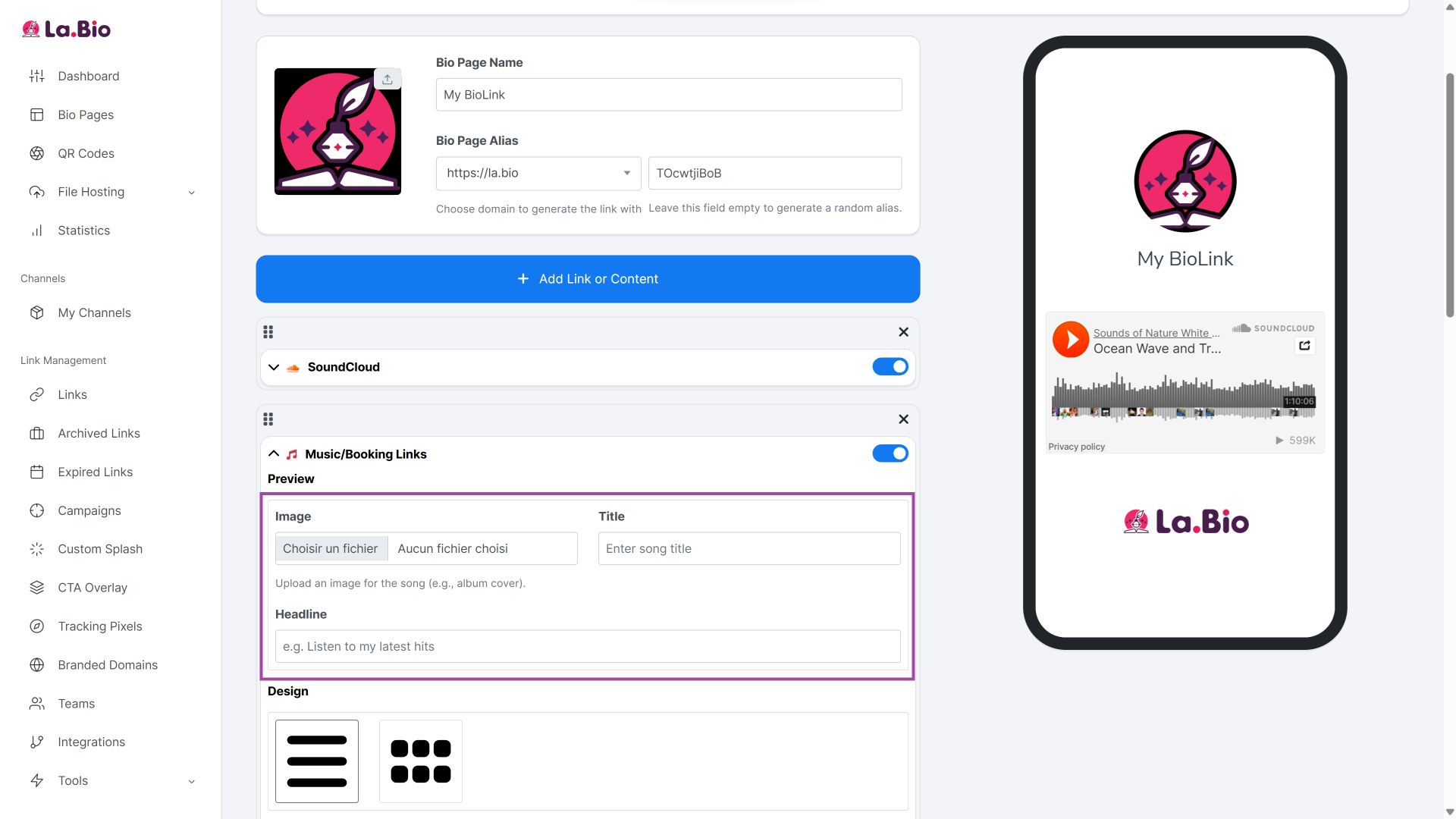
Add Your Platforms: Paste the specific URL to your profile, song, or album for each platform you want to display (Spotify, Apple Music, Tidal, YouTube Music, etc.).
Add a CTA: Include a short, encouraging phrase on the button, such as "Listen to My Album" or "Stream Now".
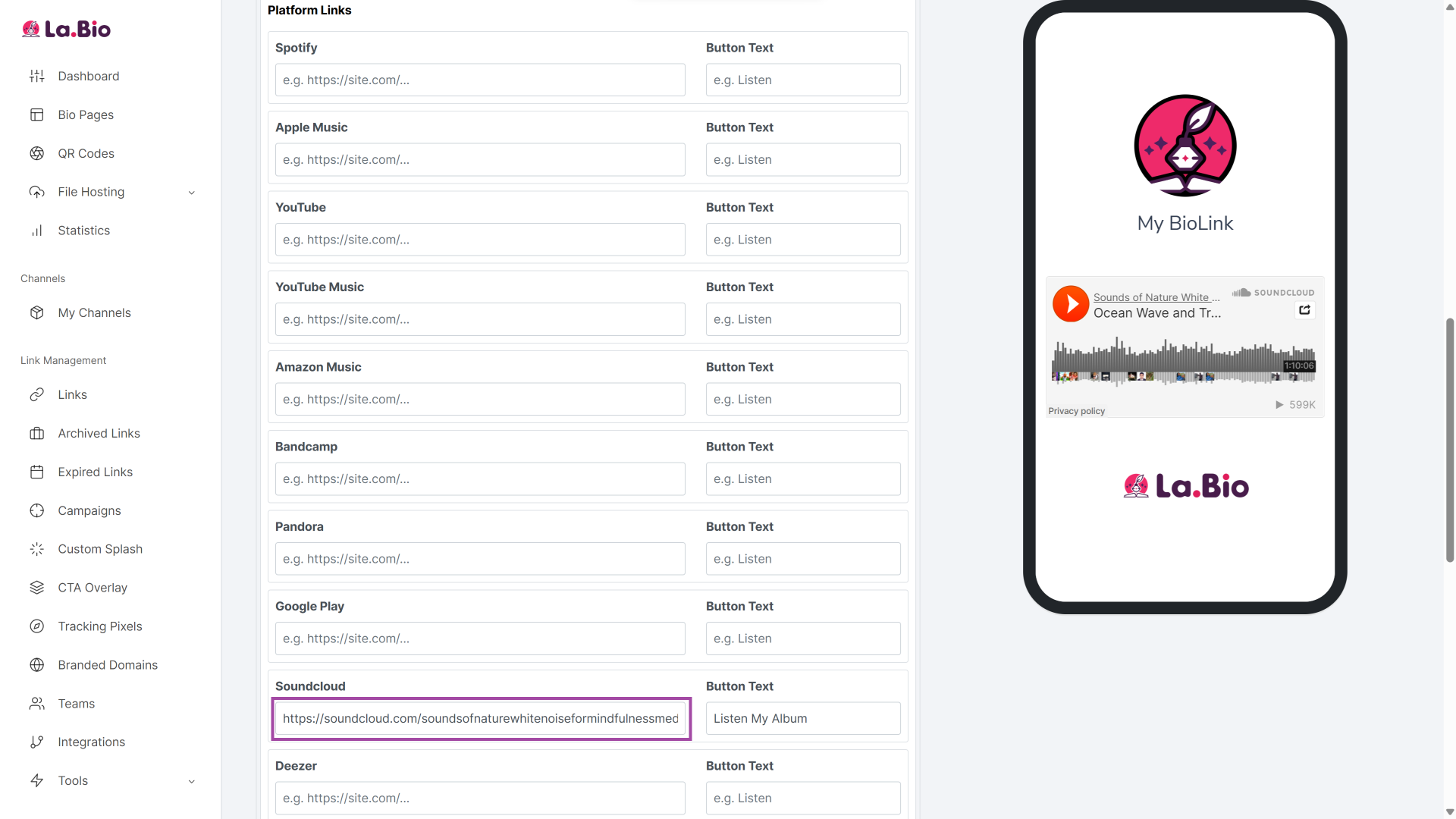
Save: Click "Save Changes". [La.Bio] will instantly generate a clean, professional list of buttons, allowing every fan to choose their preferred streaming service.
Pro Tips for Musicians & Streamers
Your link in bio shouldn't just be a static list; it should be a dynamic tool that adapts to your career, whether you are streaming live on Twitch or performing on stage at a local venue.
For Streamers: Music is often a core part of the viewing experience. If you curate specific playlists for your gaming sessions, your chat will inevitably ask, "What song is this?" Make it easy for them. Are you a gamer who streams music? Check out [how to setup your bio link for streamers] to share your playlists.
For Live Events: Don't just promote your digital streams; use your bio to fill the room. Playing a gig? Put your ticket links in the 'Booking' section and generate a [PDF QR Code] for your setlist or flyer.
Conclusion
Managing a music career is a full-time job. You are the songwriter, the performer, the manager, and the marketer all at once. In a landscape where major labels have unlimited budgets, independent artists need tools that level the playing field without draining their bank accounts.
Professional marketing tools shouldn't be a luxury. Whether you want to embed your latest track for instant feedback or create a smart link to maximize your Spotify royalties, [La.Bio] gives you the power to do it all—unlimited and for free.
Stop paying for basic features. Take control of your music marketing today and ensure your fans never miss a beat.
Launch your next single with a professional landing page. [Create your Free Artist Bio Link Now].







