



Quick Answer: To shorten a Dropbox link, copy the share link from your Dropbox file. Log in to La.Bio, go to the "Shorten Link" section, and paste the URL. Click the "Advanced Options" icon to add a password if needed. Click "Shorten" to get a secure, professional link instantly.
Dropbox is an industry standard for cloud storage, but its sharing mechanics leave a lot to be desired. If you have ever tried to share a file, you know the annoyance: the generated links are often 50+ characters long, filled with random strings of gibberish.
These messy links (typically looking like dropbox.com/s/ExAmPle...) present several problems. They look suspicious or "spammy" in professional emails, and they frequently break when sent via SMS because the long character count splits the link into two separate text messages.
The Solution? Turn that mess into a branded, concise URL like la.bio/my-file.
Using a dedicated Dropbox url shortener like La.Bio doesn't just make your links look professional and easier to type; it adds a layer of security that Dropbox’s free tier lacks. With La.Bio, you can ensure your files are password-protected and track exactly when your client downloads them.
Step 1 - Copy Your Dropbox Link Correctly
Before you can create a custom URL, you need the original source link. Head over to your Dropbox dashboard (either via the web browser or the desktop app) and locate the file or folder you wish to share.
Hover over the file and click the Share button. A pop-up window will appear; from there, select Copy Link.
Crucial Check: Before you proceed, ensure the link permissions are set correctly. By default, some business accounts limit access to "Team Members Only." For your short link to work for external clients, ensure the permission is set to "Anyone with the link" can view.
Step 2 - Shorten and Secure the Link on La.Bio
Once you have your raw Dropbox link, log in to your [La.Bio] Dashboard. This is where you transform that long, messy URL into a secure asset.
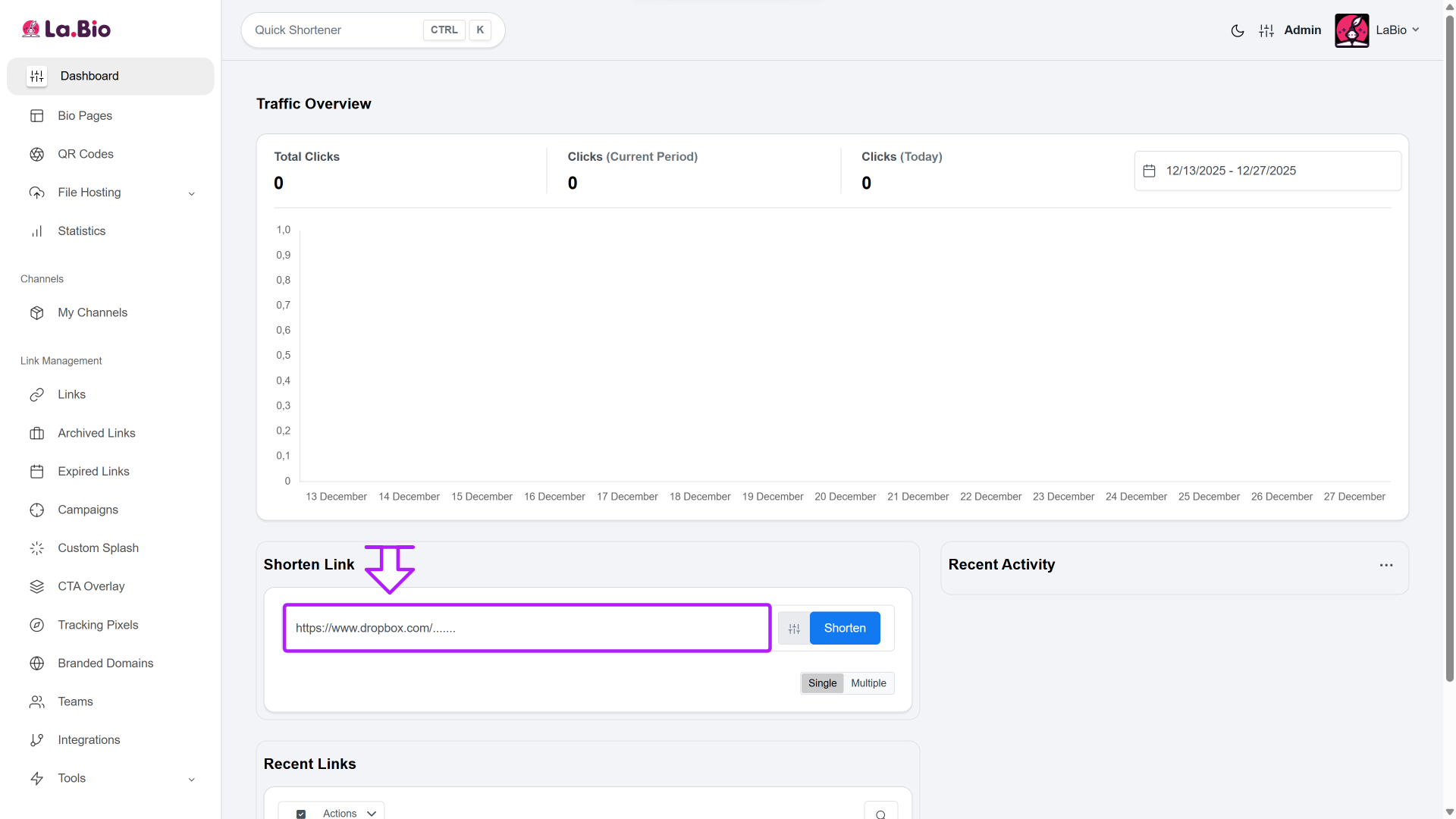
Paste the URL: Locate the "Shorten link" field at the top or bottom of your dashboard. Paste your Dropbox link there.
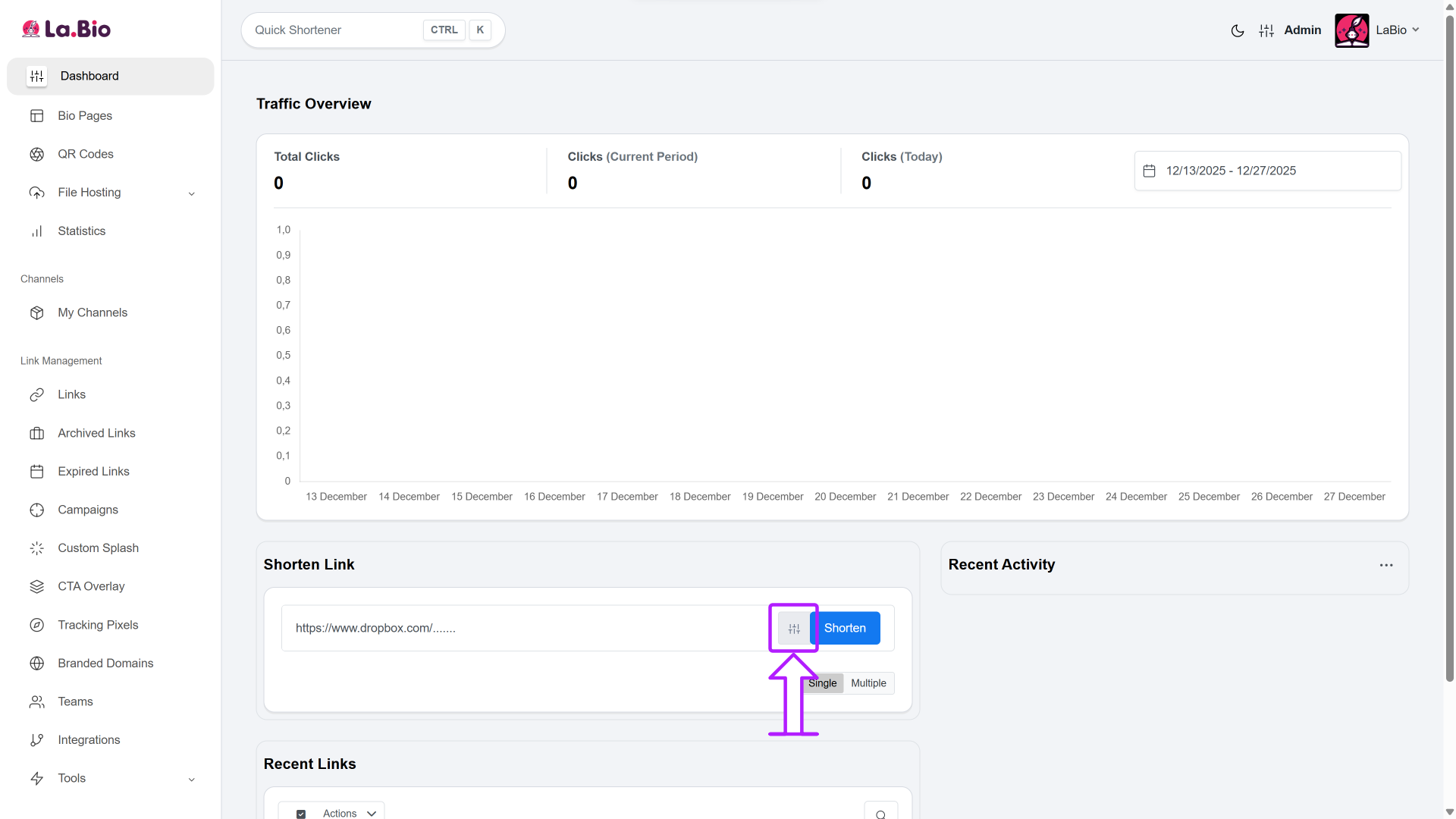
Access Advanced Options: Do not click "Shorten" just yet. To unlock the full security potential of your link, click the settings icon (Advanced Options) next to the input field.
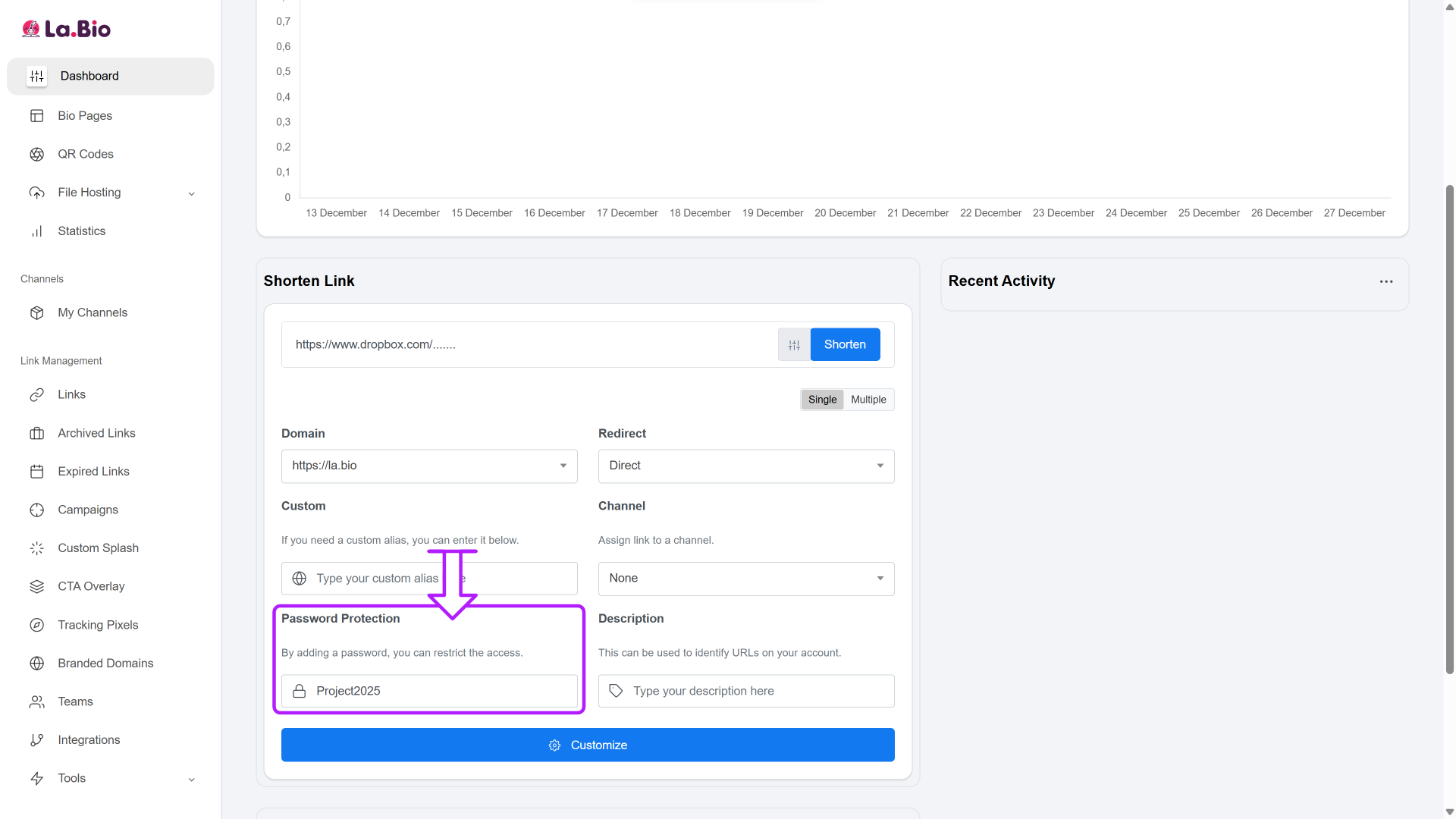
Add Password Protection: In the "Password Protection" field, type a unique code (e.g., Project2025).
Why do this? Unlike basic shorteners like Bitly that charge for this feature, La.Bio allows you to password protect dropbox links for free. This ensures that even if your link is leaked or forwarded to the wrong person, the file remains inaccessible without the code.
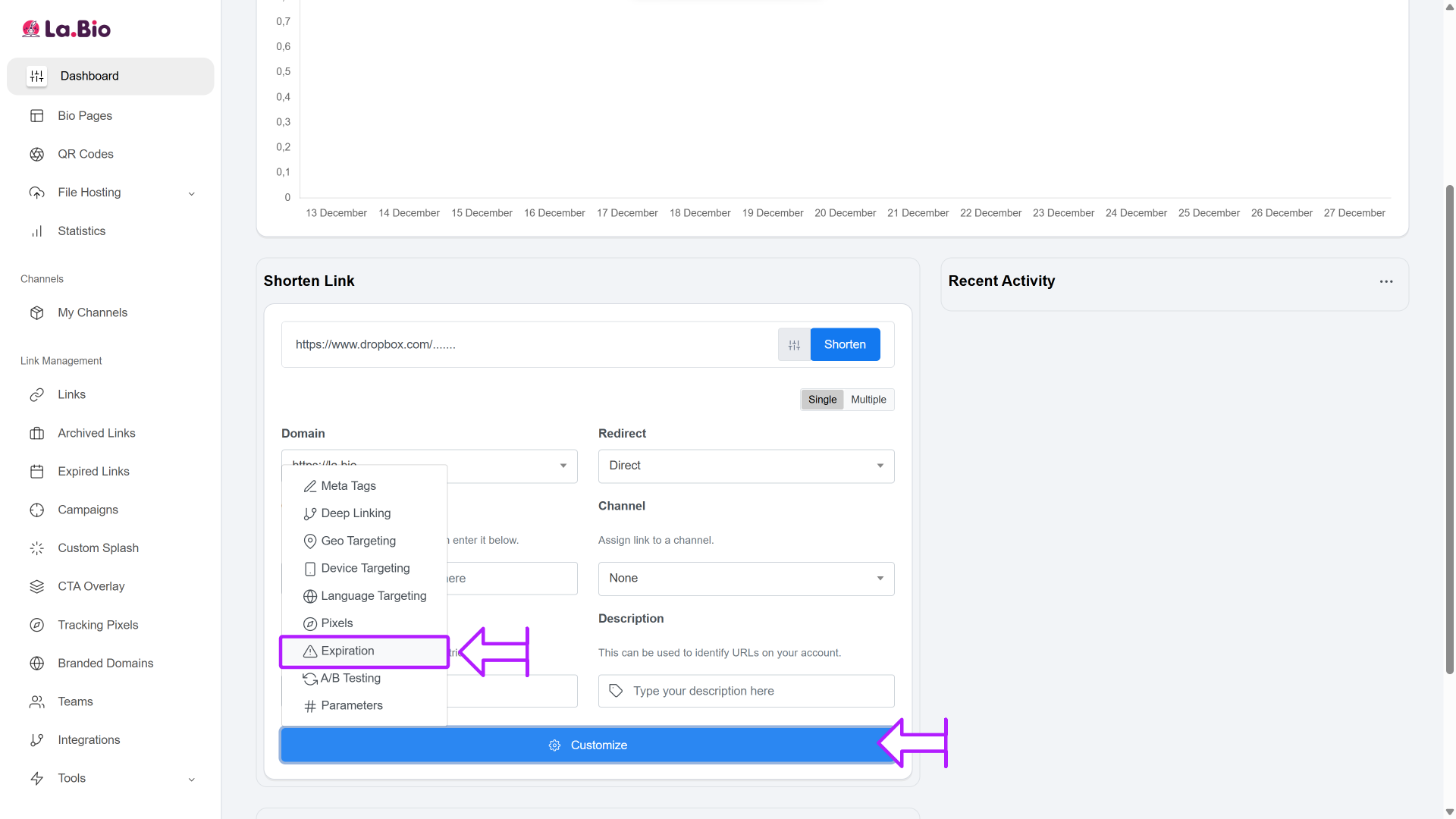
Set an Expiration Date (Optional): If you are sending a time-sensitive contract or a proof that shouldn't be available forever, select a date in the "Expiration" calendar. The link will automatically deactivate after this time.
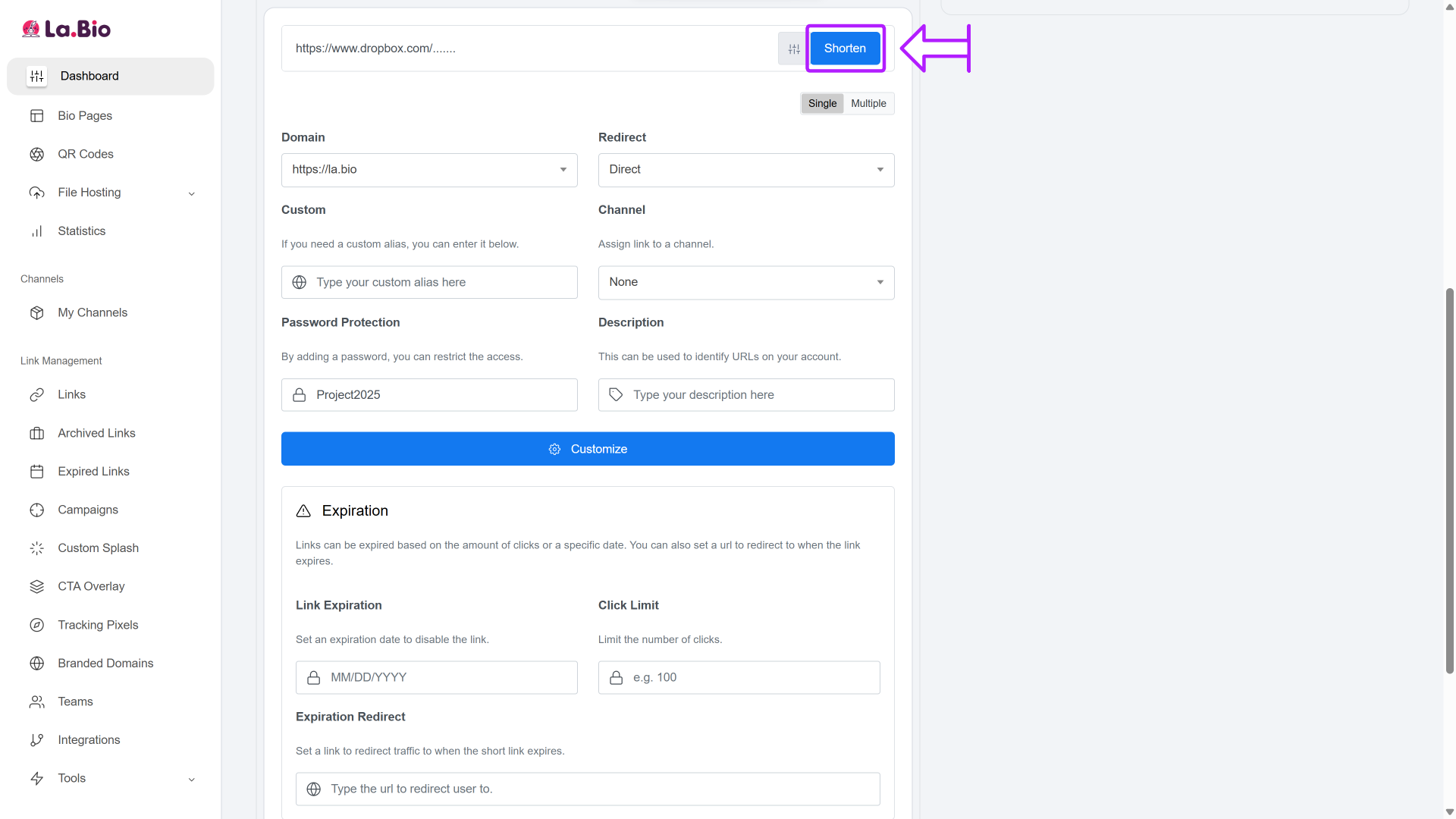
Create the Link: Once your settings are configured, click the blue Shorten button. You now have a clean, secure, and trackable URL ready to share.
Why Short Links are Better for File Sharing

Using a short link isn't just about aesthetics; it is a productivity hack that solves common communication problems.
Track File Downloads
When you send a raw Dropbox link, you are sending it into a black hole. You have no idea if the recipient opened it. With La.Bio, you gain access to analytics. You can see exactly if and when a client clicked your link, eliminating the common excuse of "I didn't receive the file."
SMS Friendly
In today's mobile-first world, we often share files via text or WhatsApp. Dropbox links are notoriously long and often get split into two separate messages by carriers, breaking the hyperlink. A short link stays intact, ensuring a smooth user experience on mobile devices.
Pro Tip: If your file is a PDF (like a menu or brochure) and is under 10MB, you might not need Dropbox at all. You can upload and [host PDF files directly via QR code] on La.Bio, skipping the cloud storage middleman entirely.
Frequently Asked Questions
Does shortening the link affect the file quality?
No, absolutely not. La.Bio acts as a redirection bridge. When a user clicks your short link, they are instantly directed to the original Dropbox file. The file itself remains untouched on Dropbox's servers, ensuring your images, videos, or documents retain their original resolution and quality.
Can I change the destination file later?
Yes. This is one of the biggest advantages of using a dynamic shortener. If you need to update a proposal or fix a typo in a shared document, you don't need to send a new link to your client. Simply go to your dashboard, edit the existing short link, and paste the URL of the new Dropbox file. The short link your client already has will now point to the correct version.
Conclusion
Sending a raw Dropbox link is the digital equivalent of handing someone a messy stack of papers. It works, but it isn't professional, and it isn't secure.
By taking a few seconds to shorten your Dropbox link, you elevate your brand image, prevent broken links in text messages, and most importantly, secure your data with password protection. Don't let your hard work get lost in a messy URL.
Share files with confidence. Create your Secure Short Link now.



