


Quick Answer: To create a digital business card, go to La.Bio and click 'Create QR'. Choose 'vCard' (select Dynamic to track scans or Static for a permanent offline code). Fill in your contact details (Name, Phone, Email, Site), customize the colors, and download your QR code instantly in PNG or SVG.
Let’s face the hard truth: paper business cards are rapidly becoming obsolete. They get lost in pockets, accidentally thrown away, or buried in desk drawers, never to be looked at again. In 2025, professional networking is digital, fast, and efficient.
The solution is the vCard QR Code. This simple yet powerful tool transforms how you connect. It allows clients and prospects to scan your code and instantly save your contact details—name, number, email, and website—directly to their phone’s address book in less than a second. It is the ultimate contactless business card.
While most competitors charge high monthly fees for "Dynamic" vCards (which allow you to edit information later and track analytics), [La.Bio] believes in democratizing professional tools. We offer both Static and Dynamic vCard generation completely for free. Whether you are a freelancer, a sales executive, or a CEO, you can build a high-converting networking QR code today without hitting a paywall.
Static vs. Dynamic vCard: Which One Should You Choose?

Before creating your code, it is critical to understand the distinction between the two types of QR codes available on La.Bio. Choosing the right one depends on your networking strategy, but for most professionals, there is a clear winner.
Static vCard: The "Hard-Coded" Option
A Static vCard embeds all your contact data directly into the QR code's pattern.
How it works: Once created, the data is permanent.
The Limitation: Because the data is hard-coded, it cannot be tracked or edited. If you change your phone number, email address, or job title next month, you cannot update the QR code. You would need to create a brand new code and reprint all your physical business cards.
Best for: One-time events or personal use where contact details are guaranteed never to change.
Dynamic vCard: The Professional Choice (Recommended)
A Dynamic vCard does not store your data in the pattern. Instead, it directs the user to a short URL where your contact information is hosted. This offers two massive advantages for business professionals:
1. Editability (No Reprinting Needed)
In the fast-paced business world, details change. You might get a promotion, change office locations, or switch mobile providers. With a Dynamic vCard, you can log in to your La.Bio dashboard and update your information instantly. The QR code image remains the same, meaning you never have to reprint your business cards just because you changed your email.
2. Advanced Tracking & Analytics
This is a game-changer for sales teams and networking. A Dynamic vCard allows you to track exactly how your card is performing. You can view real-time data, including:
Location: Where are people scanning your card?
Device Type: Are they using iPhone or Android?
Browser: Which software are they using?
While most platforms charge a premium subscription for these Dynamic features, La.Bio provides them for free, giving you full control over your networking data without the cost.
Step-by-Step: How to Generate Your vCard QR Code
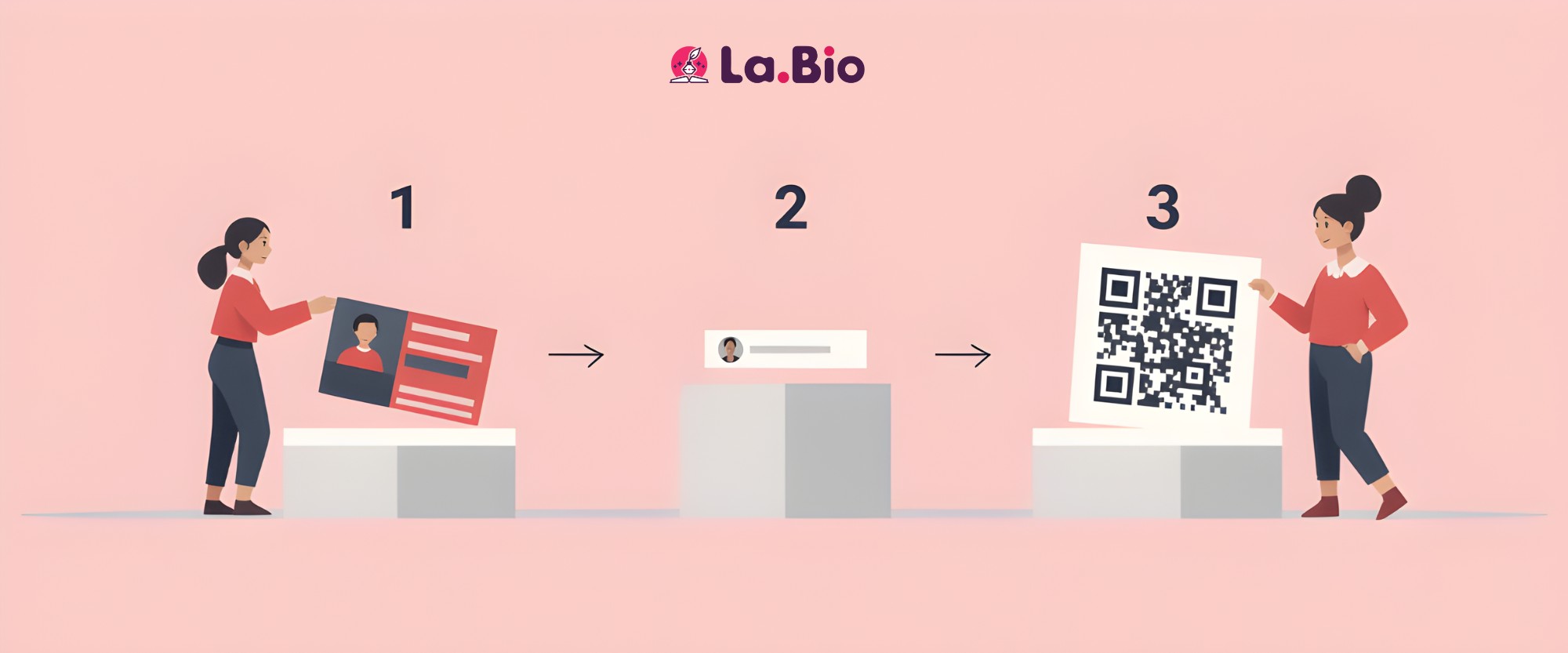
Creating your digital business card on La.Bio is intuitive and takes only a few minutes. Follow these exact steps to create a professional networking tool that is ready to share immediately.
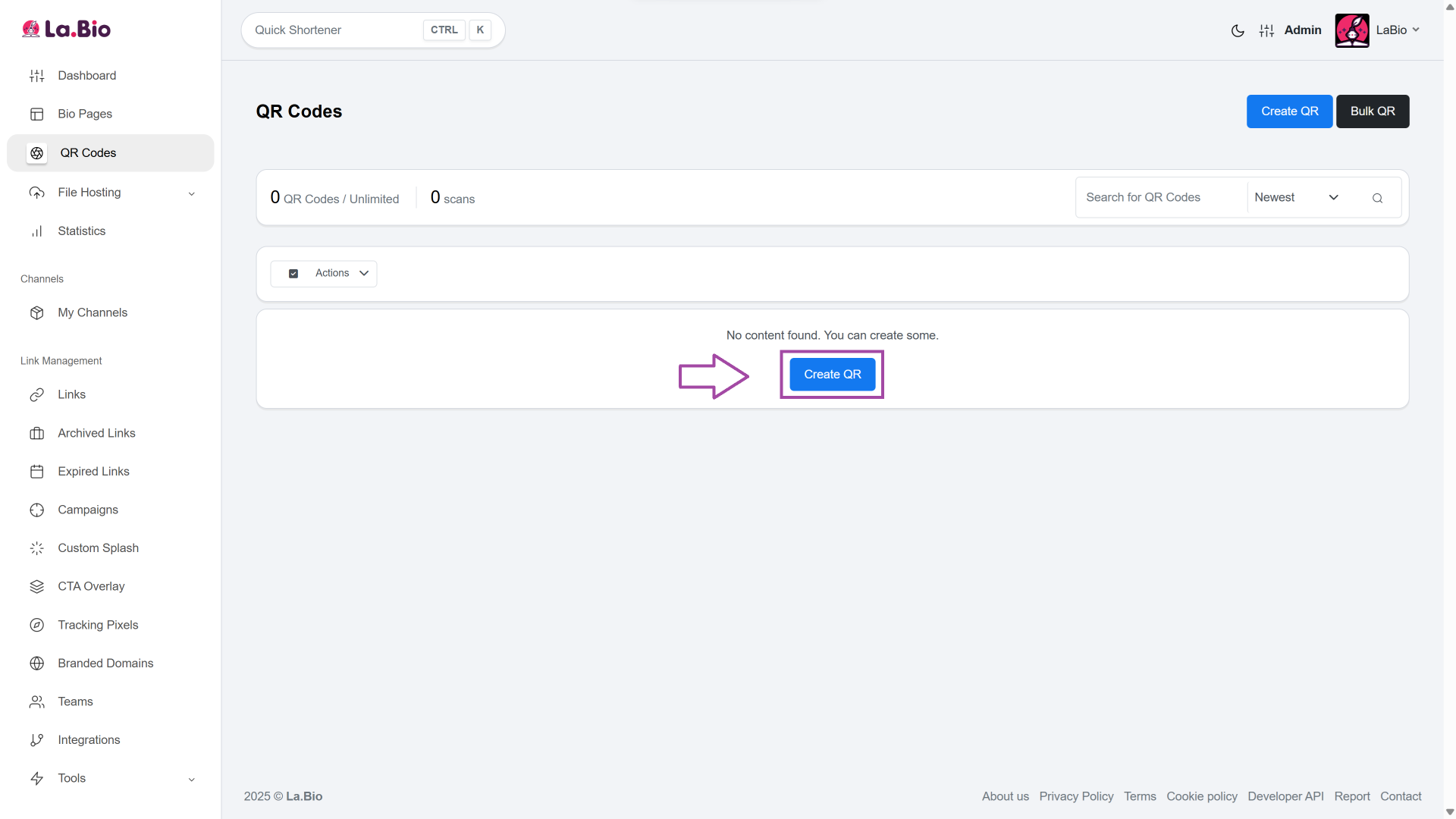
1. Click on "Create QR"
First, log in to your La.Bio dashboard. On the main screen, locate and click the Create QR button to start the process.
2. Name Your Code
Give your campaign a clear label (e.g., "John Doe Networking" or "Sales Conference Q1"). This helps you identify the specific code later, especially if you are managing multiple vCards for different employees or events.
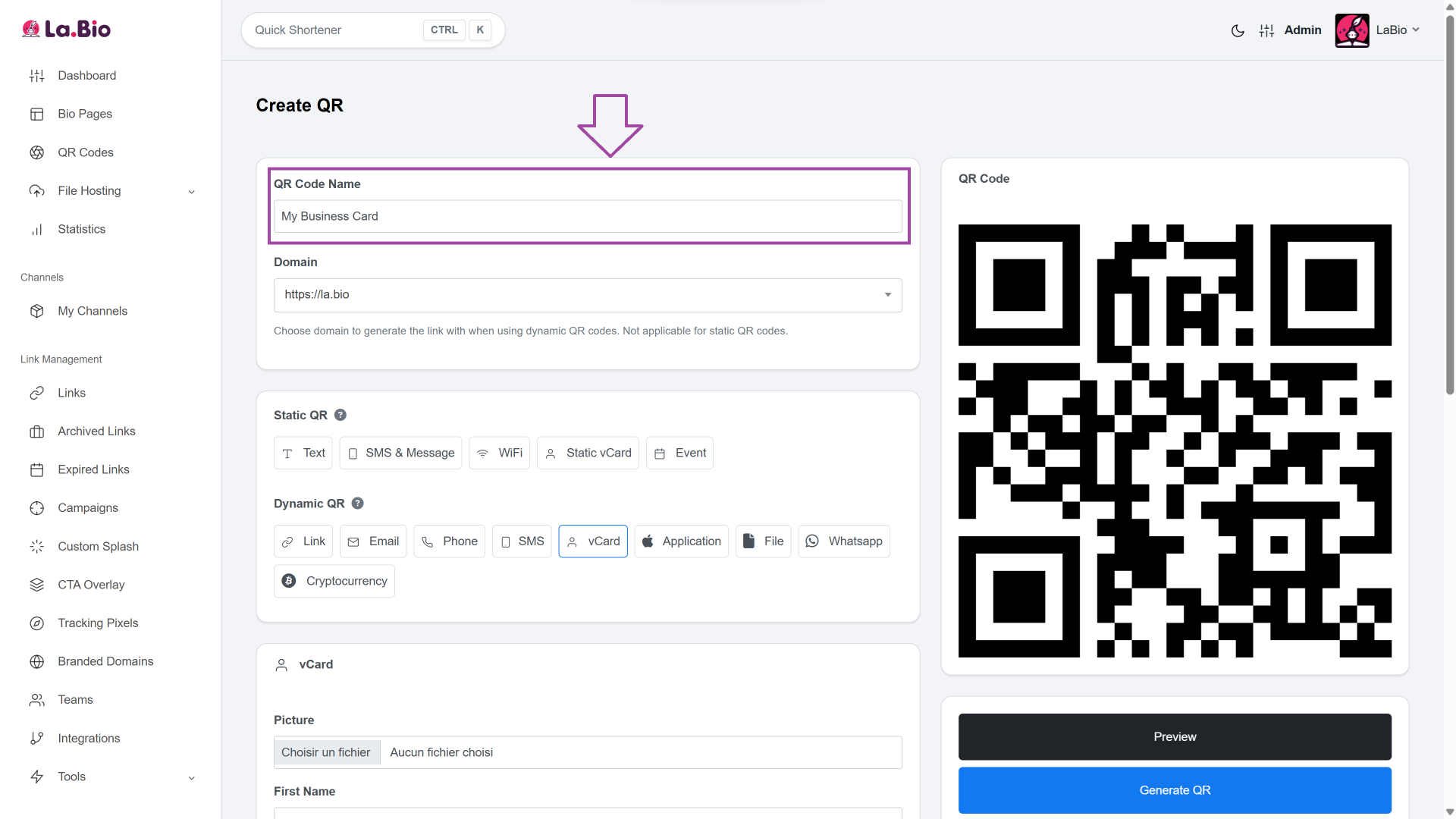
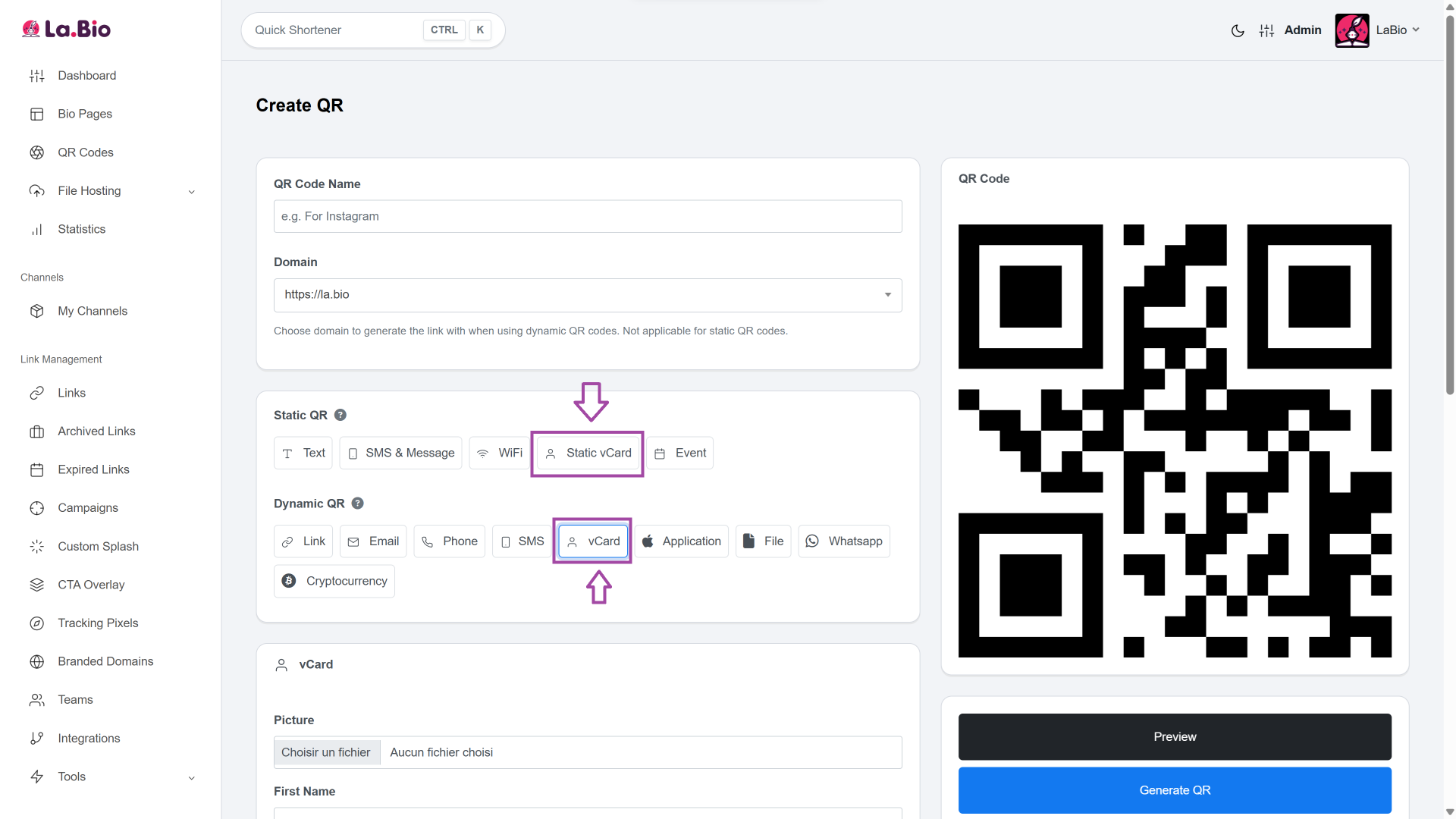
3. Select the Type
You will see a list of QR types. Select either "Static vCard" or "Dynamic vCard".
Pro Tip: We strongly recommend choosing Dynamic vCard. This unlocks the ability to track how many people scan your card and allows you to update your phone number or email in the future without reprinting the code.
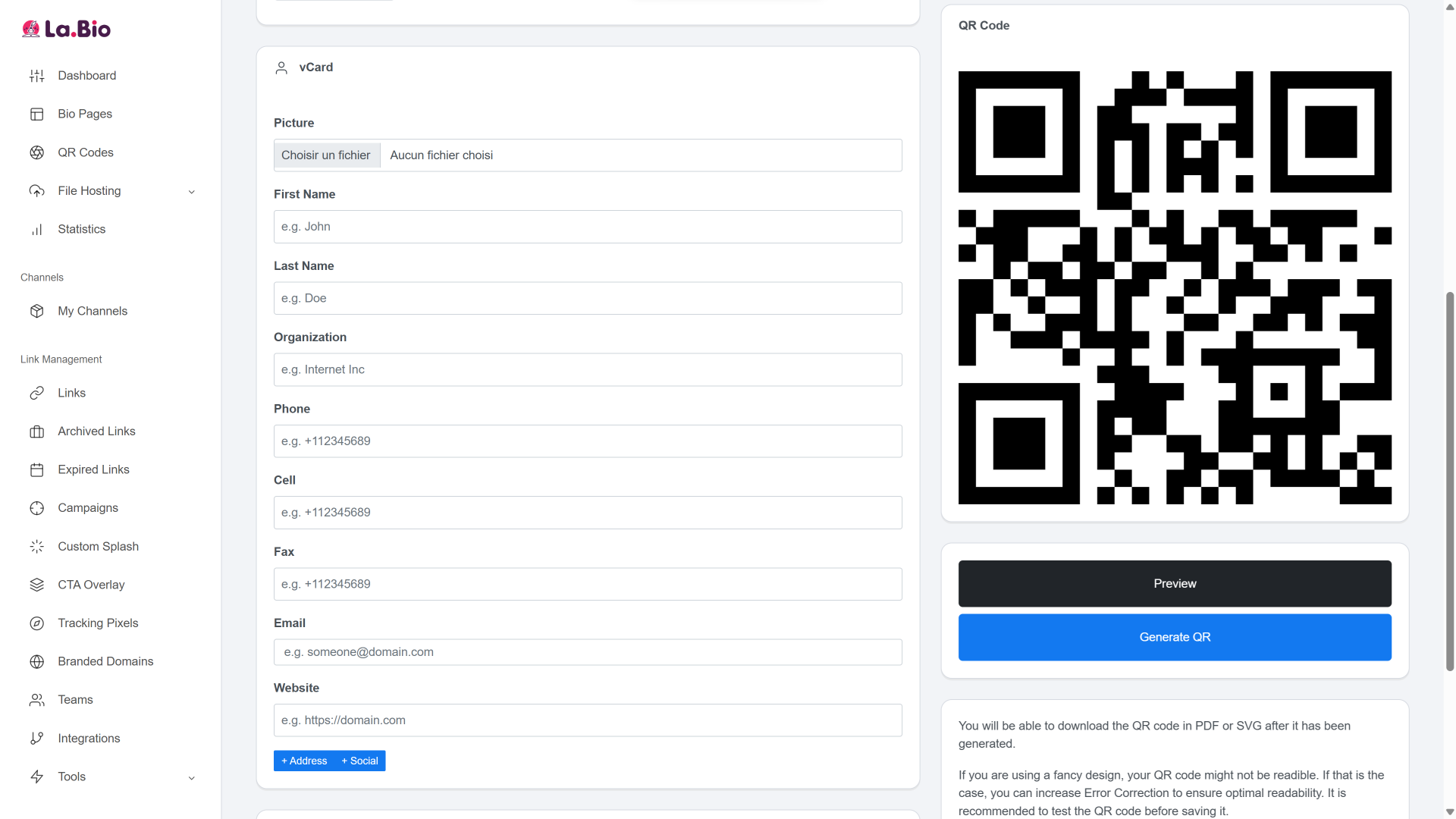
4. Fill in Your Details
Enter your contact information into the fields provided. You can include:
Profile Photo: A professional headshot builds trust.
Personal Info: First Name, Last Name, and Organization.
Contact Channels: Phone, Cell, Fax, and Email.
Web Presence: Your Website URL.
Tip: The more information you provide, the more professional and trustworthy your digital card will look to potential clients.
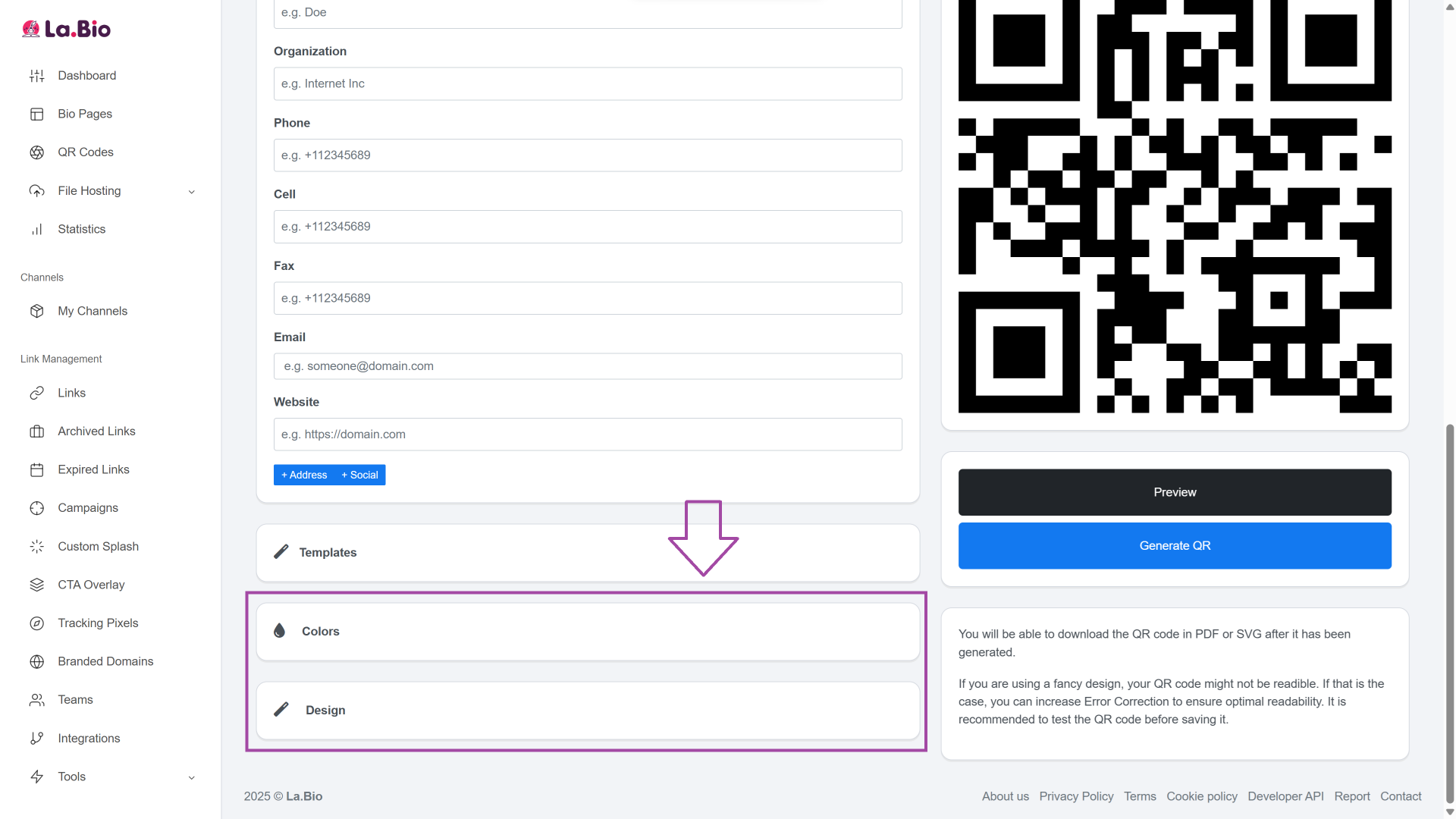
5. Customize the Design
Navigate to the 'Colors' and 'Design' tabs to brand your QR code. You are not stuck with black and white; you can customize the foreground and background colors to match your company branding. You can also upload your company logo to appear in the center of the QR code or change the shape of the data modules.
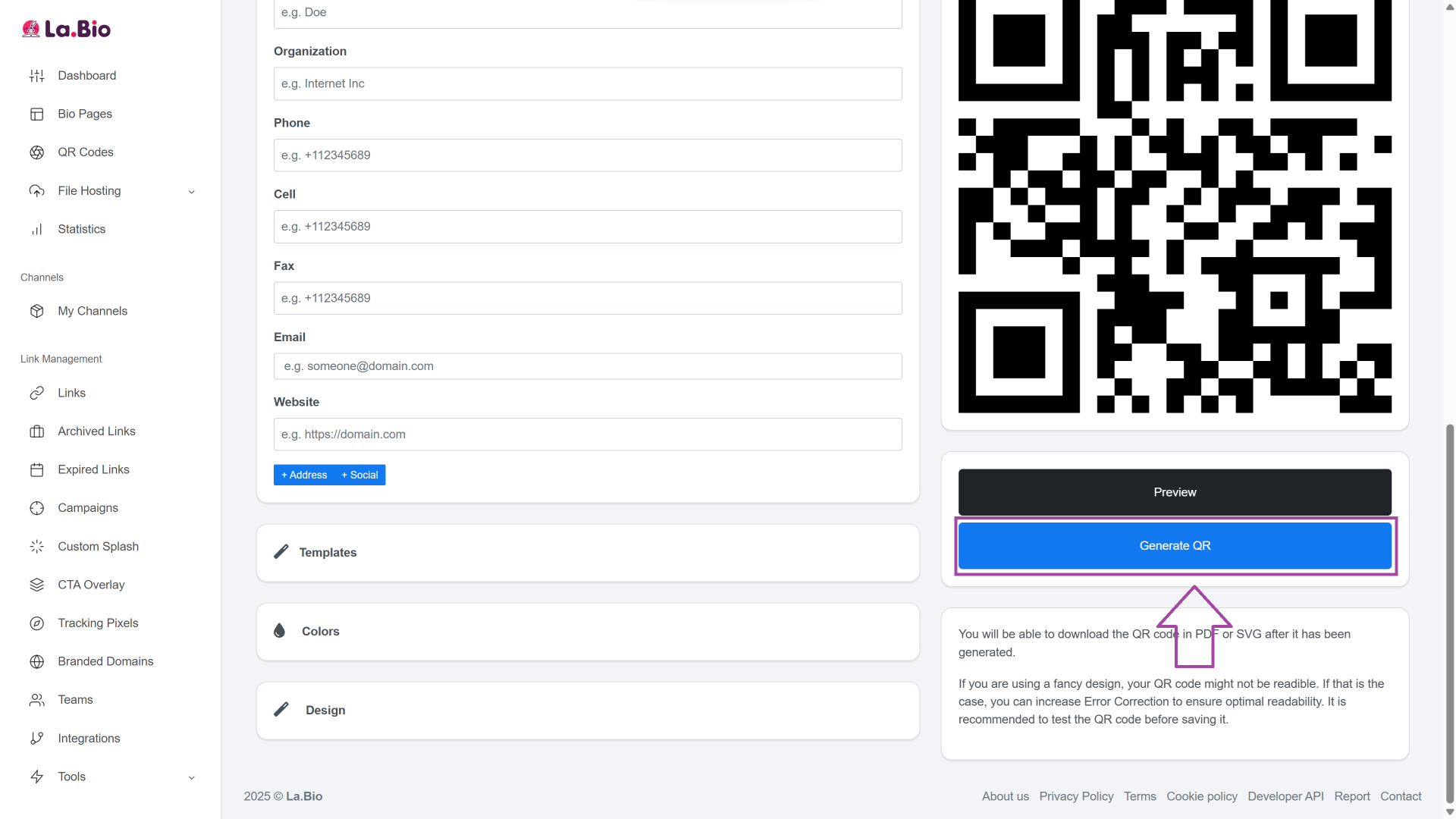
6. Generate & Download
Once you are satisfied with the look and the data, click "Generate QR". Your code is now ready. You can download it immediately in PNG, SVG, PDF, or WEBP formats depending on whether you need it for digital use or high-quality printing.
Where to Use Your vCard QR Code?
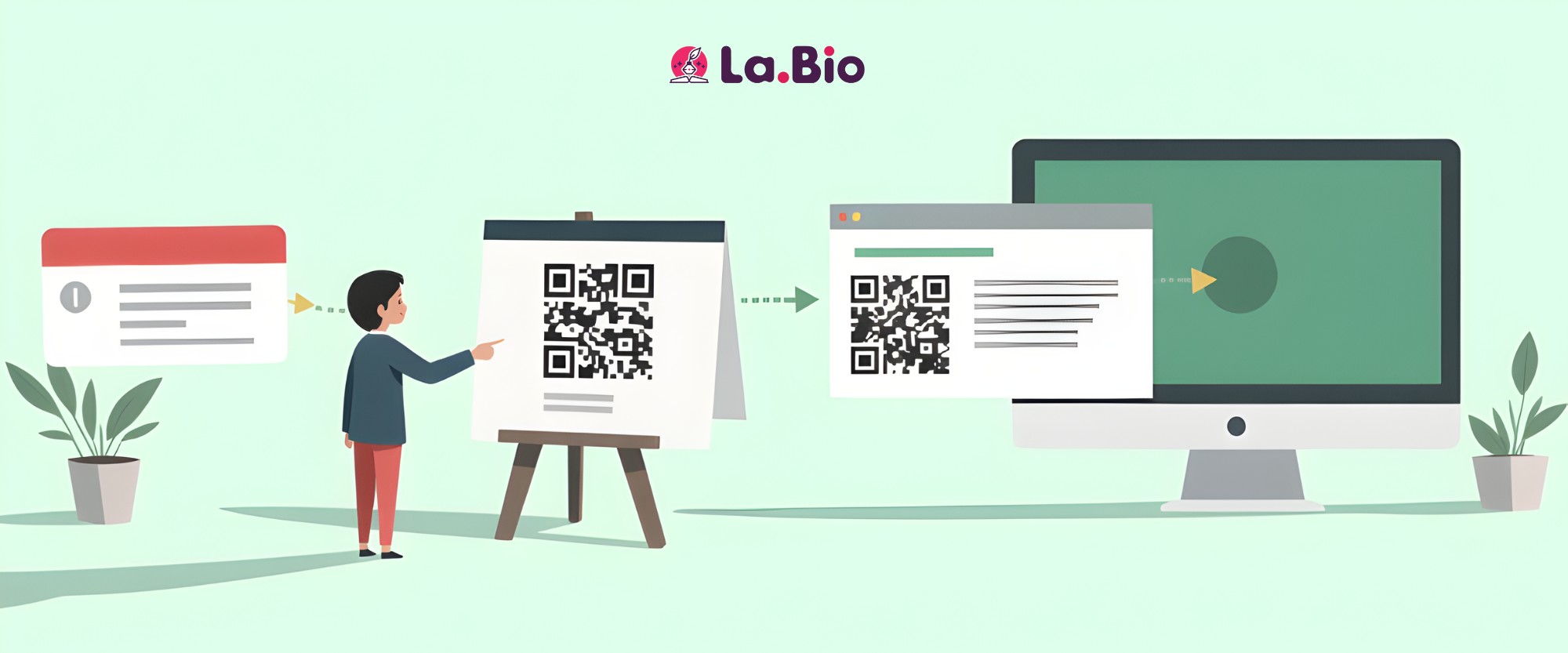
Once you have downloaded your high-quality QR code, the next step is strategic placement. To maximize your networking potential, your vCard needs to be visible where your prospects are. Here are the most effective places to deploy your new contactless business card:
Physical Business Cards
While the goal is to go digital, the transition is often hybrid. Printing your vCard QR code on your physical business card bridges the gap between the physical and digital worlds. It allows the recipient to keep the card as a visual reminder while instantly saving your data to their phone, ensuring you don't get lost in a pile of paper.
Email Signatures
Every email you send is a networking opportunity. Add your vCard QR code image to your email signature. This allows recipients opening your emails on a desktop to simply point their phone at the screen and save your details without typing a single character. It removes friction and increases the likelihood of being added to their contacts.
Presentations, Flyers, and Banners
For public speakers, sales executives, and exhibitors, placing a large vCard QR on your presentation slides or booth banners is essential. Instead of handing out hundreds of flyers, simply ask the audience to scan the screen. It captures leads instantly and demonstrates tech-savviness.
Pro Tip: Sharing Portfolios and Brochures
A vCard is perfect for contact details, but sometimes you need to share more, such as a product catalog, a portfolio, or a restaurant menu. If you want to share documents (like a portfolio or brochure) along with your contact info, a vCard might not be enough. In that case, you should create a PDF QR code. Learn more about how to [share PDF documents via QR] to distribute your marketing materials efficiently.
Frequently Asked Questions
Q: Do people need a special app to scan my vCard QR code?
A: No. Most modern smartphones (both iOS and Android) have built-in QR code scanners directly in their native camera apps. The user simply opens their camera, points it at your code, and a notification will pop up prompting them to add "New Contact."
Q: Is the Dynamic vCard really free on La.Bio?
A: Yes. Unlike many other platforms that force you to upgrade to a paid plan to unlock analytics or editing features, La.Bio offers Dynamic vCards completely for free. You get full access to scan tracking and the ability to edit your details anytime without hidden costs.
Q: Which file format is best for printing?
A: If you are planning to print your QR code on physical business cards, banners, or flyers, we recommend downloading the SVG or PDF format. These are vector files, meaning they can be resized to any dimension without losing quality or becoming pixelated. For digital use (websites, email signatures), PNG or WEBP is sufficient.
Conclusion
Networking is no longer about who hands out the most paper; it is about speed, efficiency, and ease of access. By switching to a vCard QR code, you remove the friction of manual data entry, ensuring your contact details actually make it into your prospect's phone.
Whether you choose a Static code for permanence or a Dynamic code for flexibility and analytics, digital business cards are the standard for modern professionals. Don't let your contact info get lost in the trash.
Upgrade your networking game today. Create your Free Dynamic vCard QR Code now on [La.Bio].







