


Quick Answer: To create a QR code for Calendly, copy your scheduling URL. Log in to La.Bio, select 'Create QR', choose 'Link' under Dynamic QR, and paste your URL. To embed the calendar directly in your bio, use the specific 'Calendly' widget in the Bio Page editor.
"Are you free Tuesday at 2 PM? No? How about Thursday?"
We have all been there. It is the dreaded email ping-pong that kills productivity. For freelancers, coaches, and consultants, every minute spent negotiating a time slot via email is a minute taken away from billable work or growing your business.
This is where Calendly changed the game. It automates the booking process, allowing clients to pick a slot that works for them based on your real-time availability. However, while Calendly solves the scheduling conflict, sharing that link can still be clunky—especially when you are networking offline or trying to convert followers on platforms like Instagram where links are limited.
The upgrade? Using La.Bio makes your booking link accessible everywhere, seamlessly bridging the gap between physical networking and your digital storefront. Whether you need a booking QR code for your business card or want to add Calendly to Instagram so clients can book without ever leaving your profile page, this guide will show you how to set it up in minutes.
Method 1: Creating a Calendly QR Code for Business Cards
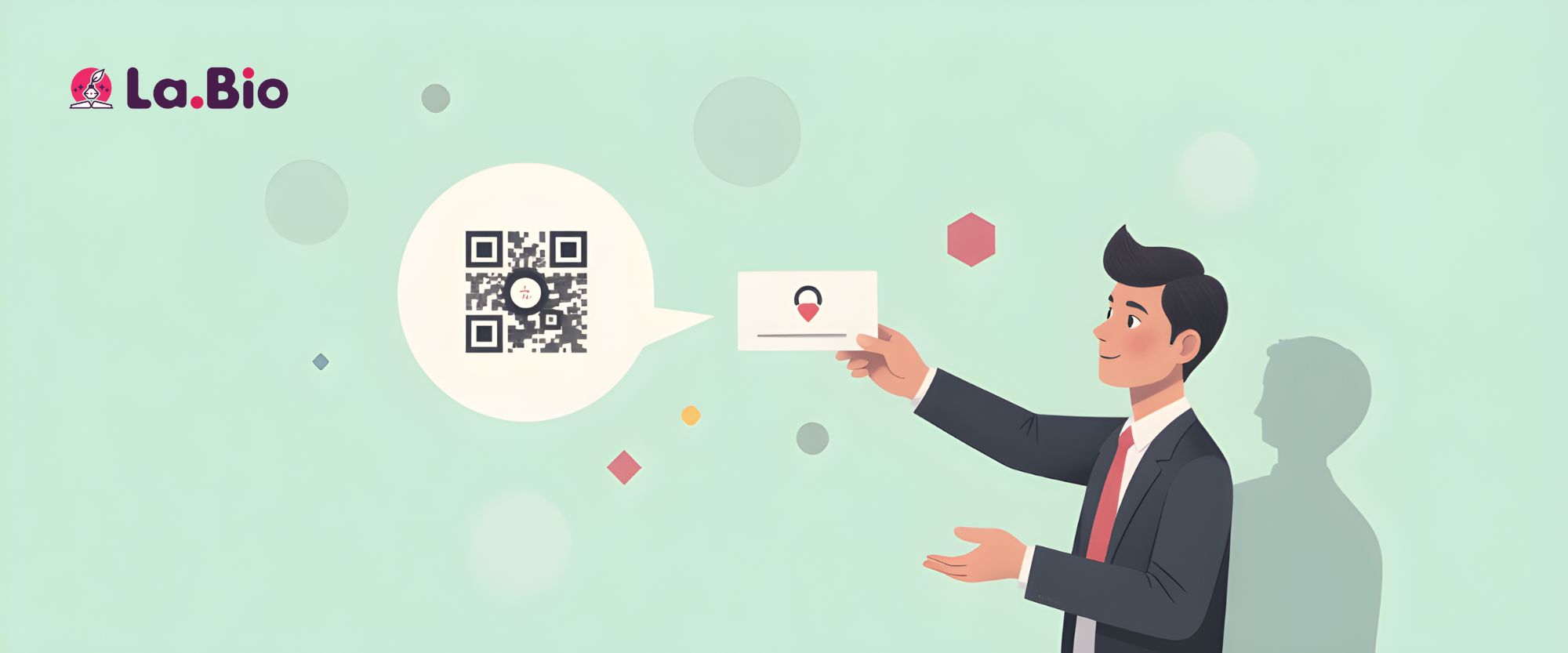
This method is essential for offline networking. When you are at a conference or meeting a potential client in person, handing them a business card with a schedule appointment QR code allows them to book a meeting instantly using their smartphone camera. No typing required.
Here is the step-by-step tutorial:
Get Your Link: Log in to your Calendly dashboard and copy your personal scheduling URL.
Start the Process: Log in to your La.Bio dashboard and click on the "Create QR" button.
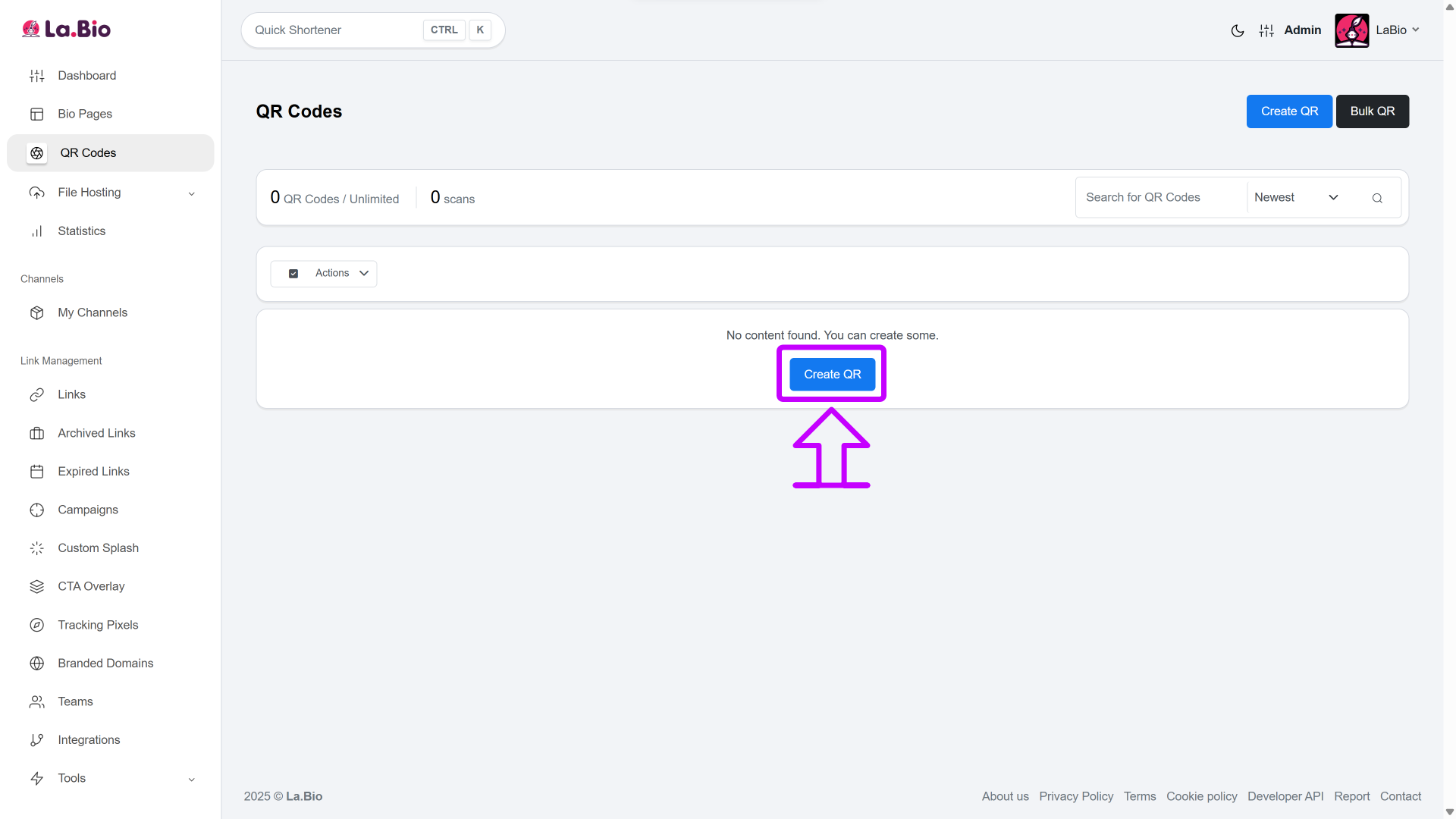
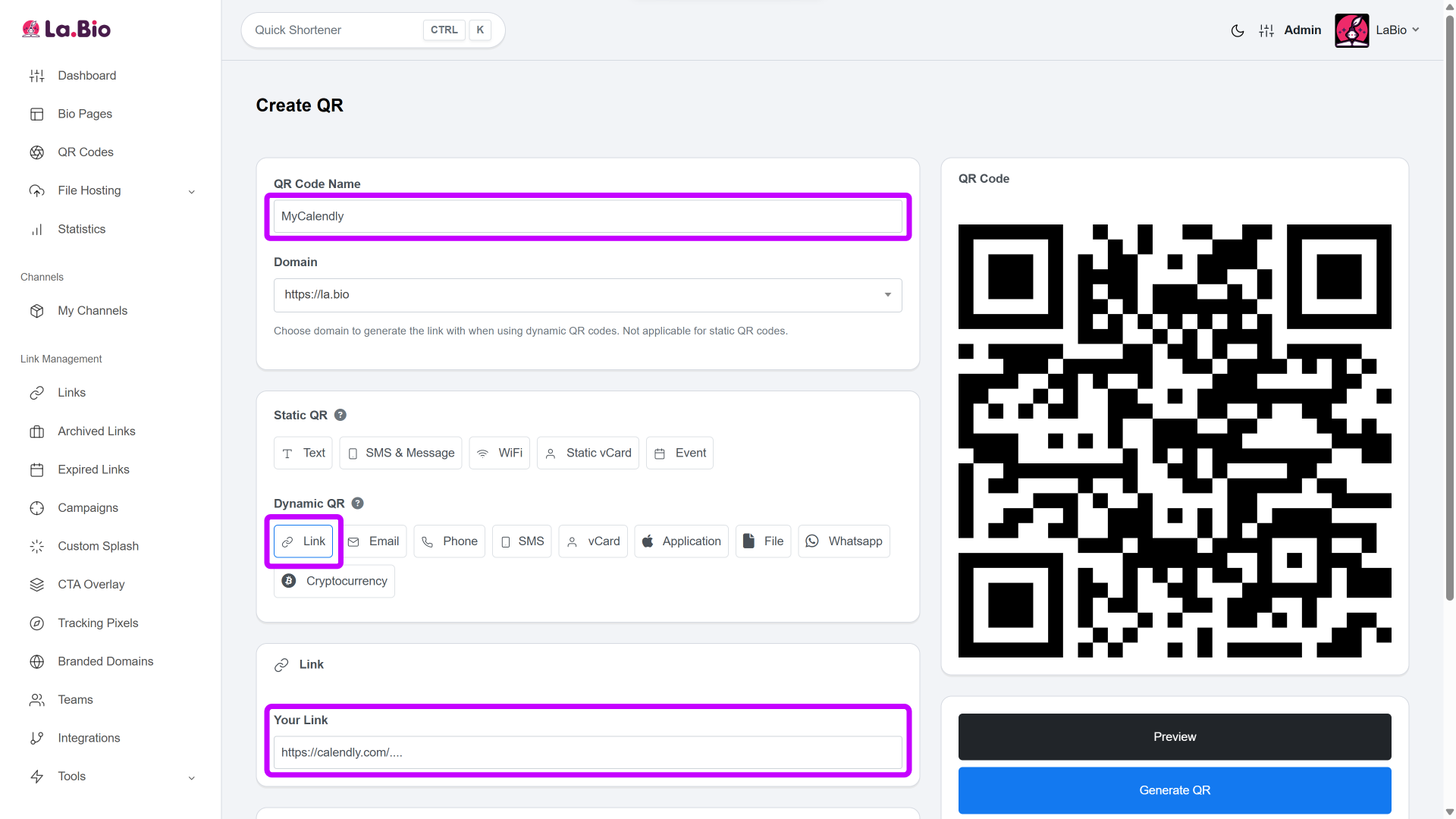
Select Dynamic Link: Choose the "Link" option under the Dynamic QR section, and paste your unique Calendly link into the destination field.
Pro Tip: Always use a Dynamic QR code for business tools. This allows you to track exactly how many people have scanned your card, giving you valuable data on your networking ROI.
Customize the Design: Navigate to the 'Design' tab. To ensure people know exactly what they are scanning, upload and place the Calendly logo in the center of the QR code.
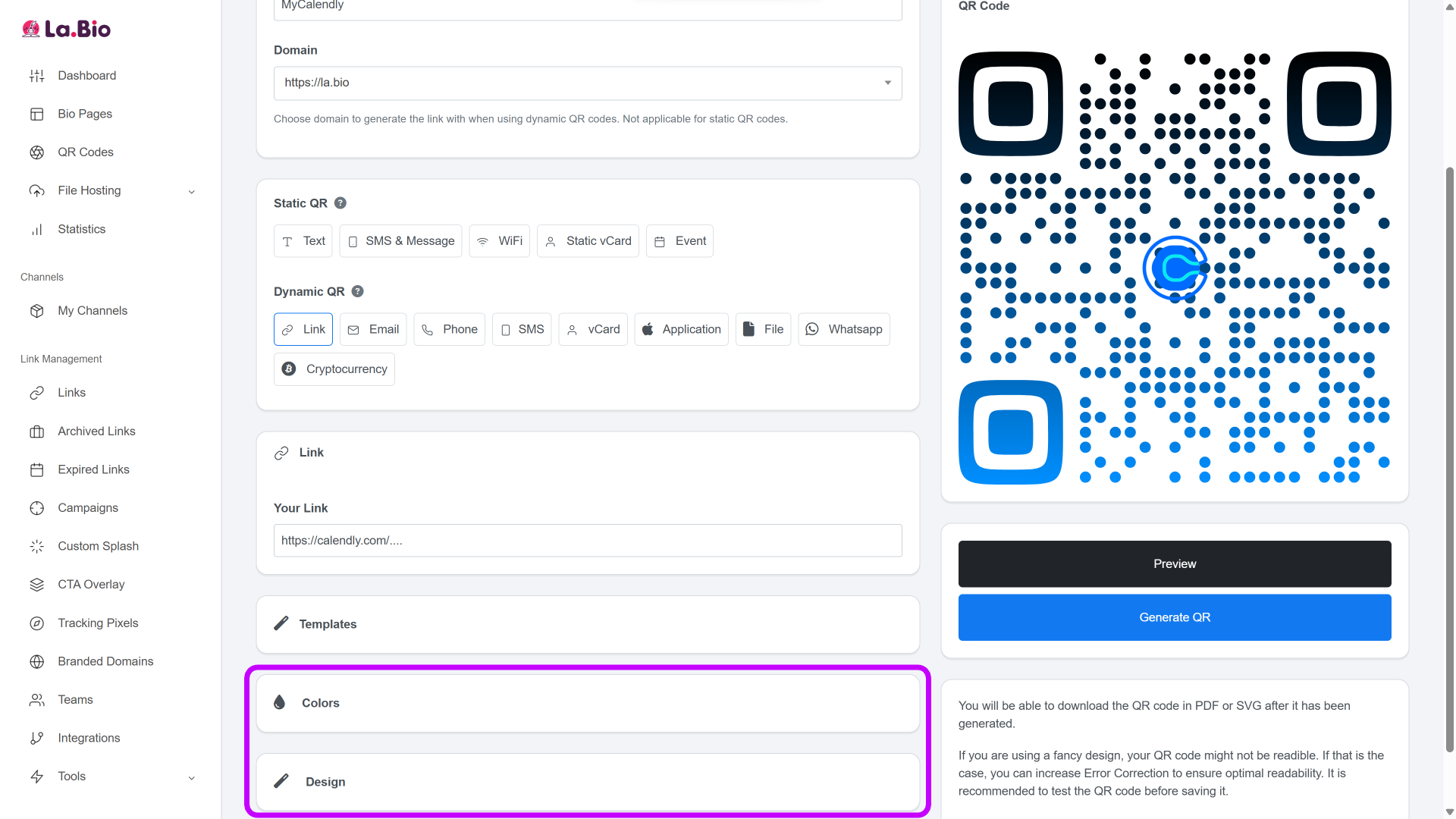
Generate and Print: Click Generate QR, download your high-quality QR image, and add it to your business card design.
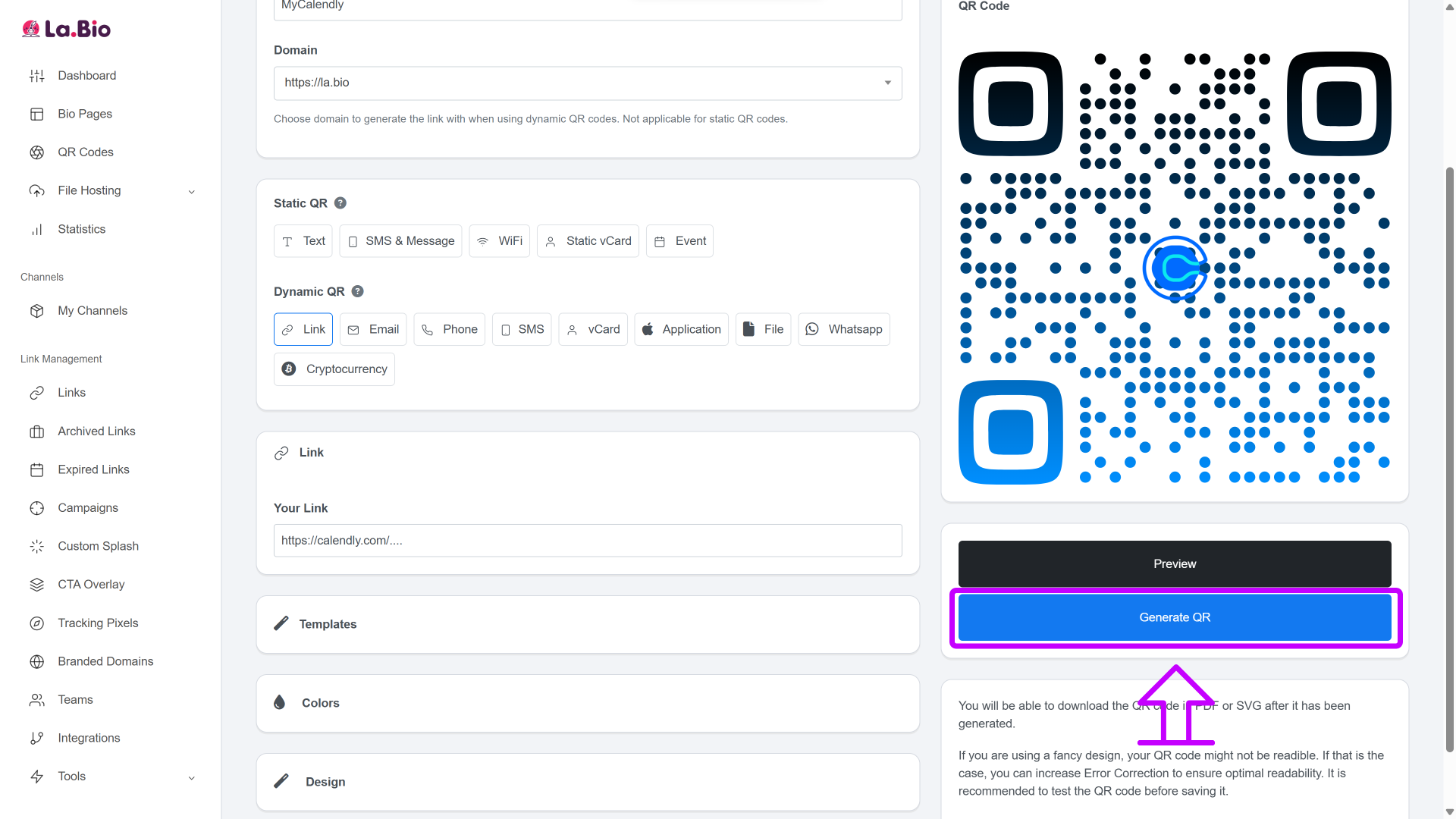
Now, your physical business card serves as an automated gatekeeper for your digital calendar.
Method 2: Embedding Calendly in Your Bio Link (The Pro Way)
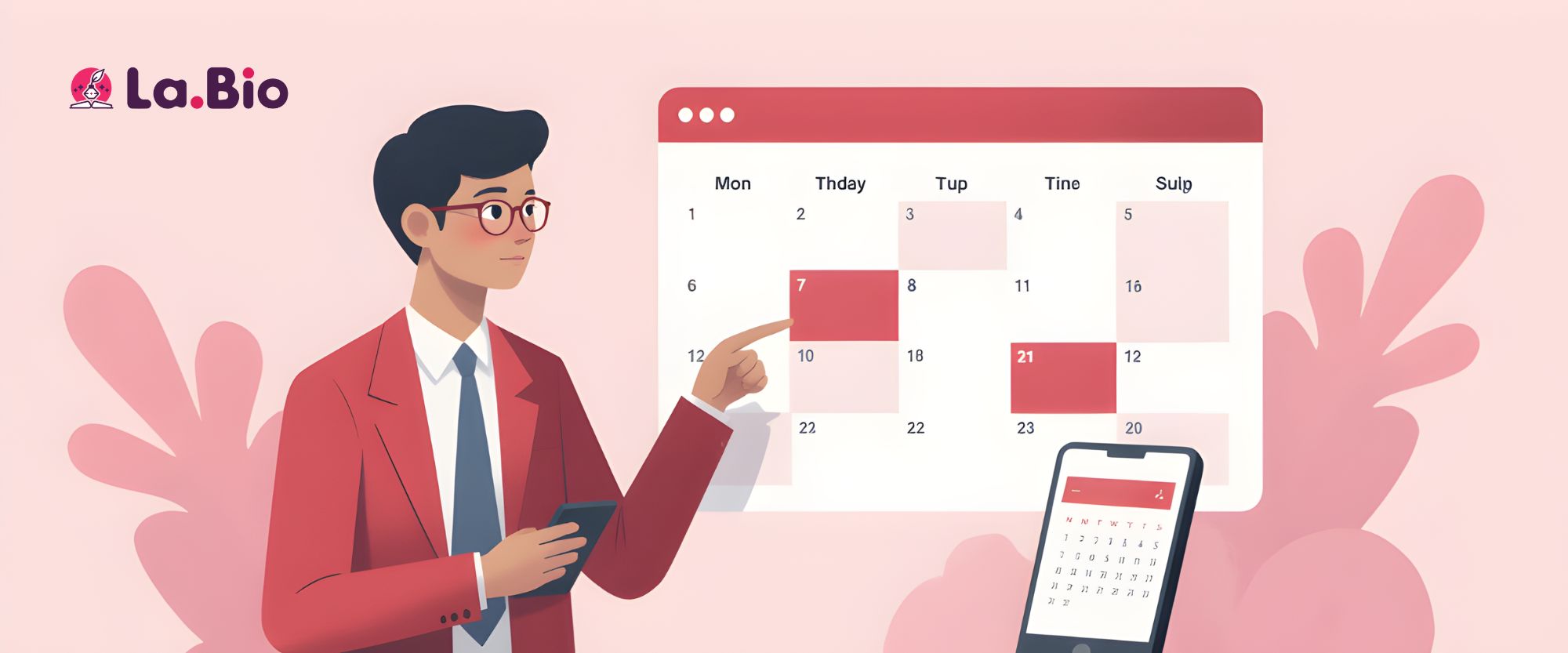
This is the ultimate setup for your calendly link in bio on platforms like Instagram, LinkedIn, and TikTok. Instead of forcing your followers to click a generic button, leave your profile, and wait for a new page to load, you can present them with the actual interactive calendar interface immediately.
This transforms your simple profile into a powerful booking engine using the calendly widget free of charge on La.Bio.
Here is how to set it up:
Access Your Page: Go to your Bio Page editor on your La.Bio dashboard.
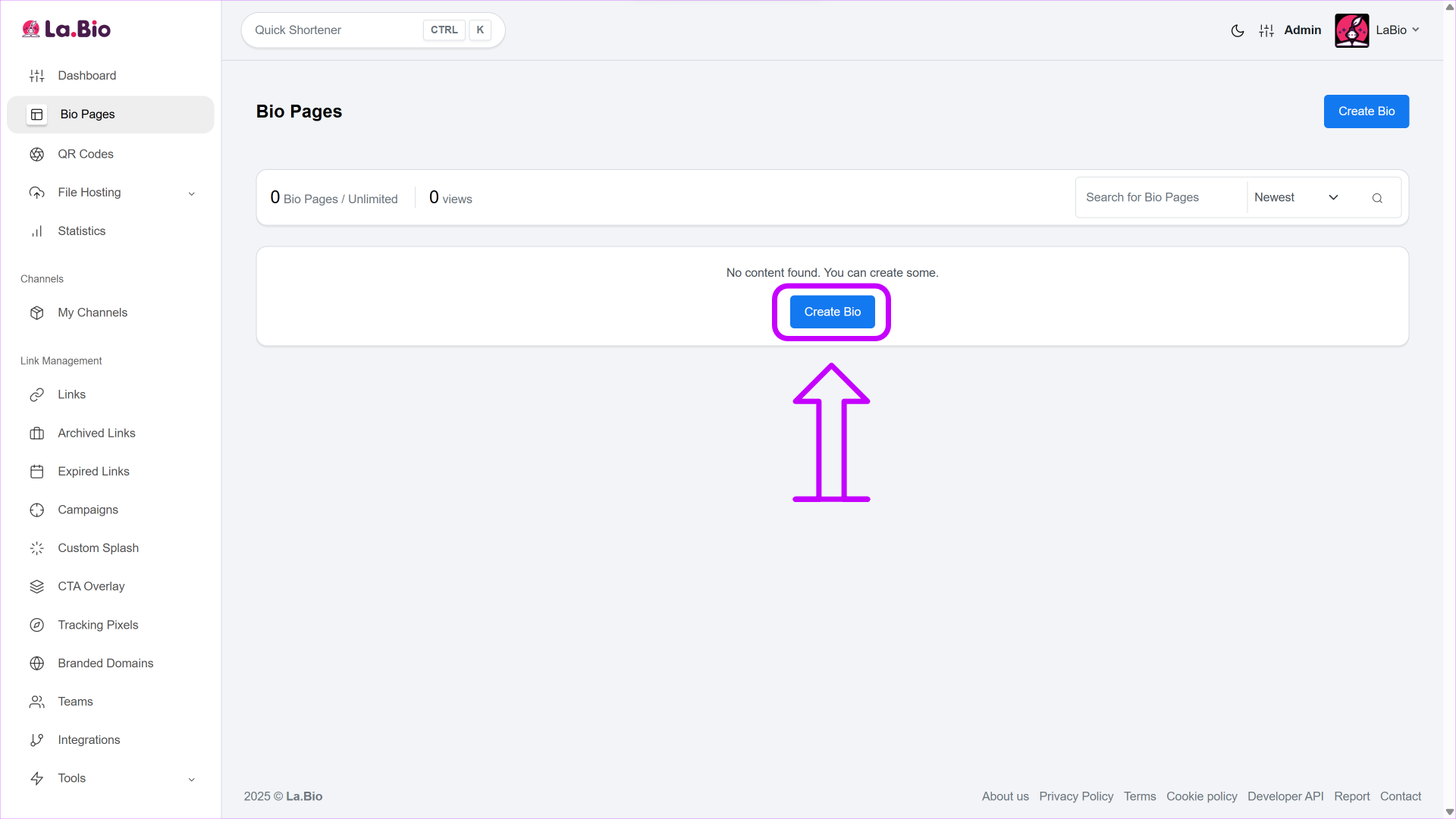
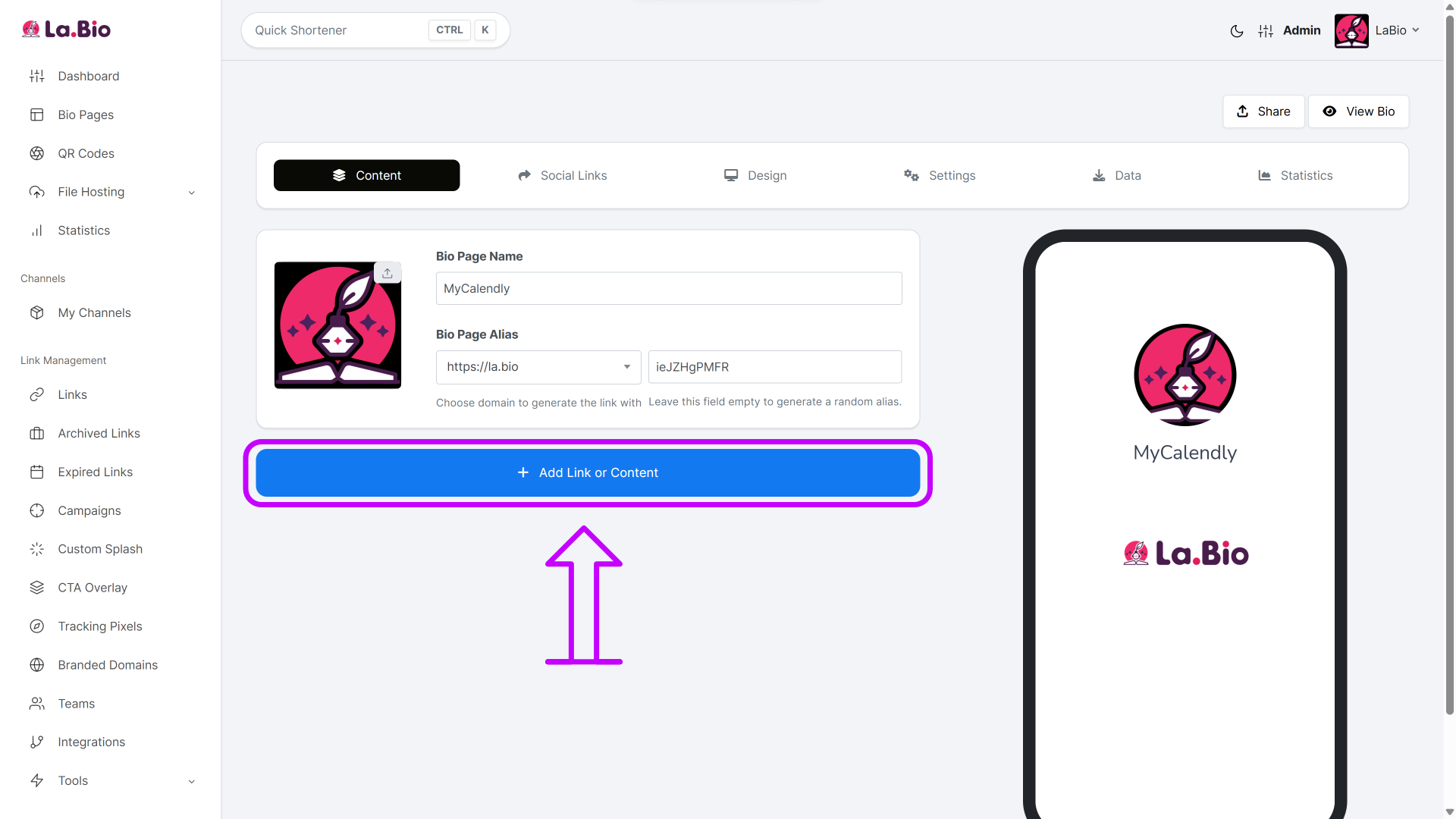
Add Block: Click on the "Add Link or Content" button.
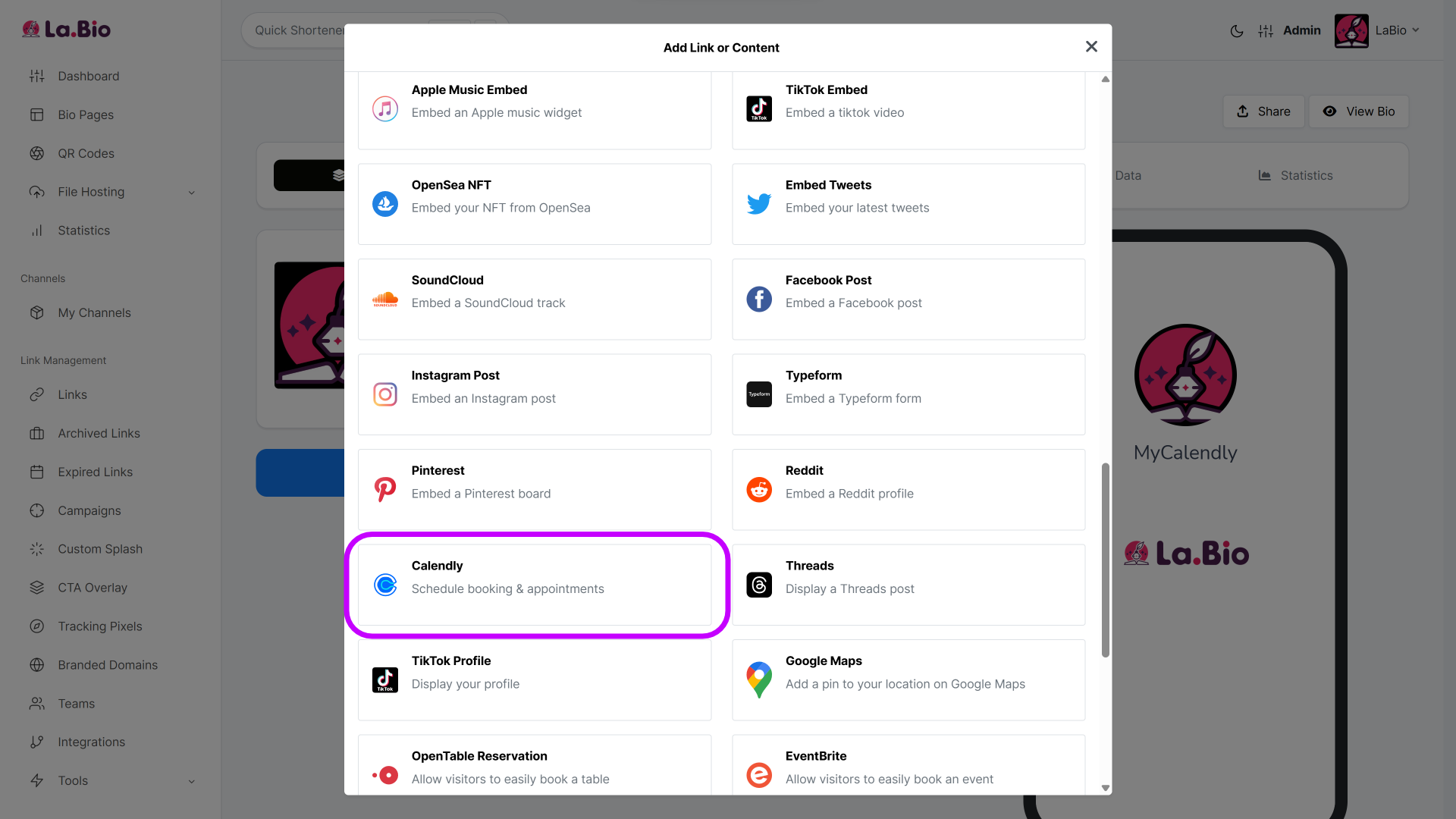
Choose the Widget: Scroll through the block list and select the specific "Calendly" widget.
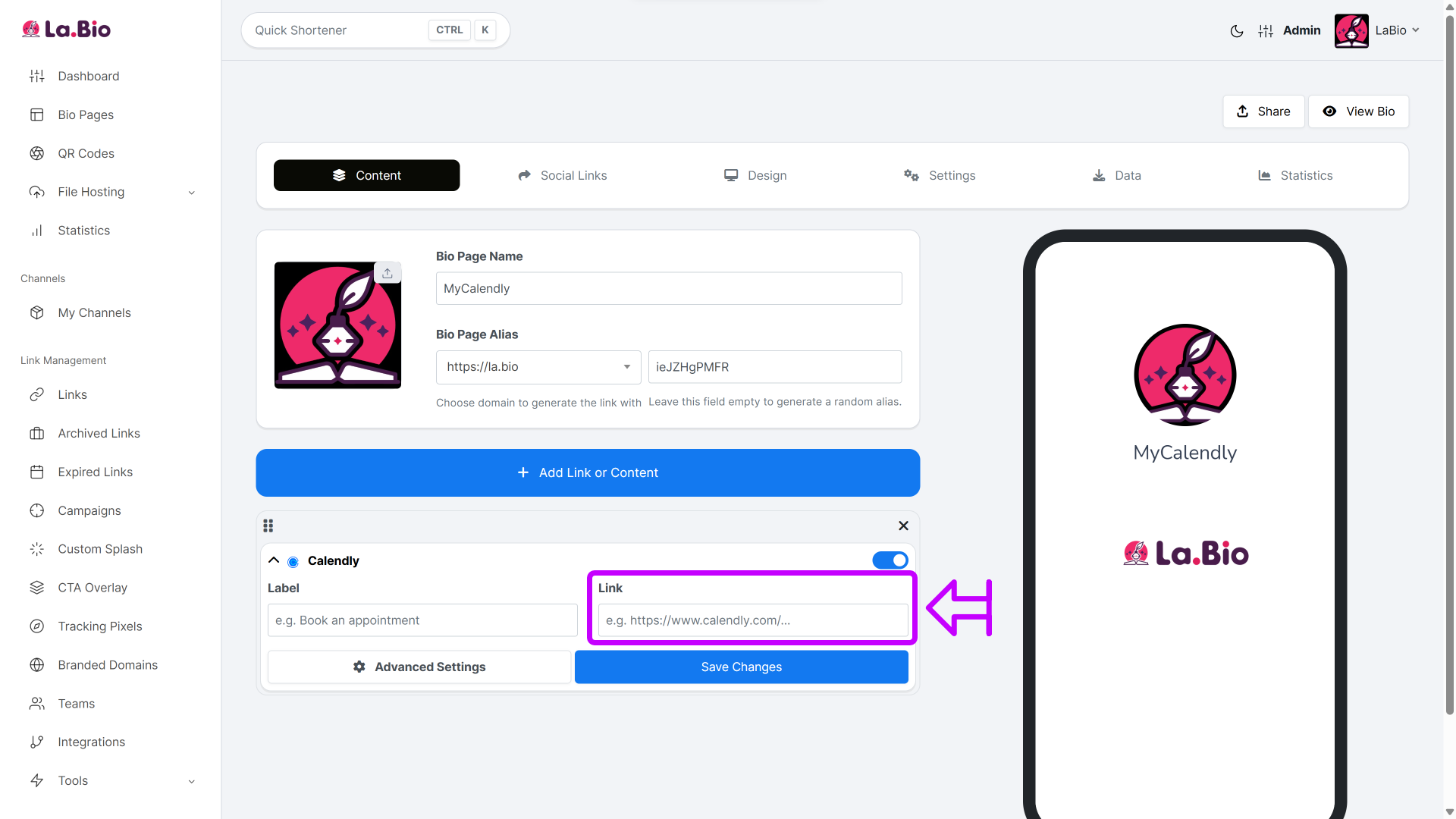
Paste URL: Enter your Calendly scheduling URL into the designated field.
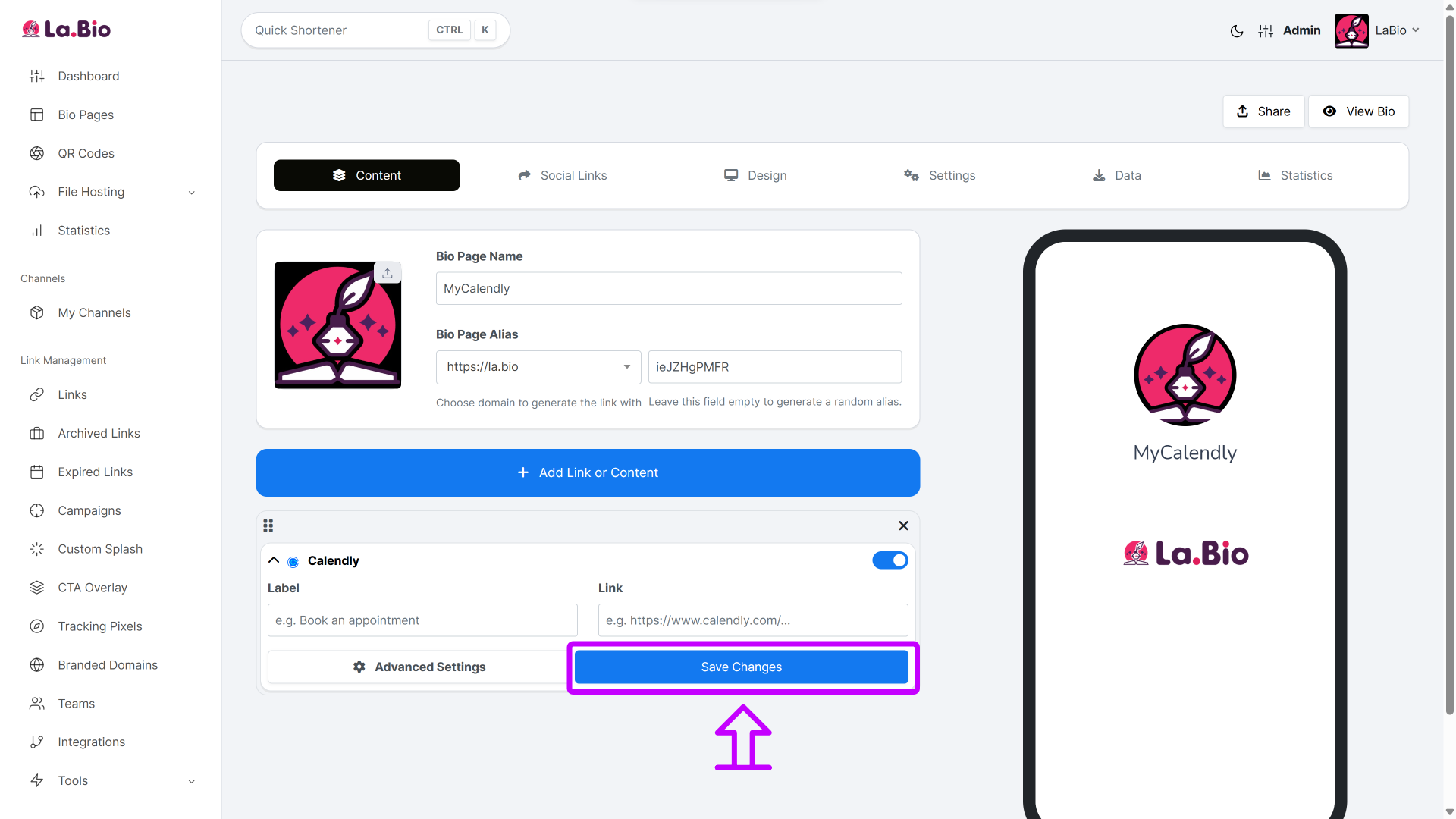
Save: Click "Save Changes".
The Result: This feature adds a serious "Wow" factor to your page. Your available dates and time slots now render directly on your profile. Visitors can view your schedule, scroll through months, and select a time to meet—all without ever leaving your La.Bio page.
Why embedding is better than just linking
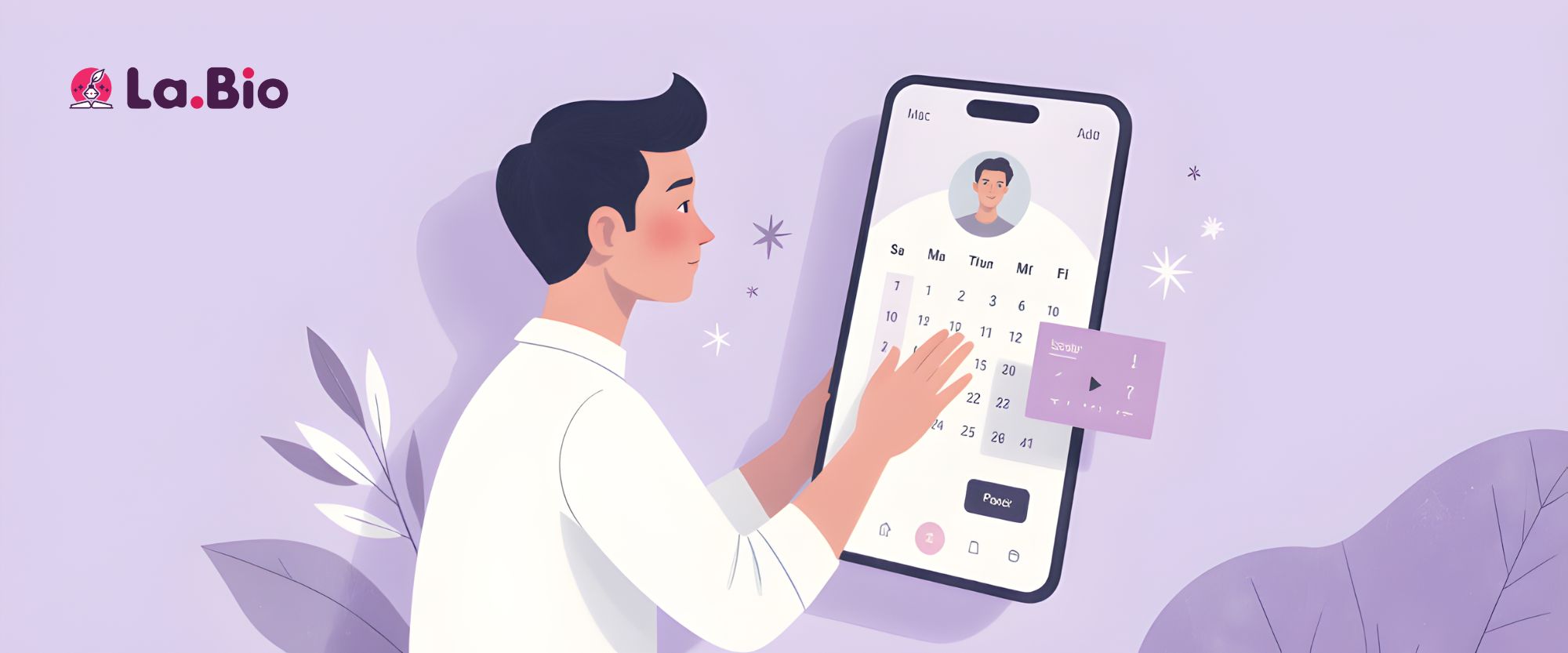
While a simple link button works, embedding the Calendly widget directly into your bio page offers distinct advantages for growth-focused professionals.
1. Frictionless User Experience
When you just use a link, the user is often redirected away from the app they are using (like Instagram or TikTok) to a browser window. This transition can be jarring or slow. Embedding keeps the user right where they are, allowing them to book a slot without "leaving" your digital environment.
2. Higher Conversion Rates
In marketing, the golden rule is simple: fewer clicks equal more bookings. By removing the extra step of clicking a "Book Now" button to see availability, you reduce the drop-off rate. Potential clients see open slots immediately, prompting quicker decision-making.
3. Professional Aesthetics
Embedding creates a seamless, high-end look. Instead of a generic list of text links, your Bio Page looks like a custom-coded website or app. It signals to your clients that you are organized, tech-savvy, and respectful of their time.
Essential Tips for Coaches and Freelancers
To truly automate your business, your link in bio needs to do more than just schedule meetings; it should function as a complete sales funnel. By "stacking" different blocks on La.Bio, you can handle inquiries and revenue alongside your calendar.
1. Combine with Payment
If you are a consultant or therapist, you likely charge for your time. Don't waste energy chasing invoices after the meeting. You can add a PayPal Button block directly above or below your Calendly widget. This allows you to [accept payments for consultations] upfront, ensuring that every booked slot on your calendar is a paid session.
2. Combine with WhatsApp for Pre-Sales
Sometimes, a potential client is interested but hesitant to book a full 30-minute slot without asking a quick question first. Reduce this friction by adding a messenger block. By reading our [WhatsApp Button guide], you can learn how to allow clients to send you a quick text for pre-sales clarification before they commit to a booking. This hybrid approach—chat first, book second—often leads to higher quality leads.
Frequently Asked Questions
Q: Is the Calendly widget free?
A: Yes. Unlike many competitors that gate advanced integrations behind paywalls, the Calendly embed widget is included in the La.Bio free plan. You can start accepting bookings immediately without upgrading.
Q: Does it sync with my Google Calendar?
A: Absolutely. Since the widget displays the live Calendly interface, all of Calendly’s native features remain active. If you add a personal appointment to your connected Google or Outlook calendar, that time slot will instantly disappear from your bio page widget, preventing double bookings.
Q: Can I customize how the widget looks?
A: While the internal design of the calendar is managed via your Calendly settings, you can customize the container on La.Bio. You can adjust the block’s background color, animation, and positioning to ensure it fits perfectly with your brand aesthetic.
Conclusion
Stop the email ping-pong and start filling your schedule with qualified leads. Whether you are handing out business cards at a conference or driving traffic from Instagram, removing the friction from scheduling is the easiest productivity hack you can implement today.
By using La.Bio, you merge the physical and digital worlds into one seamless workflow. You don't just get a link; you get a professional booking engine that fits in your pocket.
Get more bookings with zero effort. [Create your Calendly Bio Link now].







