


In today's digital world, where a presence on multiple platforms is the norm, the "bio link" has become an indispensable tool for content creators, entrepreneurs, and brands. It's that single, clickable link in your social media biography that opens a door to a universe of your content, products, and information. A well-designed bio link does more than just group your links; it strengthens your brand image, improves the user experience, and can even become a powerful conversion engine.
For your site specializing in the creation of bio links, QR codes, and short links, here is a complete, SEO-optimized guide that will detail how to create a professional bio link in six simple and effective steps.
The Importance of a Professional Bio Link
Before diving into the creation process, it's crucial to understand why a professional bio link is more than just a convenience. It centralizes your online presence, making it easy for your followers to discover everything you have to offer. Whether you want to promote your latest YouTube video, your online store, your portfolio, or your other social media profiles, a well-structured bio link is the key.
Furthermore, modern bio link creation tools offer advanced features such as appearance customization to match your brand identity, integration of rich content like videos and music players, and even analytics tools to track your audience's engagement.
The 6 Steps:
Follow these simple steps to create a bio link that is not only functional but also looks professional and is optimized for conversion.
Step 1: Start Creating Your Bio Link
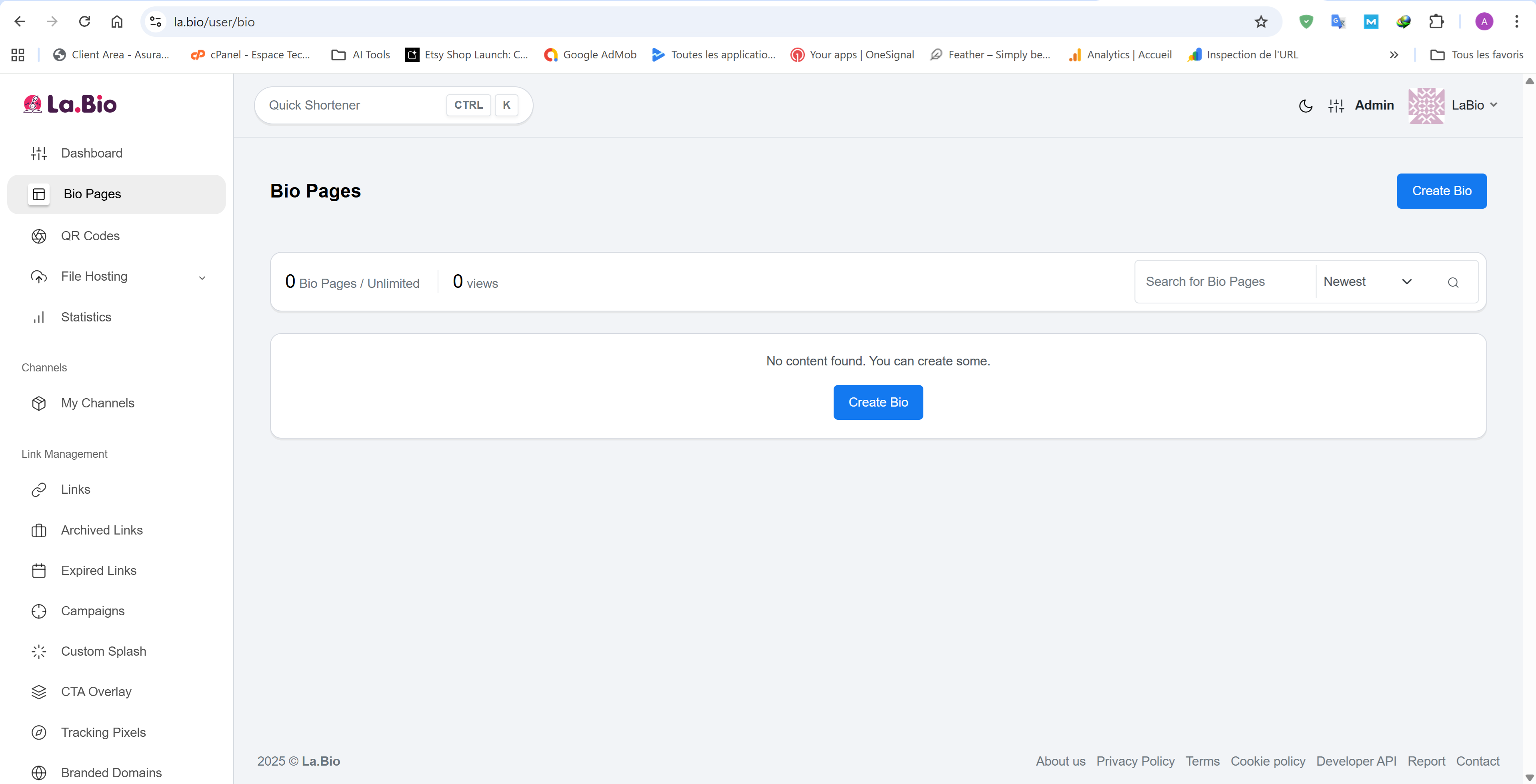
To begin, the first step is to initiate the creation process.
Go to the la.bio/user/bio page.
Press the "Create Biolink" button.
This action will launch you into the creation interface where you can begin building your personalized links page.
Step 2: Choose a Strategic Name for Your Biolink
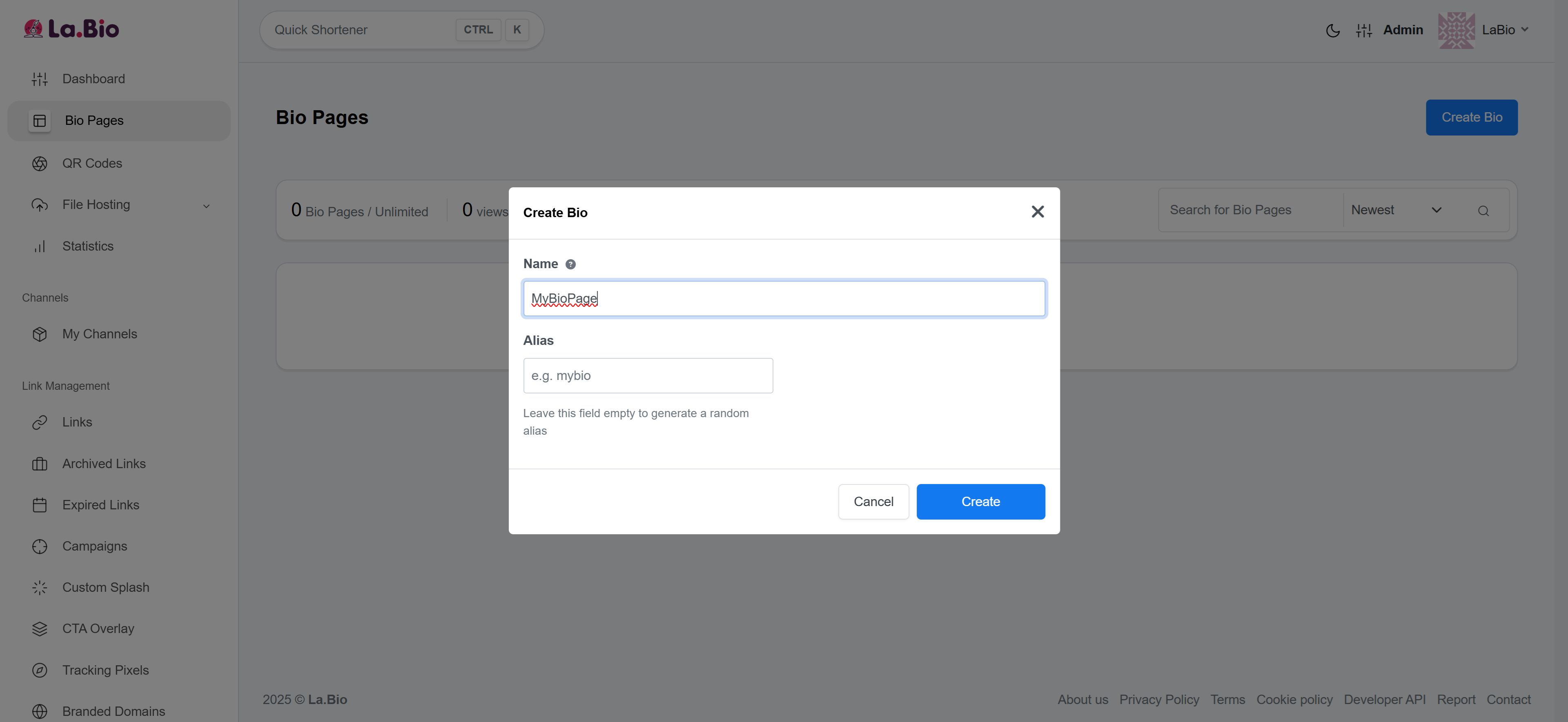
The name of your biolink is more than just a URL; it's an extension of your brand.
Opt for a name that is short, memorable, and easy to spell.
Ideally, use your username, your company's name, or a keyword relevant to your industry.
A well-chosen biolink name will reinforce your brand recognition and inspire trust in your visitors.
Step 3: Enrich Your Page with Varied Content
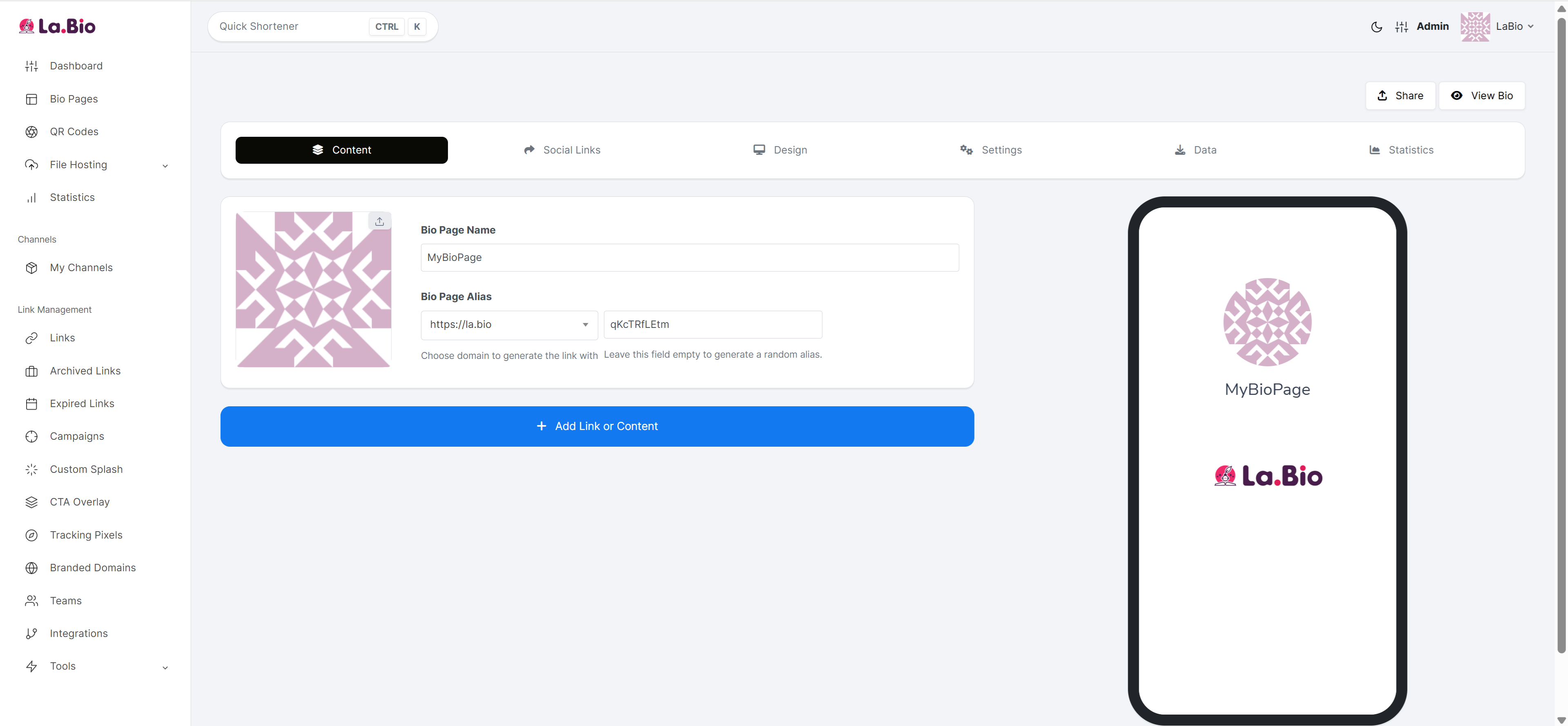
This is where your biolink page comes to life. Don't just add simple links. A professional biolink page offers a rich and interactive experience.
Essential Links: Add links to your website, blog, press articles, etc.
Multimedia Content: Embed videos from YouTube or Vimeo directly onto your page to capture attention.
Monetization: Add PayPal payment links for donations or services, and feature products from your online store.
Music and Playlists: Share your Spotify or Apple Music playlists for a more personal touch.
And MORE!
The key is to provide value and present your content in the most engaging way possible.
Step 4: Connect Your Social Networks
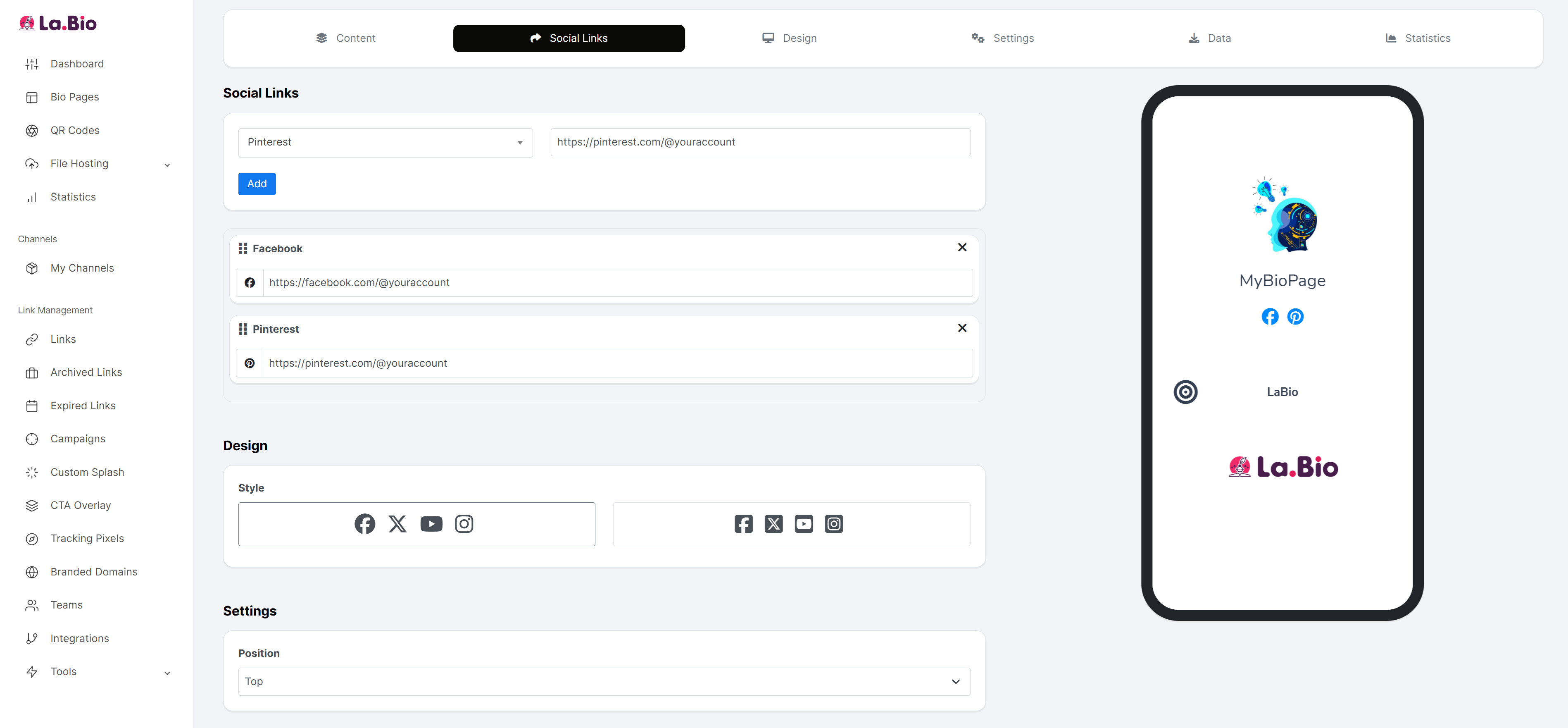
Your bio link is the convergence point of your online presence. Make sure to include clickable icons to all your active social media profiles.
Integrate links to Instagram, TikTok, Facebook, Twitter, LinkedIn, and any other relevant platform.
This encourages cross-visits between your different platforms and helps to consolidate your online community.
Step 5: Customize Your Biolink's Design
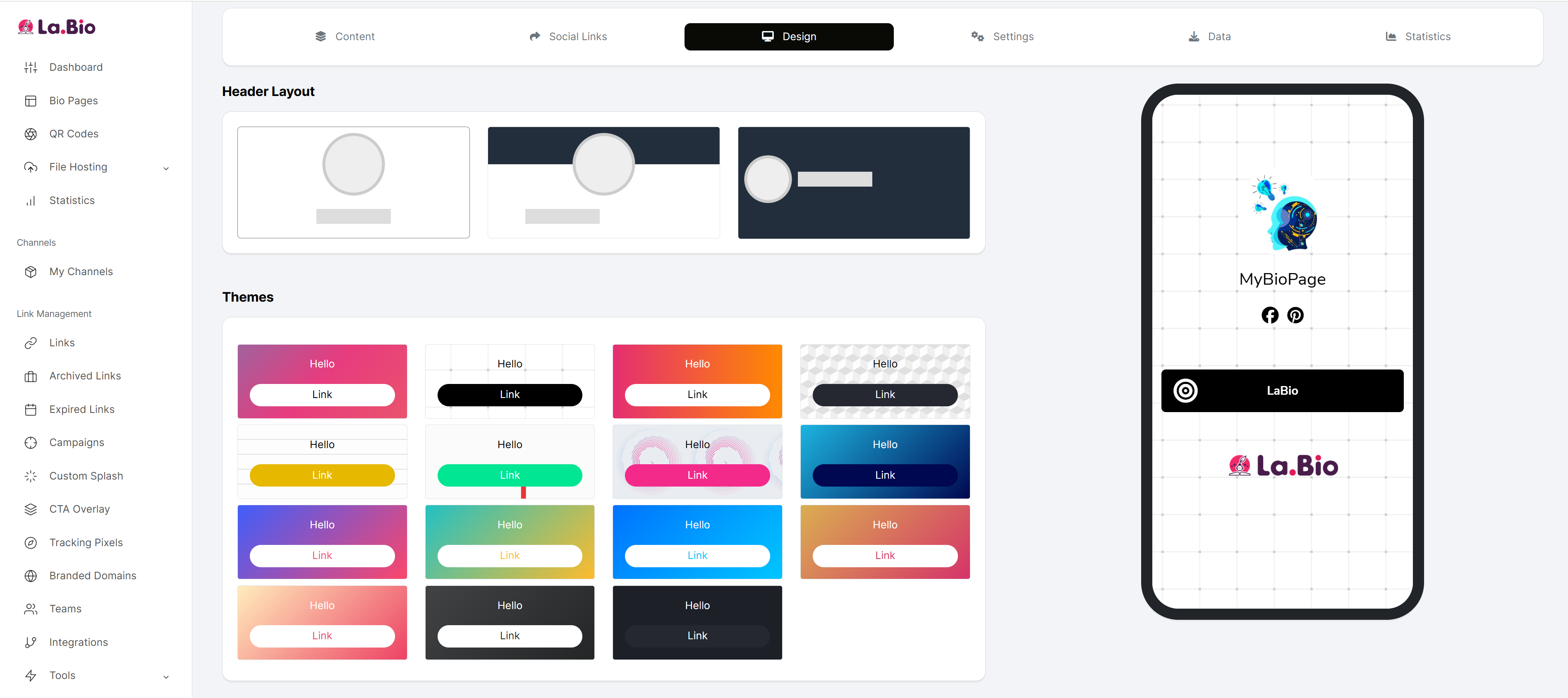
The appearance of your biolink page is crucial for a successful first impression. A design that is consistent with your brand identity reinforces your professionalism.
Background: Choose a solid color, a gradient, or even a background image that matches your aesthetic.
Buttons: Customize the shape, color, and style of your link buttons for better readability and visual impact.
Fonts: Select a font that is both legible and in line with your brand identity.
And MORE!
A clean and professional design encourages visitors to explore your links further.
Step 6: Configure Advanced Settings for Optimal Performance
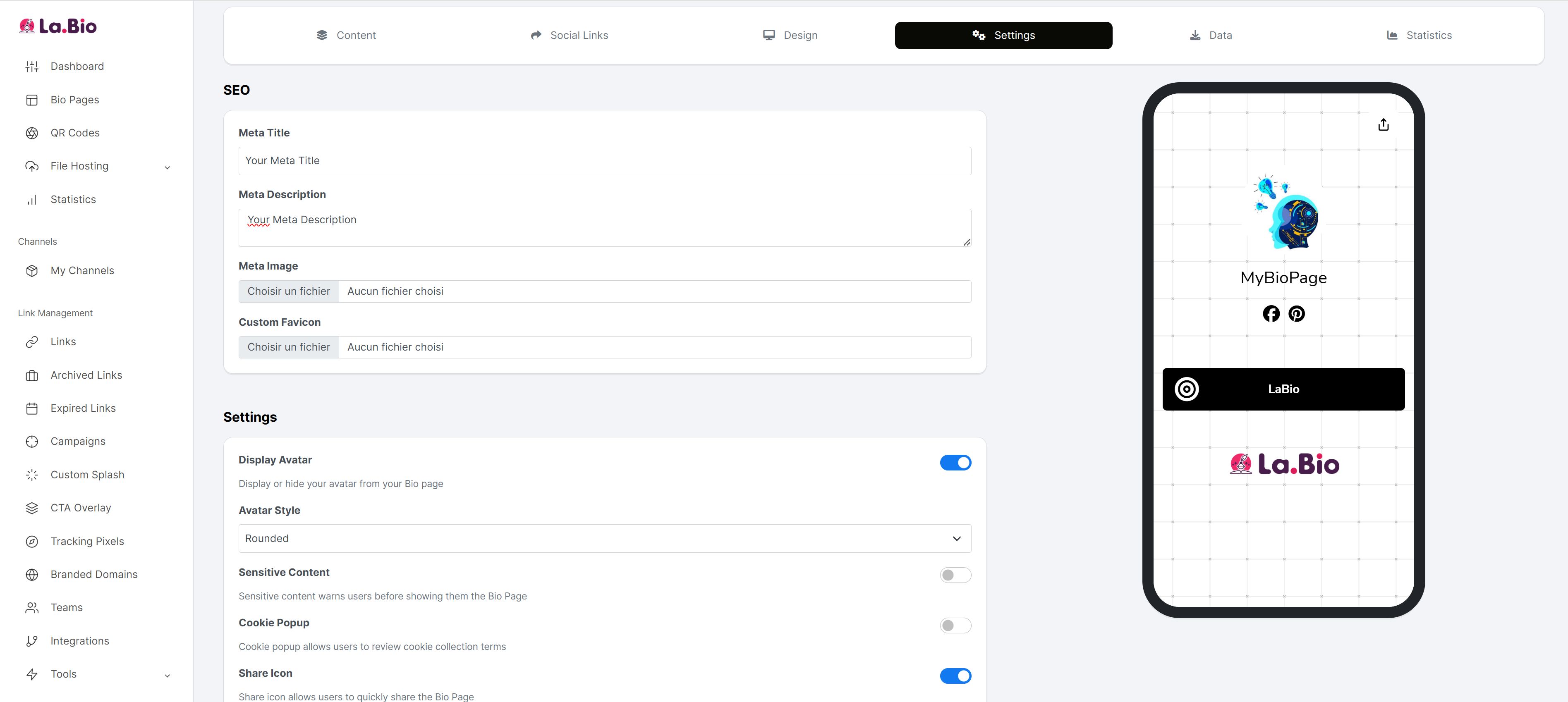
Once your page is visually appealing and rich in content, it's time to fine-tune the settings to maximize its reach and effectiveness.
SEO (Search Engine Optimization): Configure your page title and meta description to improve your visibility on search engines.
Targeting Pixels: Integrate tracking pixels from platforms like Facebook and Google to retarget visitors with ads.
Password Protection: Secure access to certain links or your entire page with a password for exclusive content.
Custom CSS: For advanced users, adding custom CSS allows for nearly unlimited design customization.
And MORE!
These advanced settings transform your bio link from a simple page of links into a powerful marketing tool.
By following these six steps, you will be able to create a professional, aesthetically pleasing, and highly functional bio link. This tool will centralize your online presence, provide a quality user experience for your audience, and give you advanced features to achieve your marketing goals. Don't wait any longer—start building your bio link today and take control of your digital footprint.








