


Quick Answer: To accept payments, create a page on La.Bio and click "Add Link or Content". Select the "PayPal Button" widget. Enter your PayPal email, set the amount and currency, and add a label like "Buy Now". Click save to start receiving money instantly.
For freelancers, content creators, and small business owners, social media is an incredible tool for visibility. However, converting that visibility into actual revenue often hits a roadblock: the payment process.
We have all been there. A customer wants to buy your service or support your work, but sending manual invoices is slow and tedious. Worse yet, asking a client to "DM for bank details" can feel unprofessional and unsecure. In the fast-paced world of social media, friction kills sales. You need a "One-Click" payment solution that works as fast as your followers scroll.
The solution is simple: A direct PayPal Button hosted right on your bio link.
With La.Bio, you can integrate a secure payment widget directly into your landing page. Whether you are collecting donations, selling a digital guide, or charging for a consultation, this feature allows you to monetize your traffic instantly—without the need for a complex website or expensive coding.
Why use a PayPal Button in your Bio
When it comes to online transactions, your audience wants two things: security and simplicity. Here is why integrating a PayPal button into your La.Bio profile is a game-changer for your business.
Trust
Security is the biggest barrier to online sales. PayPal is a globally recognized and trusted standard. When your followers see that familiar logo, they know their financial information is safe. This instant credibility removes hesitation and boosts conversion rates significantly compared to asking for direct bank transfers or using unknown payment gateways.
Speed
In the fast-paced world of social media, you want to reduce the friction between "I want this" and "I bought this." Traditional sales funnels often involve too many clicks, causing potential customers to drop off. By placing a payment button directly in your bio, you allow customers to pay immediately. It cuts the journey short and ensures you get paid faster.
No Website Needed
You don't need to pay for an expensive Shopify subscription or struggle with the technical complexities of WooCommerce to start selling. For many freelancers and creators, a full website is overkill. Your La.Bio link acts as your mini-website, hosting your payment gateway for free. It is the leanest, most cost-effective way to launch your side hustle without the headache of website maintenance.
Step by Step - Creating Your PayPal Link
Ready to start accepting payments? Follow this simple tutorial to get your paypal link in bio set up in just a few minutes.
Step 1: Start Your Page
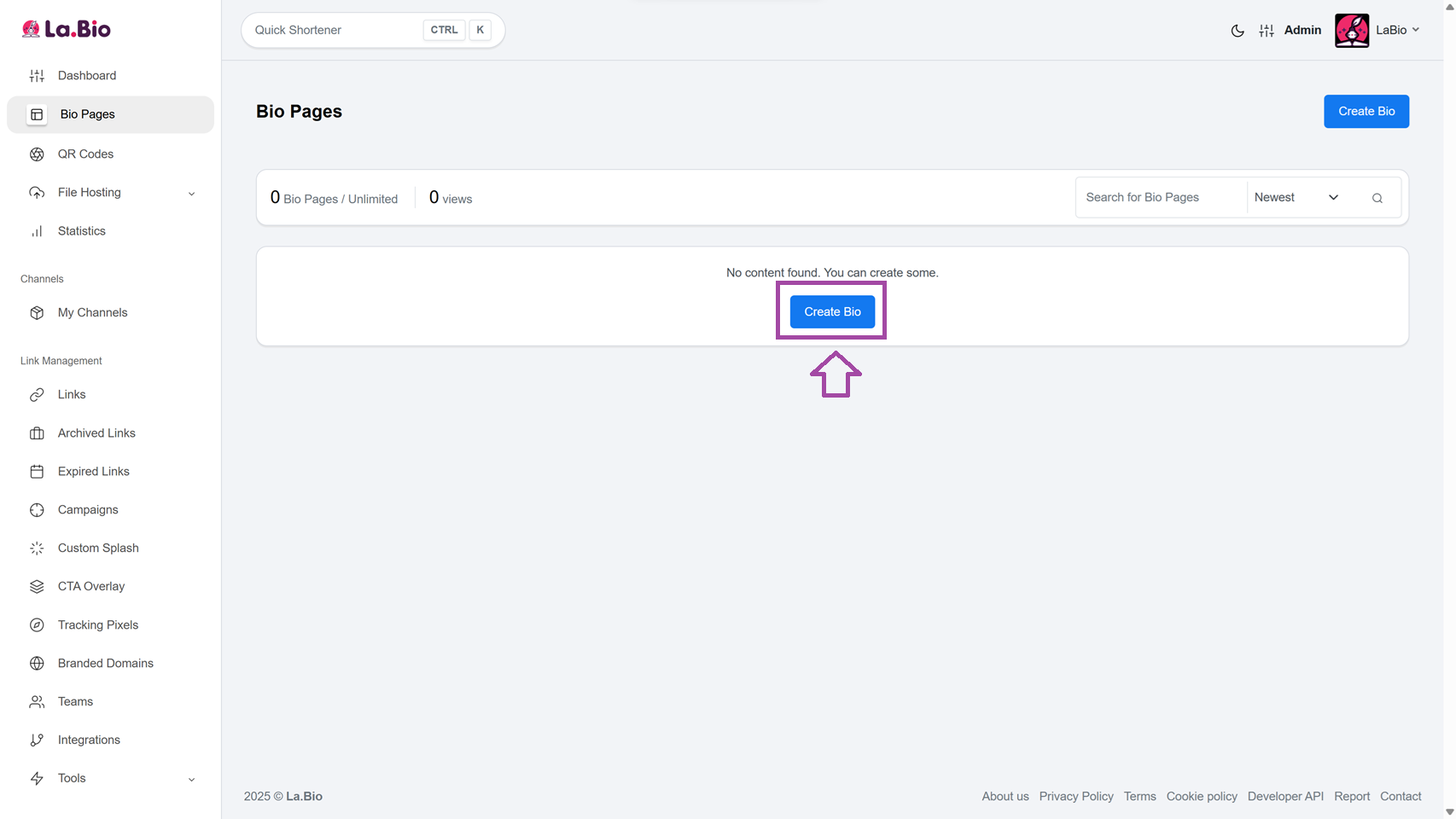
Log in to your [La.Bio] account. If you haven't already, click on Create Bio on your dashboard.
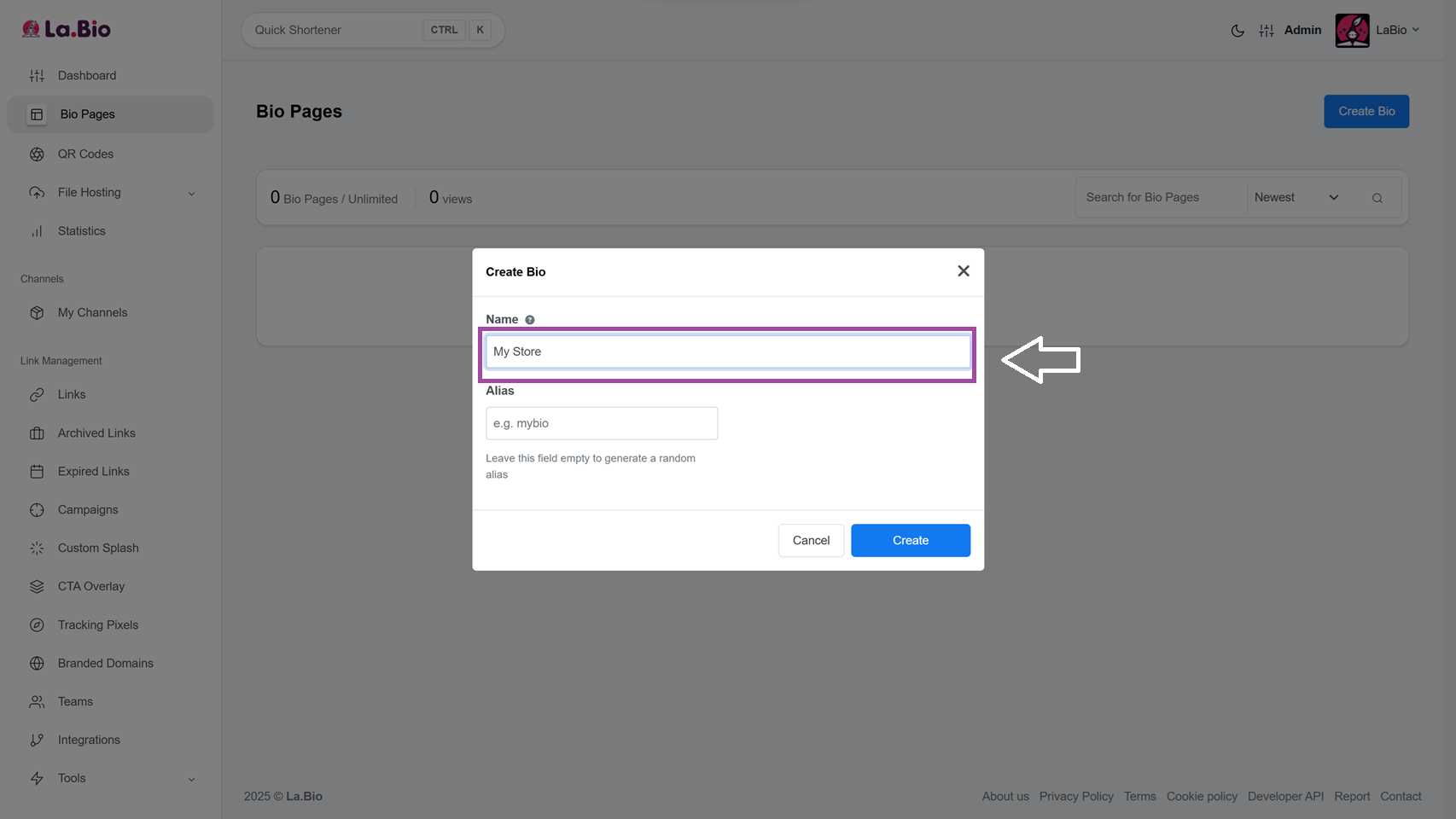
Step 2: Name Your Link
Choose a custom URL that fits your brand (e.g., la.bio/my-shop or la.bio/your-name). This will be the public link you share on your social media profiles.
Step 3: Add New Content
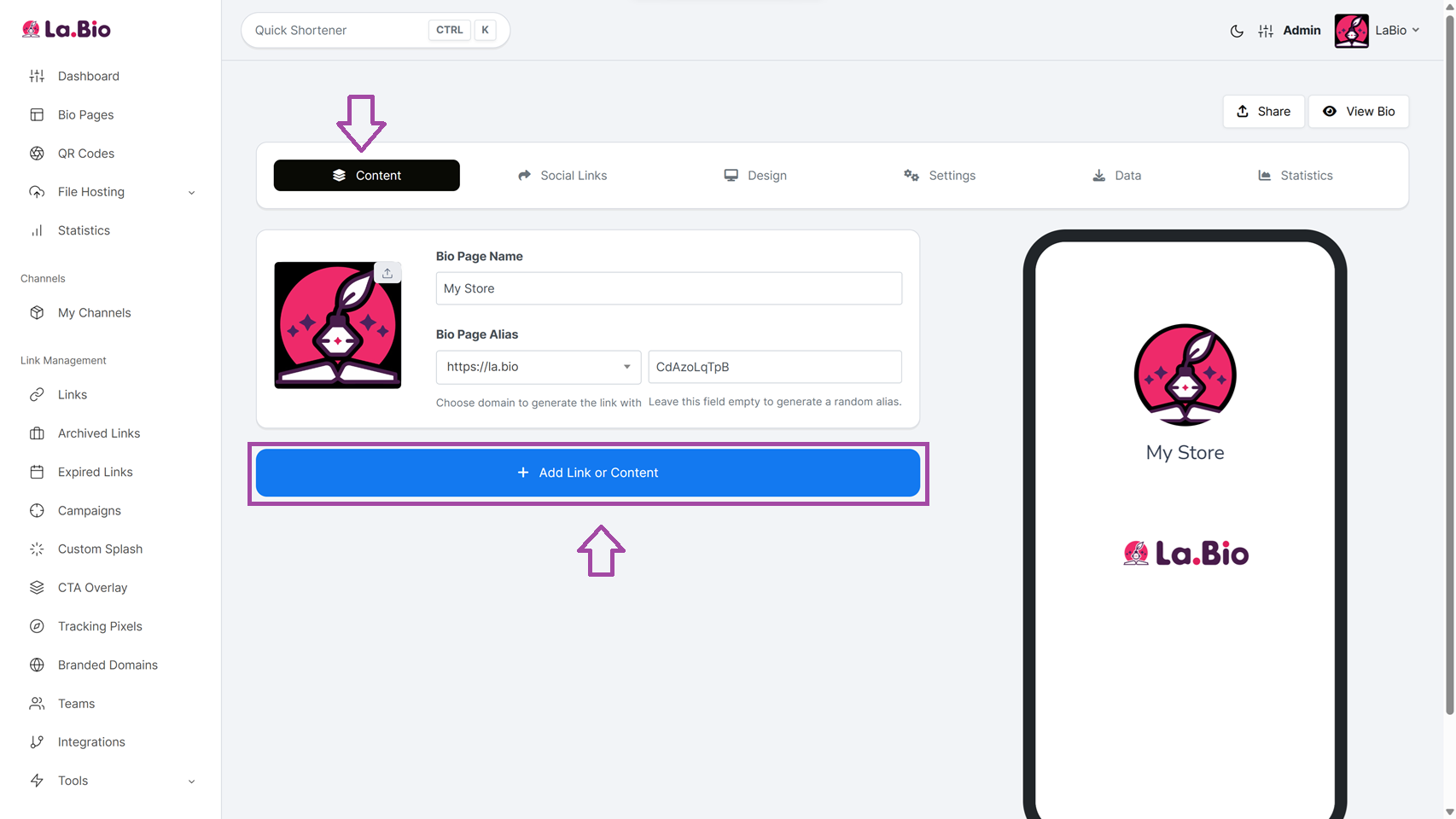
Once you are in the editor, navigate to the Content tab. Look for the blue button labeled Add Link or Content and click it to open the menu.
Step 4: Choose the Payment Widget
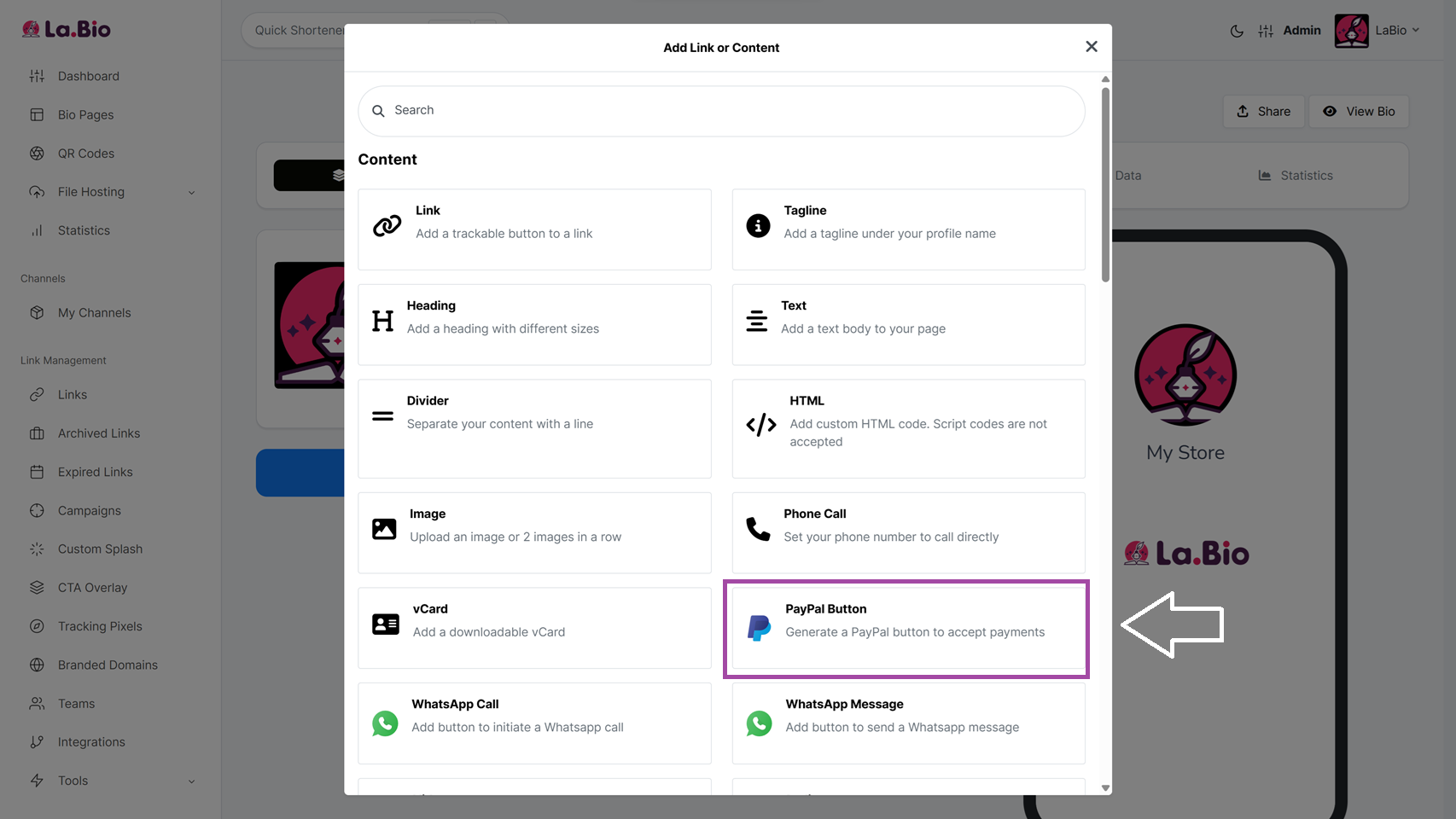
Scroll through the list of available blocks and select the PayPal Button widget. This will open the configuration settings.
Step 5: Configure Your Payment Details
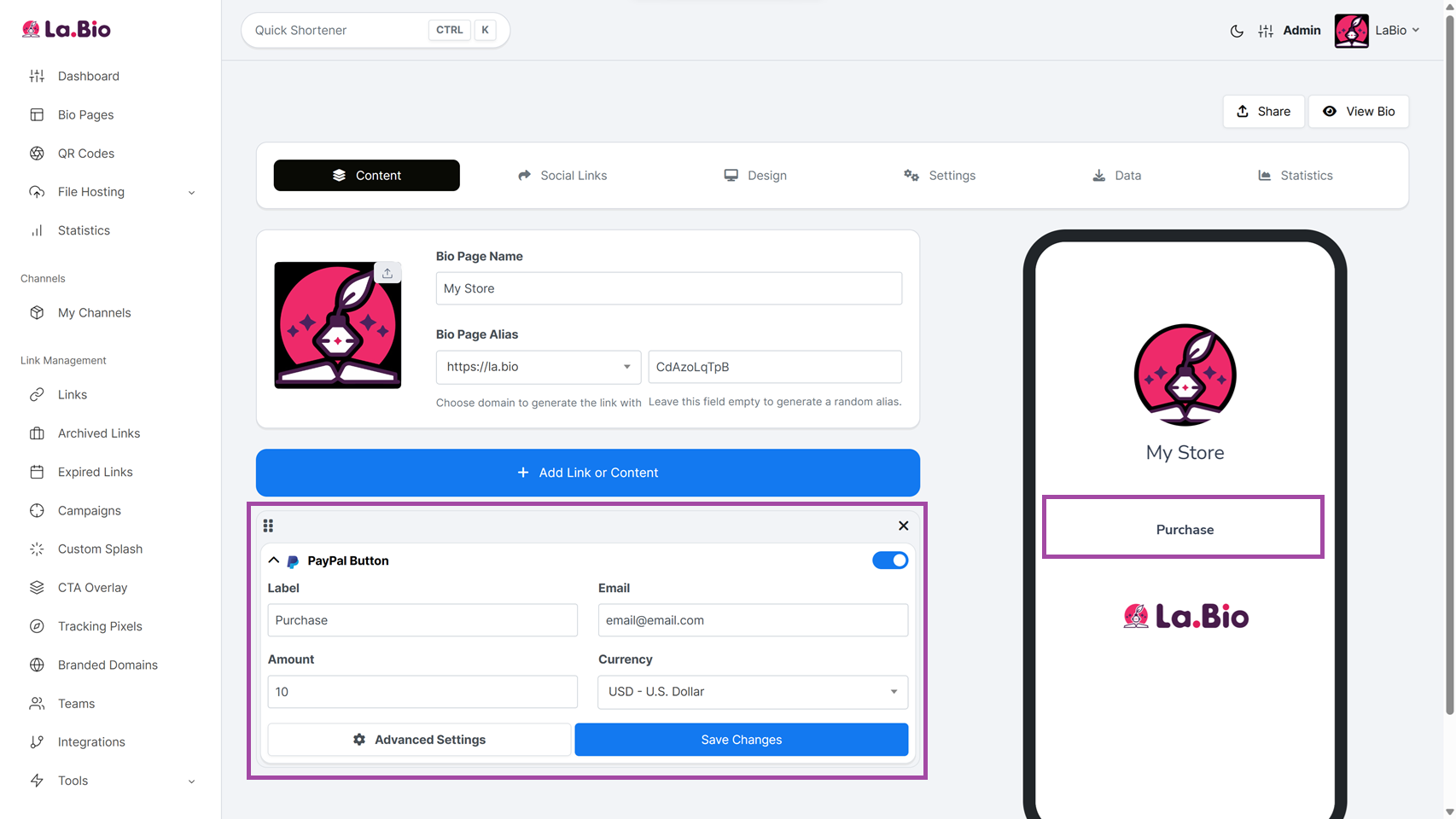
Fill in the specific fields to customize how your button works:
Label: Enter the text that will appear on the button itself. Keep it actionable, such as "Buy my Ebook," "Book a Session," or "Donate $5."
Email: Enter your valid PayPal email address. This is the account where the money will be sent, so double-check it for typos to ensure you receive your funds.
Amount: Set the specific price you want to charge (e.g., 10). Tip: Be clear in your Label if this is a fixed price.
Currency: Select the currency you want to receive payment in (e.g., USD, EUR, GBP).
Once you are happy with the setup, click Save Changes. Your secure payment button is now live and ready to accept transactions instantly.
Best Ways to Use This Payment Button
The PayPal widget is versatile and adapts to various business models. Here is how you can maximize its potential depending on your role.
Freelancers and Service Providers
If you sell services like consulting, graphic design, or coaching, you often need to confirm details with a client before charging them. Instead of creating a manual invoice for every client, you can use your La.Bio page as a permanent payment portal. Simply direct clients to your link after the consultation to finalize the booking.
Pro Tip: Communication is key to high-ticket sales. To close the sale before asking for payment, allow customers to chat with you first. We recommend you add a WhatsApp button to your bio link alongside your payment option. This allows clients to ask final questions and builds confidence before they transfer the money.
Content Creators and Influencers
Monetizing your audience doesn't always require selling a physical product. You can use the PayPal widget as a digital "Tip Jar" or "Support the Stream" button. By setting a small, fixed amount (like $3 or $5) with a Label like "Buy me a Coffee," you lower the barrier for entry, allowing loyal followers to support your work instantly without committing to a monthly subscription.
Frequently Asked Questions
Does La.Bio take a commission on my sales?
No. La.Bio is a completely free tool designed to help creators grow. We do not charge any transaction fees or commissions on the money you receive. However, please note that PayPal standard fees (transaction processing fees) may still apply depending on your region and account type.
Can I have multiple prices or products?
Yes, absolutely. You are not limited to just one button. If you offer different services (e.g., a "Basic Audit" for $50 and a "Full Consultation" for $150), you can simply repeat the steps above to add multiple PayPal Button widgets to your page. Just ensure you give each one a distinct Label so your customers know exactly what they are choosing.
Conclusion
Monetizing your social media presence shouldn't be complicated. You don't need to be a web developer or hire an expensive agency to start accepting payments. By using the PayPal button generator inside La.Bio, you remove the technical barriers and make it incredibly easy for your audience to support you.
Whether you are selling digital downloads, booking freelance services, or simply accepting donations, the key to increasing your income is reducing the steps it takes to pay you.
Start selling on social media today. Create your Free PayPal Bio Link now.








