


Quick Answer: Yes, you can create a QR code for an Eventbrite event. Log in to La.Bio, click 'Create QR', and select the 'Link' option under Dynamic QR. Paste your Eventbrite URL, customize the design with your event logo, and download it. This allows you to track exactly how many people scan your flyers.
You have organized a great event on Eventbrite. The venue is booked, the lineup is set, and your ticketing page is finally live. Now comes the most important part: marketing. To fill those seats, you need to promote your event in the real world using physical posters, flyers, and printed invitations.
However, you face a common problem. Standard website links are incredibly difficult to use in offline marketing. If you print a long, complex URL like eventbrite.com/e/your-event-name-tickets-12345 on a poster, almost no one will take the time to type it into their mobile browser. It creates friction, and friction kills ticket sales.
The solution is simple. You need to bridge the gap between your physical flyers and your digital checkout page. By using a Dynamic QR Code from [La.Bio], you can send potential attendees straight to your ticket purchase page with a single scan. It is the fastest way to turn a passerby into a paying customer.
Why use a Dynamic QR Code for Events?

Static QR codes might be free, but for a professional event organizer, they are risky. A Dynamic QR Code offers three game-changing advantages that directly impact your ticket sales and marketing strategy:
1. Real-Time Tracking & Analytics
You cannot improve what you do not measure. When you use [La.Bio], you gain access to a powerful analytics dashboard. You can see exactly how many people scanned your posters, the time of the scan, and even the geographic location. This allows you to measure the ROI of your offline campaigns. Did the flyers at the university generate more buzz than the posters at the coffee shop? Now you will know.
2. Total Editability (The "Safety Net")
Imagine printing 5,000 flyers only to realize the Eventbrite link has a typo, or the venue has changed. With a static code, your marketing budget is wasted. With a Dynamic QR Code, you have total control. You can update the destination URL in your dashboard instantly without reprinting a single flyer. Furthermore, once the event is over, you can redirect the same QR code to a "Thank You" page or a photo gallery to keep the engagement going.
3. Branded Customization
Generic black-and-white squares look like technical errors or spam. To maximize engagement, your marketing materials need to look professional. You can customize your [La.Bio] QR code to match your event’s color palette and, most importantly, insert your event logo right in the center. A branded QR code builds trust and encourages significantly more scans than a standard one.
Step by Step - Generating Your Eventbrite QR Code
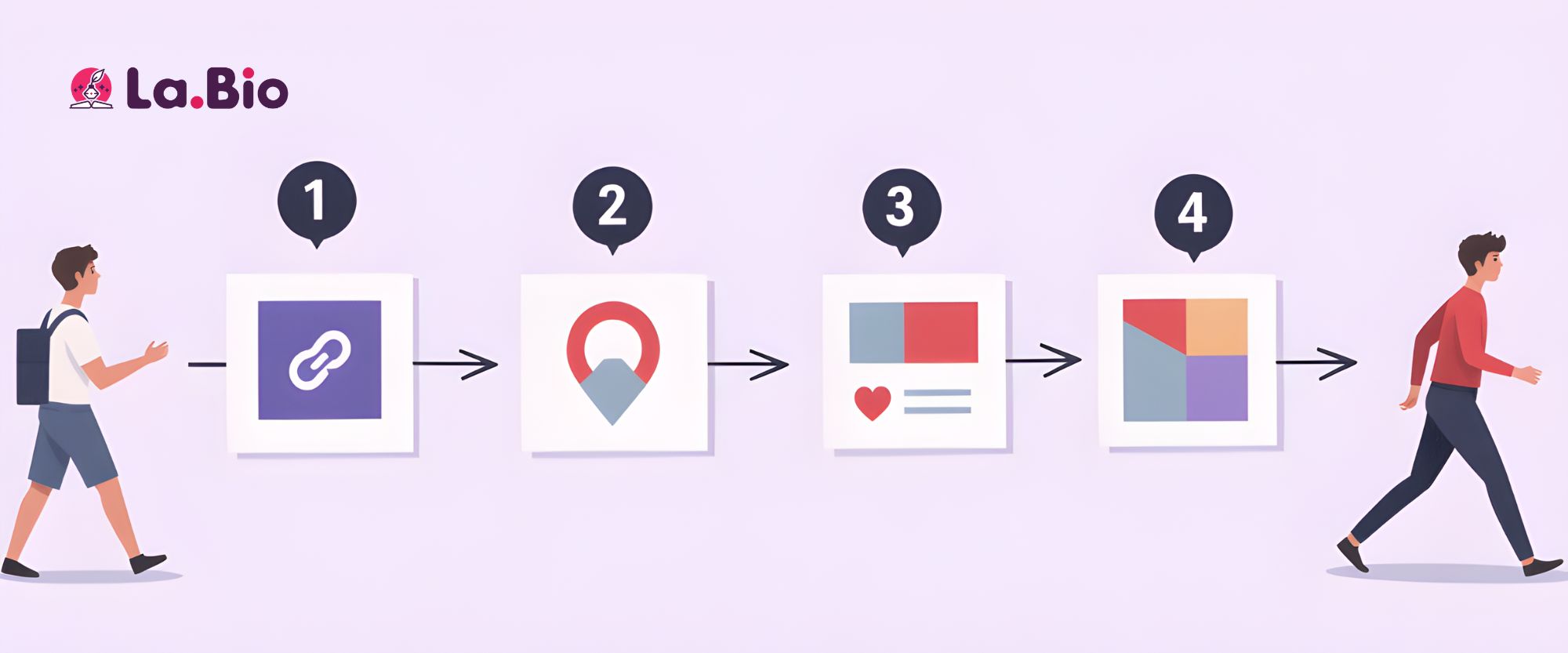
Creating a bridge between your physical posters and your digital ticket office is easier than you think. Follow these exact steps to create a trackable, branded QR code using the "Link" widget in our Dynamic QR section.
Step 1: Get Your Event Link
Go to your Eventbrite dashboard and view your published event. Copy the full URL of your public event page (where attendees buy tickets).
Step 2: Access the Dashboard
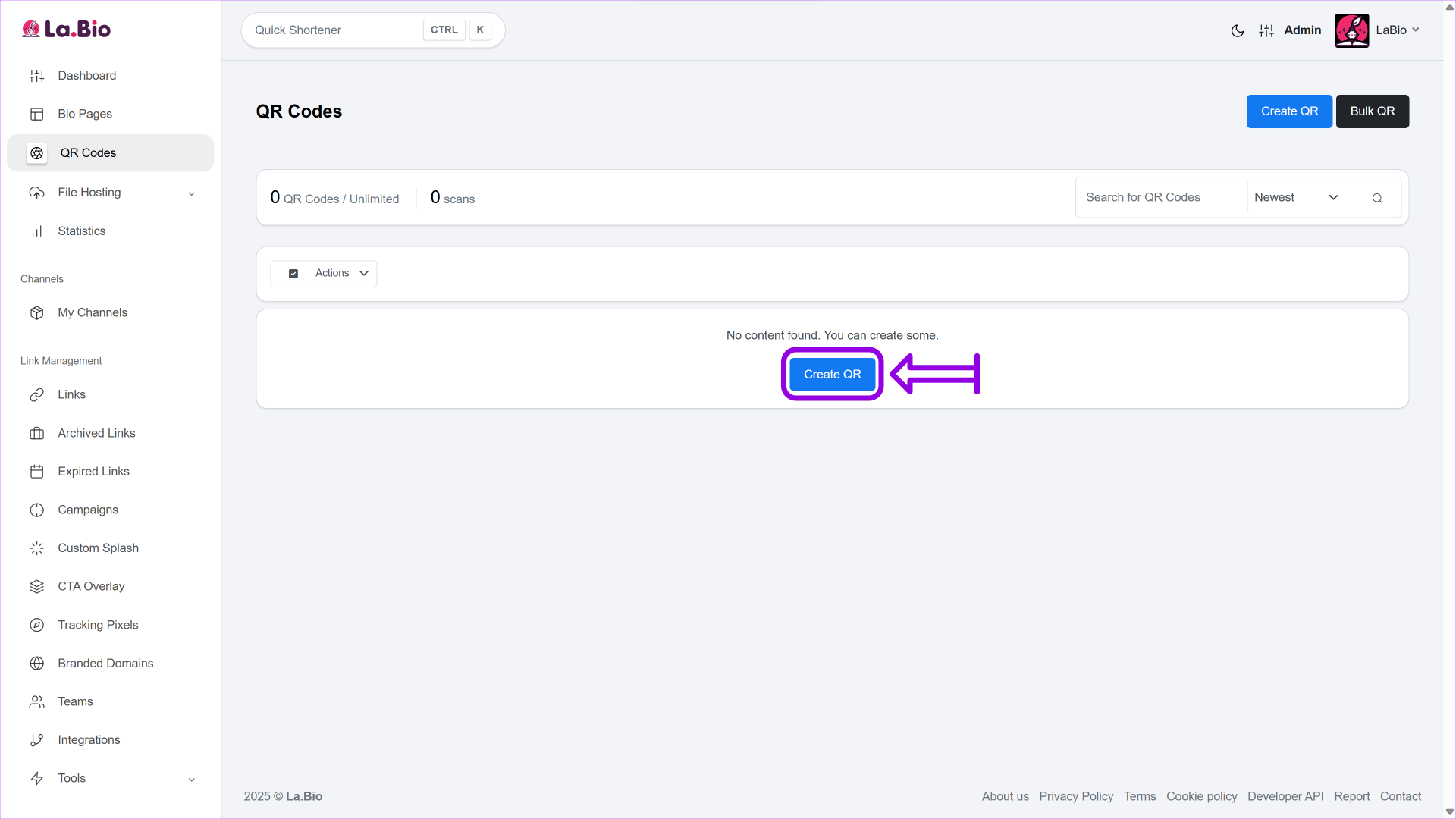
Log in to your [La.Bio] account and click on the "Create QR" button in the main menu.
Step 3: Name Your Campaign
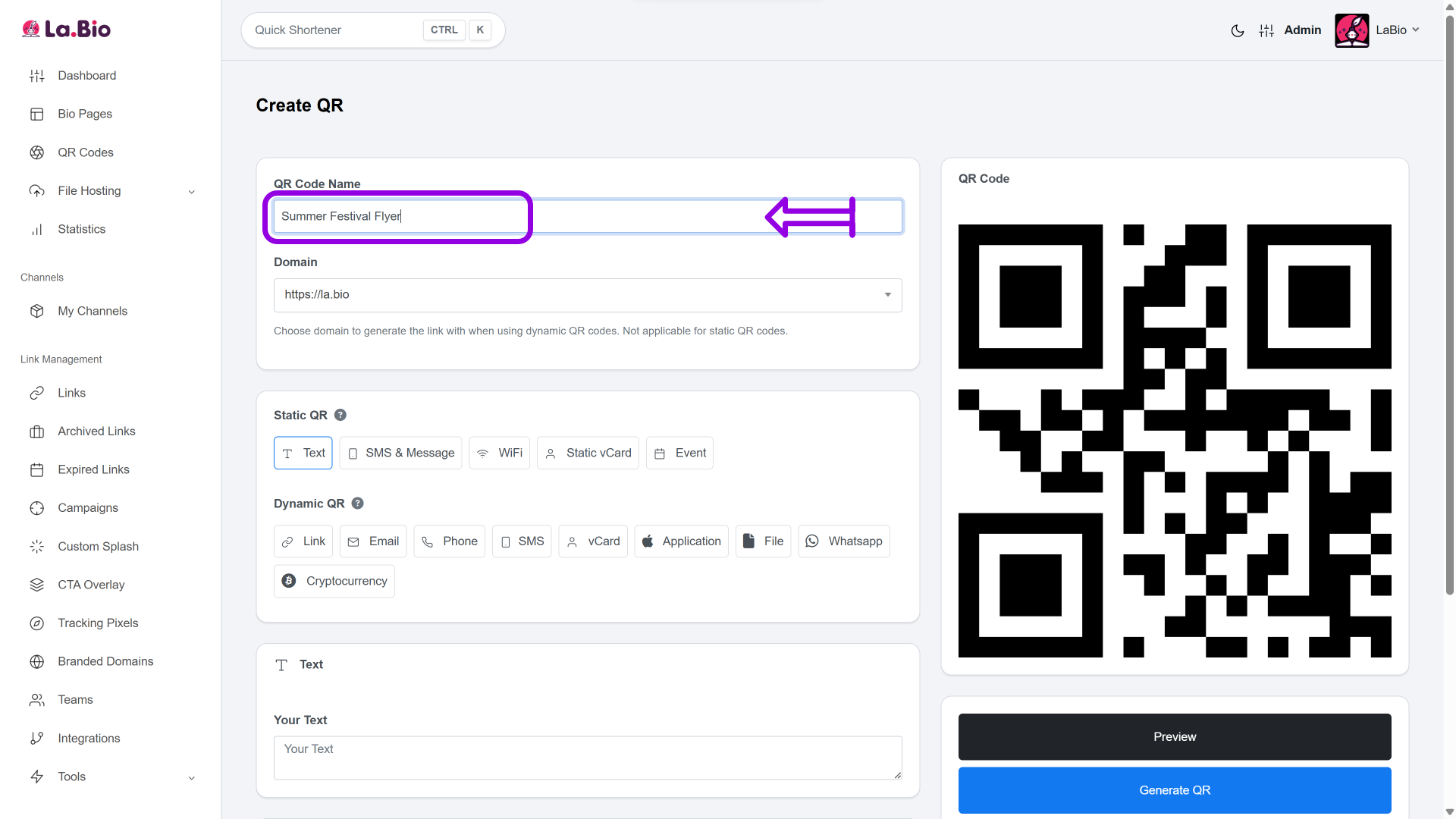
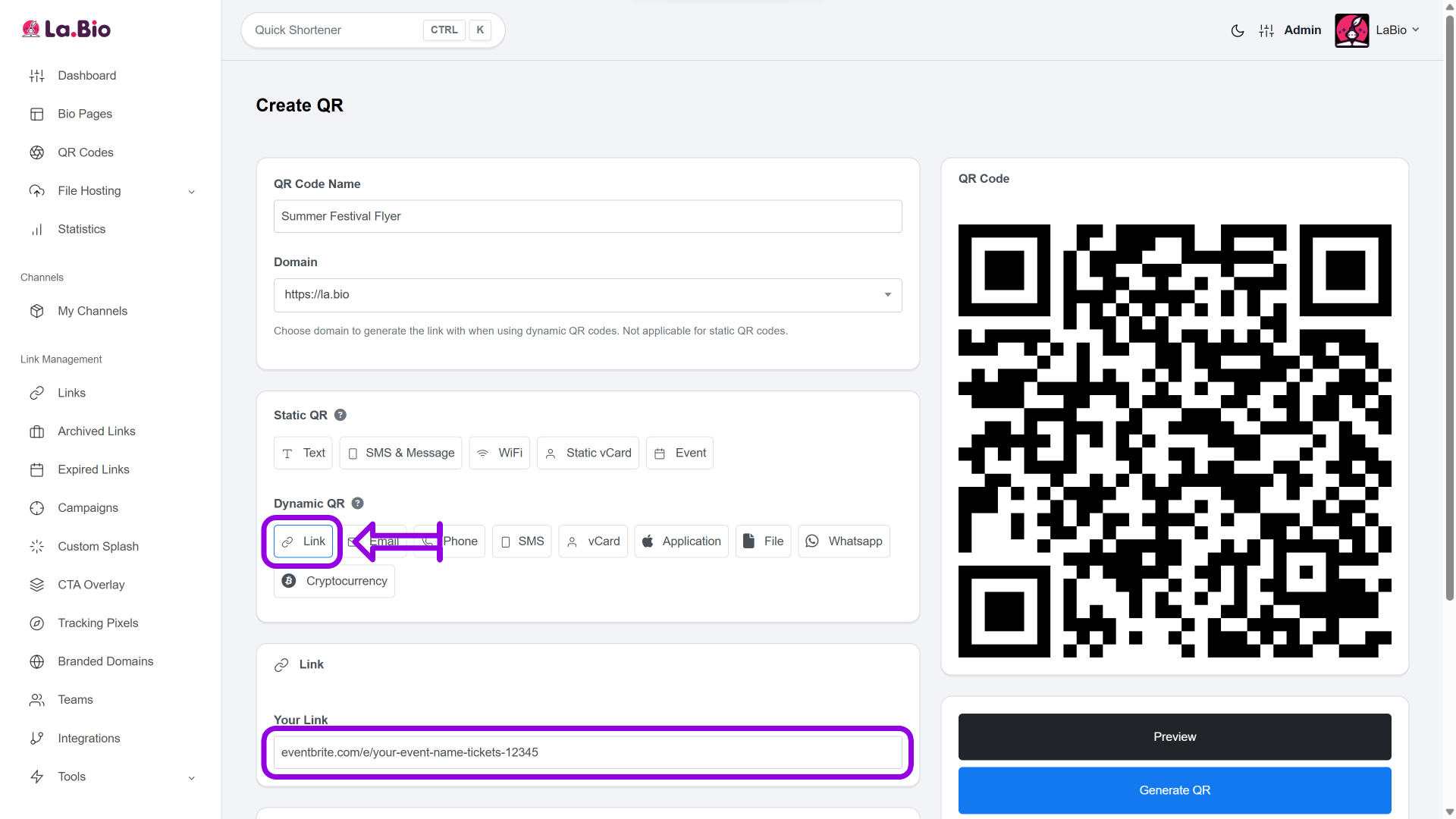
Give your QR code a recognizable name, such as "Summer Festival Flyer" or "VIP Launch Poster." This helps you identify the specific campaign later in your analytics.
Step 4: Select the Dynamic Option
Scroll to the "Dynamic QR" section. It is crucial to choose Dynamic (not Static) so you can track scans and edit the link later. Select the "Link" icon (represented by a chain link symbol). Next, paste your Eventbrite URL into the destination field.
Step 5: Customize the Design (Crucial)
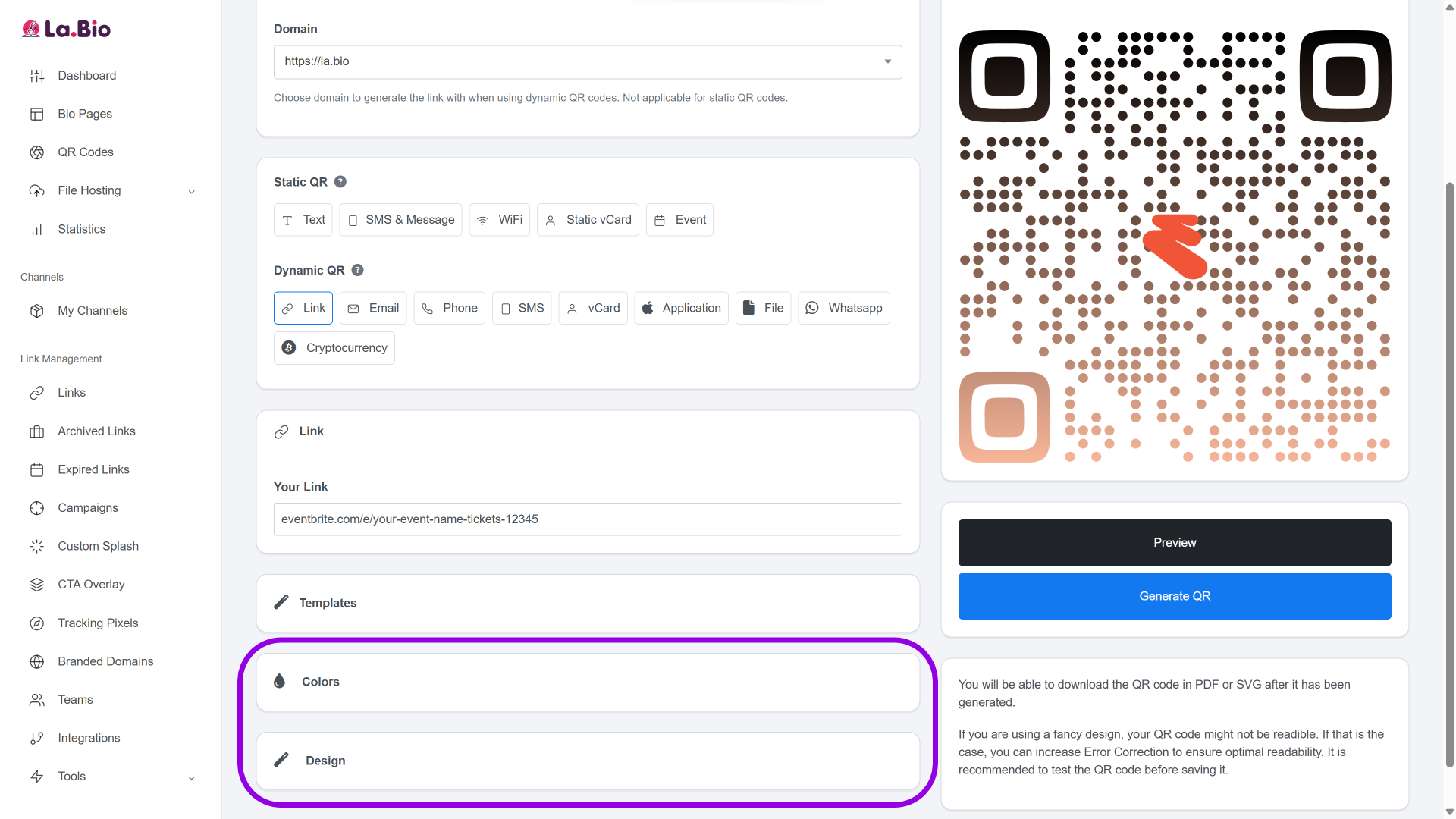
Don't settle for boring black and white. Click on the 'Colors' and 'Design' tabs. Here, you can match the QR code to your flyer's theme. Most importantly, upload your event logo so it appears in the center of the code. This makes your code instantly recognizable.
Step 6: Generate & Download for Print
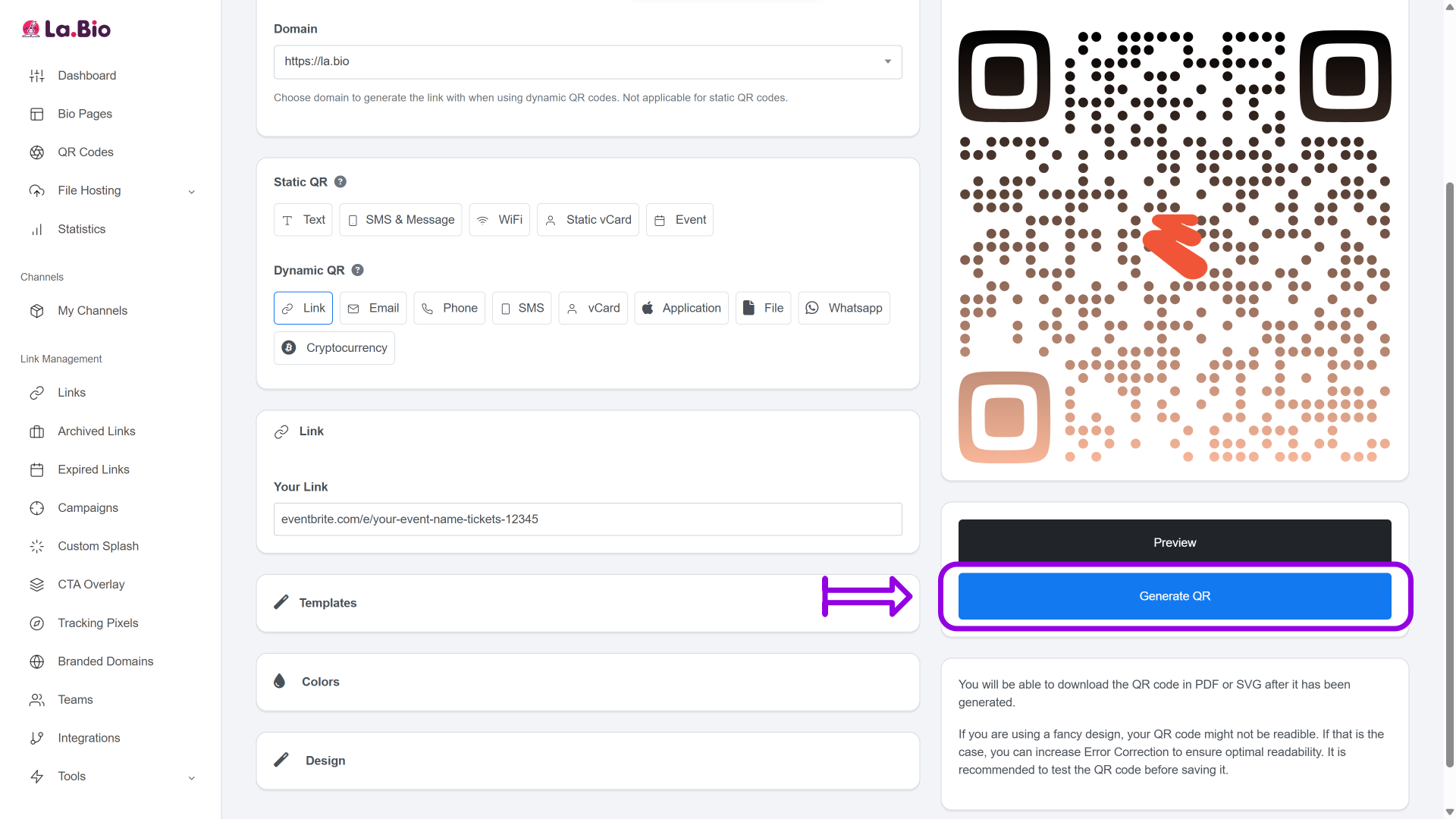
Click "Generate QR" to finish. When downloading, always choose the SVG format. SVG is a vector file, meaning you can stretch it to fit a giant billboard or a small ticket without it ever getting pixelated or blurry. It ensures pixel-perfect printing every time.
Where to Place Your QR Code for Maximum Sales

Once your QR code is generated, it needs to be seen. Strategic placement is key to converting offline traffic into online ticket sales. Here are the best places to display your code:
Flyers & Posters
This is the classic use case for a reason—it works. Place your posters in high-traffic areas relevant to your target audience, such as coffee shops, universities, or community bulletin boards. Ensure the QR code is large enough to be scanned from a distance (at least 2x2 cm).
Badges, Tickets & Wristbands
Your engagement shouldn't stop at the sale. Printing QR codes on entry badges or wristbands allows attendees to quickly check in, access the event schedule, or view a venue map. It simplifies the logistics on the day of the event.
Networking & Personal Branding
During the event, you will want to network with attendees, potential sponsors, and partners. Don't use paper cards that get lost in pockets. Instead, [create a digital business card] with La.Bio. This allows you to share your contact details instantly via QR code, ensuring you capture every lead and opportunity that arises during your event.
Frequently Asked Questions
Can I use this for other ticketing platforms?
Absolutely. While this guide focuses on Eventbrite, the "Link" widget on [La.Bio] works for any URL. Whether you are selling tickets on Ticketmaster, managing RSVPs on Meetup, or hosting a webinar on Zoom, simply paste the direct link to your event page, and the system will generate the code.
Do the codes expire?
No. Your [La.Bio] QR codes do not expire. They remain active for as long as you need them. Because you are using a Dynamic QR Code, you can even recycle the same printed code for next year's event by simply logging into your dashboard and updating the destination URL.
Conclusion
Promoting an event is hard work, but buying a ticket shouldn't be. By removing the friction of typing in long URLs, you make it effortless for people to act on your advertising.
A Dynamic QR Code creates a seamless bridge between your offline marketing and your online box office. It gives you the data you need to optimize your strategy and the flexibility to change plans without reprinting materials.







