


Quick Answer: To create a secure short link, log in to La.Bio and scroll down to the 'Shorten Link' section on your dashboard. Paste your long URL, click the 'Advanced Options' settings icon to add a password or expiration date, and click 'Shorten'. You now have a clean, trackable, and secure link.
We have all been there. You want to share a specific page, but the URL is three lines long, filled with random characters, and looks messy. The Problem is that long URLs look unprofessional, often resemble spam to the untrained eye, and take up valuable space in your social media posts or messages.
The Solution is using a URL shortener. By turning that unwieldy address into a neat, compact link, you instantly improve the user experience and increase the likelihood of your link being clicked.
However, [La.Bio] offers a significant Bonus. While other platforms like Bitly or TinyURL charge premium fees for security features, we believe you shouldn't have to pay to protect your content. With [La.Bio], you don't just shorten; you secure and track your links with features like Password Protection and Expiration Dates for free.
Step by Step - Shorten and Secure Your Link
Follow these exact steps to create a custom link that is both short and secure.
Step 1: Paste the URL
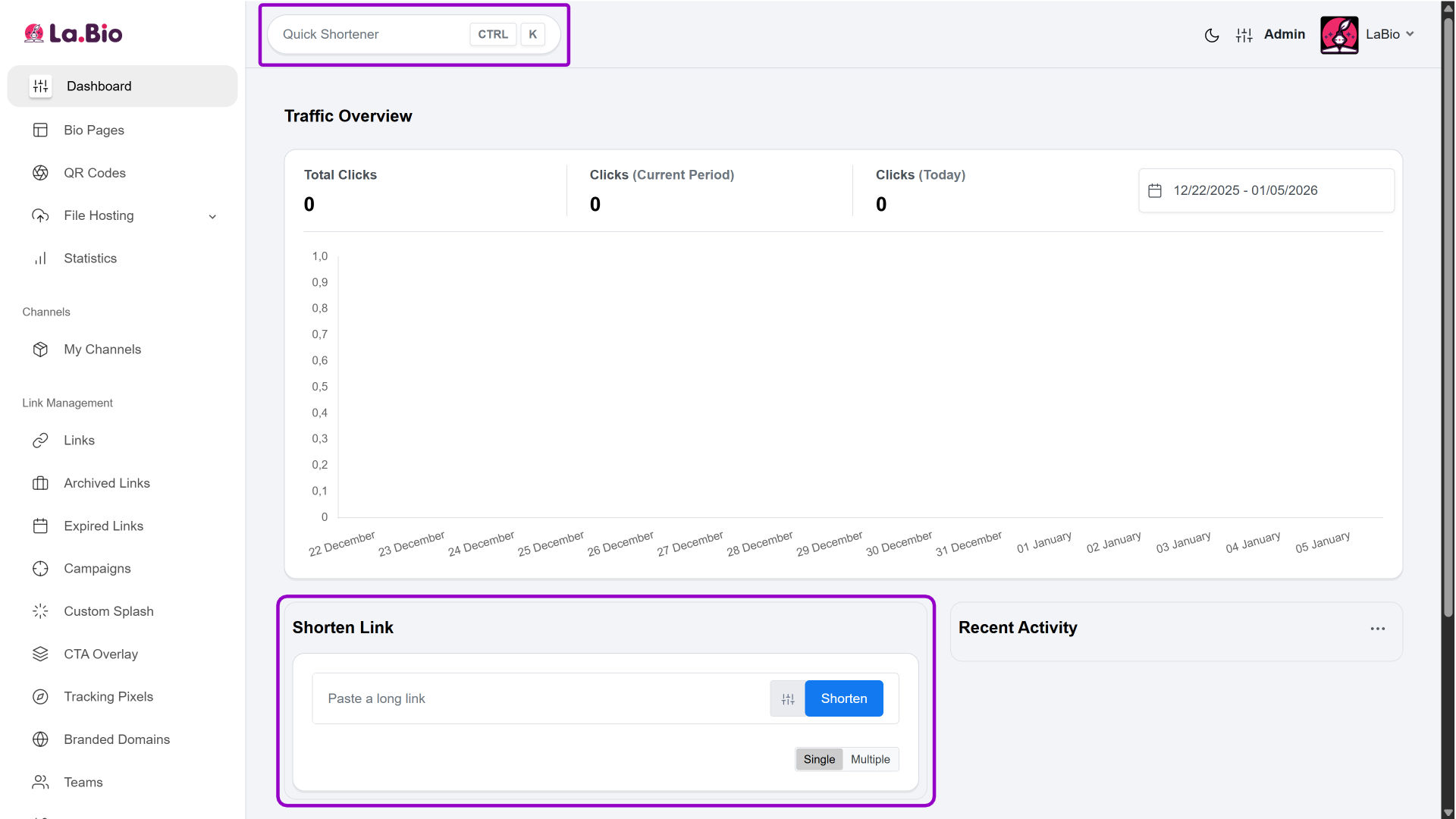
Log in to your Dashboard. You can find the "Shorten link" input field at the top or bottom of the page. Paste your long link there.
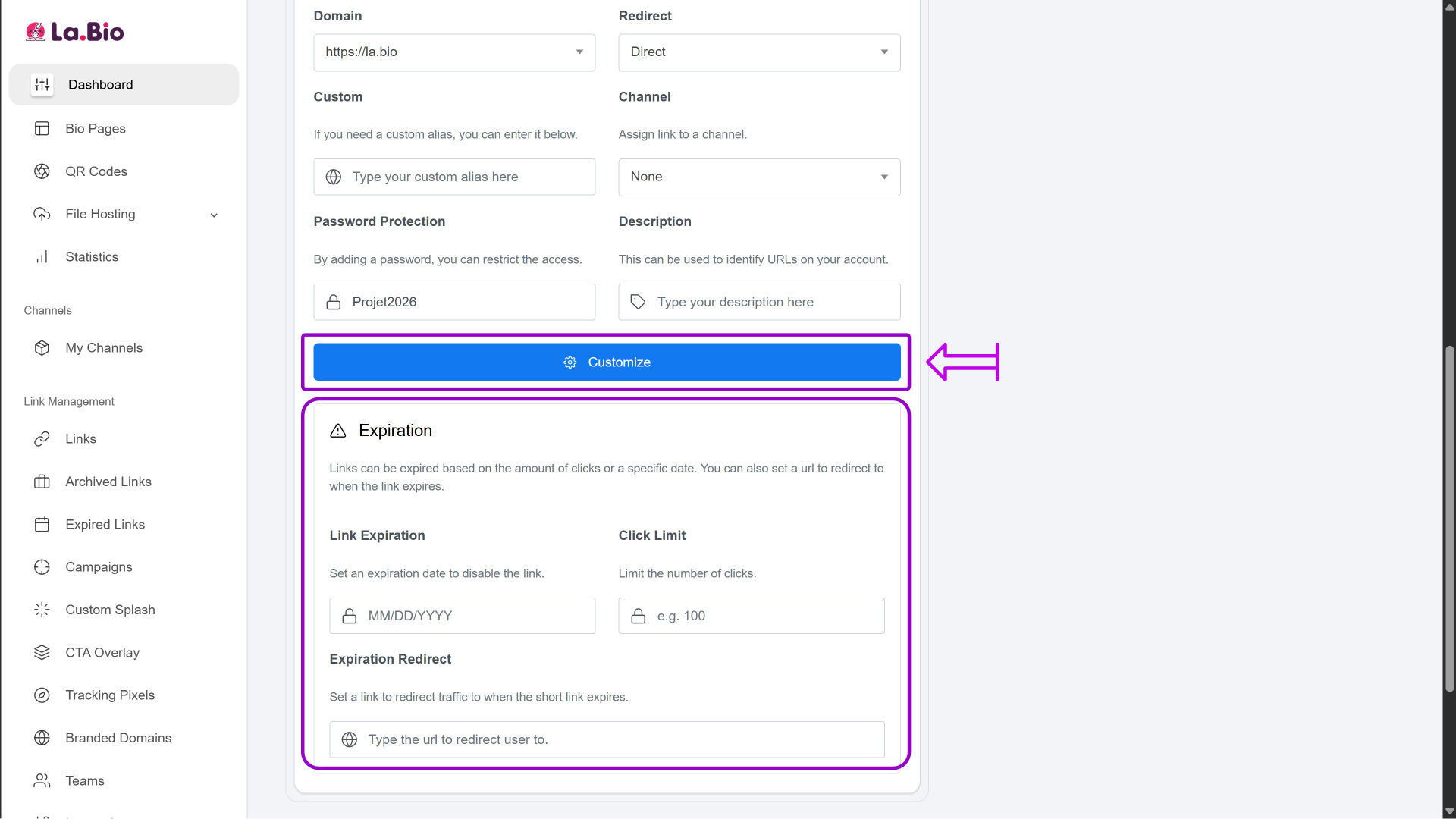
Step 2: Access Advanced Options
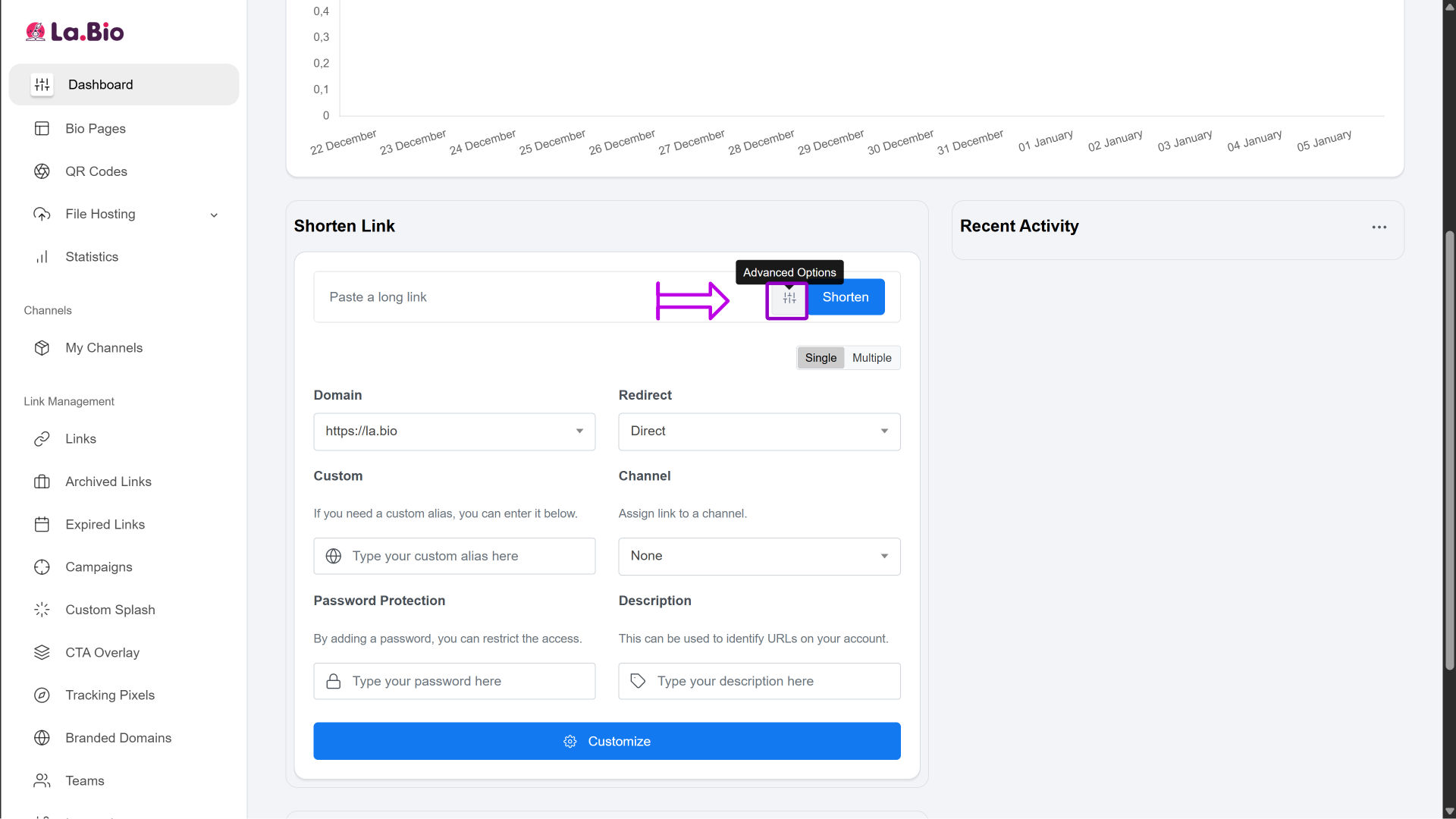
Important Note: Do not click "Shorten" yet. Scroll down to the bottom section of the Dashboard. Click the settings icon (Advanced Options) located next to the input field. This is where the magic happens.
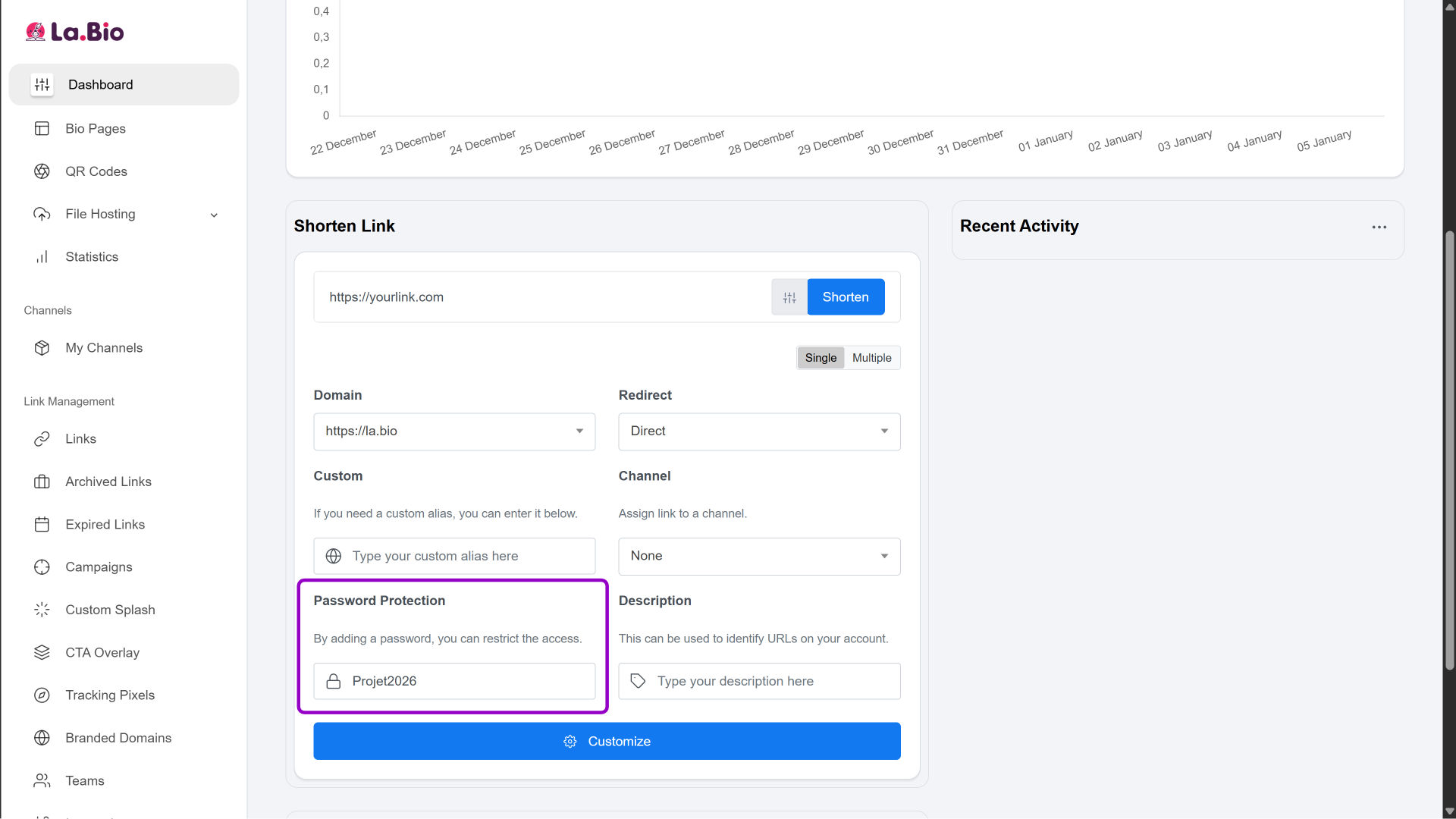
Step 3: Add Password Protection
In the "Password Protection" field, type a unique code (e.g., Project2025). Unlike Bitly, where this is a paid premium feature, this is completely free on [La.Bio]. It ensures that only people with the code can access the content behind the link.
Step 4: Set an Expiration Date (Optional)
Select a date in the "Expiration" calendar. The link will automatically deactivate after this time. This feature is great for limited-time offers, temporary access to documents, or sensitive contracts.
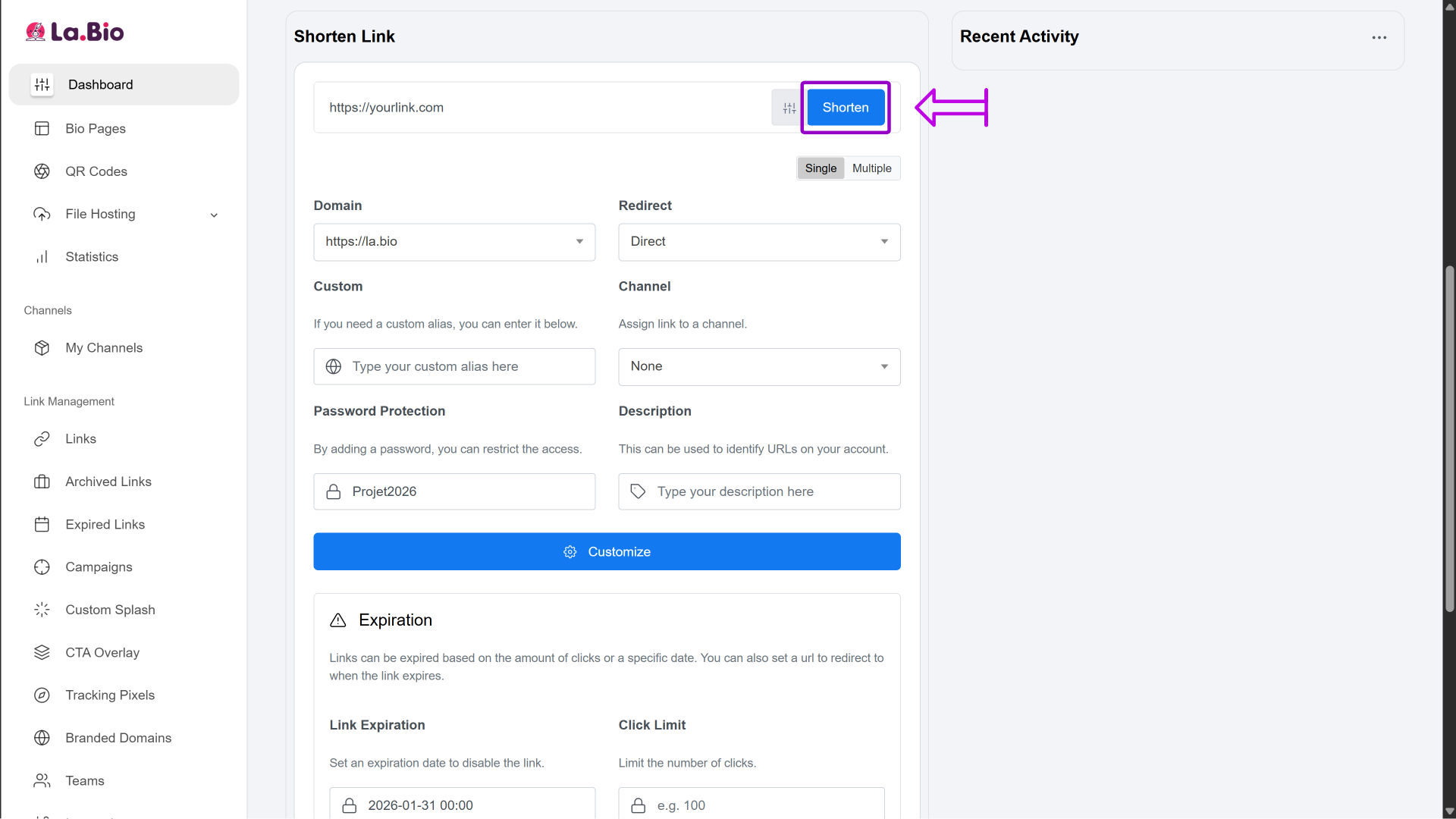
Step 5: Create the Link
Click the blue "Shorten" button. You now have a clean, secure, and trackable URL ready to share.
When to Use Short Links (Specific Use Cases)

Short links are not just about aesthetics; they are essential tools for specific industries. Whether you are driving sales or sharing sensitive data, here is how to apply them effectively.
1. For Affiliate Marketing
Are you promoting products on social media or your blog? Long affiliate tracking URLs often look suspicious to users. A clean short link increases trust and click-through rates.
2. For Musicians
Sharing your new track? You need a single, clean link to direct fans to their preferred streaming platform without cluttering your bio or posts.
3. For File Sharing
Need to send large files securely? Instead of sending a raw cloud storage link, use a short link with password protection to ensure only the recipient accesses the file.
4. For Recruiters
Sending SMS campaigns to candidates? Text messages have strict character limits. A short link saves space for your actual message and improves deliverability.
Why Choose [La.Bio] Over Competitors?
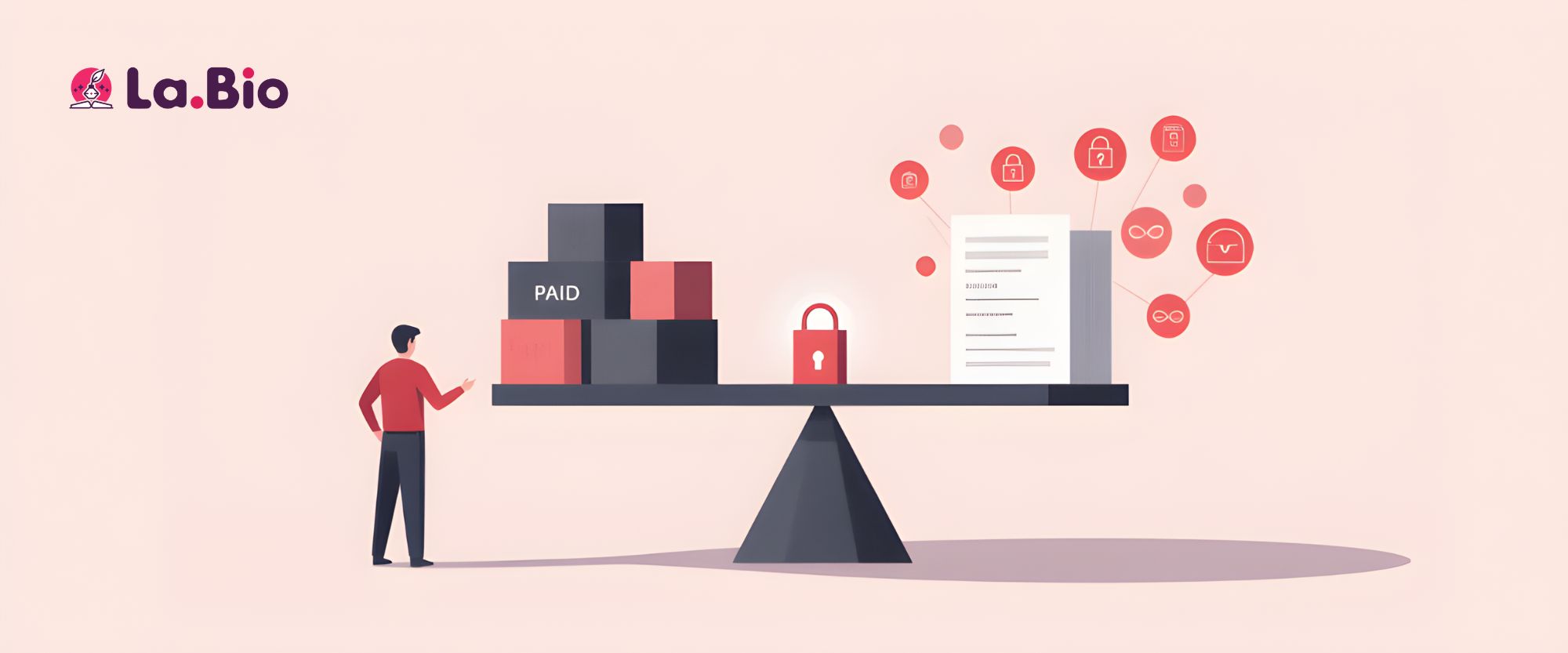
While there are many URL shorteners available, [La.Bio] stands out by democratizing features that others lock behind paywalls.
Security for Free: On most major platforms, features like Password Protection and Expiration Dates are restricted to Premium subscriptions. We believe security is a right, not a luxury. On [La.Bio], these tools are completely free to use.
Unlimited Links: We don't believe in capping your creativity or your reach. Unlike competitors that limit the number of links you can create per month on their free tiers, [La.Bio] offers unlimited link shortening.
Detailed Analytics: Blindly sharing links is not a strategy. Our dashboard provides granular data on your link performance, allowing you to track total clicks, geographic location, and device types. This insight helps you understand your audience and optimize your campaigns effectively.
Frequently Asked Questions
Q: Can I change the destination URL after creating the short link?
A: Yes. Since [La.Bio] creates dynamic short links, you can update the original long URL at any time directly from your dashboard without changing the short link itself. This means if your destination page changes, you don’t need to update every social media post or email where you shared the link—it will automatically redirect to the new address.
Q: Is there a limit to how many links I can create for free?
A: No. Unlike many competitors that cap the number of links you can generate per month, you can create unlimited short links on [La.Bio] with your free account. There are no hidden restrictions on the volume of links you generate.
Q: Can I customize the short link name (e.g., la.bio/myproduct)?
A: Creating a fully custom alias (also known as a "vanity URL") is a Premium feature on [La.Bio]. However, the free version automatically generates a clean, short, and unique URL that is perfectly optimized for sharing on any platform.
Conclusion
Shortening a URL is about more than just reducing character count; it is about taking control of your digital presence. Whether you need to hide a messy affiliate link, restrict access to sensitive documents with a password, or ensure a promotional offer expires on time, your links should work for you—not against you.
With [La.Bio], you get the professional appearance of a short link combined with enterprise-level security features, all without the premium price tag.
Secure your shared content today. Create your Free Short Link on La.Bio.







