


Quick Answer: To shorten a music link, copy the song URL from Spotify or YouTube. Go to the La.Bio dashboard, paste the URL into the Shorten Link field, and click the Advanced Options icon if you want a custom alias. Click Shorten to generate a clean, trackable link instantly.
As a musician or playlist curator, your goal is to get your music into as many ears as possible. But the way you share your links matters just as much as the music itself.
The Problem:
We have all been there. You want to text a new release to a friend or post it on Twitter, but when you hit "Share" on Spotify, you get a massive wall of text. A native link often looks like this: open.spotify.com/track/4uLU6hMCjMI75M1A2t?si=7f2c....
Not only is this unsightly, but it also eats up your character count on social platforms, breaks easily when sent via SMS, and can look suspicious or "spammy" in Direct Messages.
The Solution:
You don't have to settle for messy URLs. By using a music URL shortener like La.Bio, you can transform that long string of characters into something neat, memorable, and branded—like la.bio/new-song.
The Benefit:
A shorter link doesn't just look better; it performs better. It signals professionalism to fans and industry pros alike. Plus, unlike a standard link, a shortened link allows you to see exactly how many people are clicking on your music, giving you valuable insights into your fanbase.
Why You Should Shorten Your Music Links
Sharing a raw link might seem harmless, but optimizing your URLs is a small step that makes a big difference in how your music is perceived and tracked.
Aesthetics: In the music industry, your image is everything. Whether it is on your social media profiles, digital flyers, or YouTube descriptions, a clean link looks intentional and professional. A shorter URL is easier for fans to read, remember, and trust compared to a long string of random characters.
Analytics: While platforms like Spotify for Artists provide data on your total streams, they often lack granularity regarding specific traffic sources. La.Bio fills this gap by telling you exactly where the clicks on your specific link came from. You can finally understand if your promotional efforts are working better on Facebook, Twitter/X, or via direct SMS.
Brand Awareness: Generic link shorteners often give you a random string of characters. With La.Bio, you can customize the link ending (Alias). This allows you to create fully branded URLs like la.bio/my-new-track or la.bio/band-name, keeping your artist identity front and center.
Step by Step - How to Shorten Your Music URL
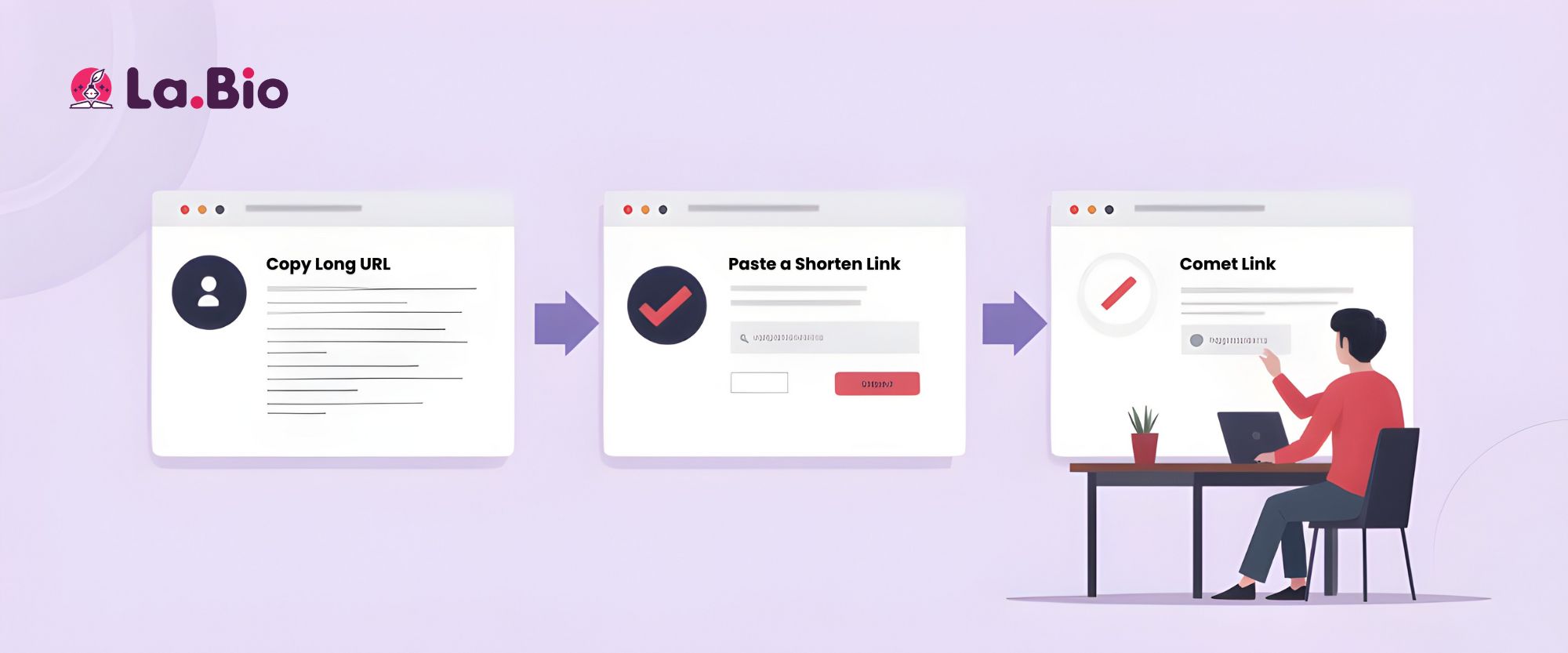
Ready to clean up your links? Follow these exact steps to generate your first trackable short link on La.Bio.
Step 1: Log in to your account. You can use the Quick Shortener bar located at the top of the page or navigate to the main Shorten Link card on your dashboard.
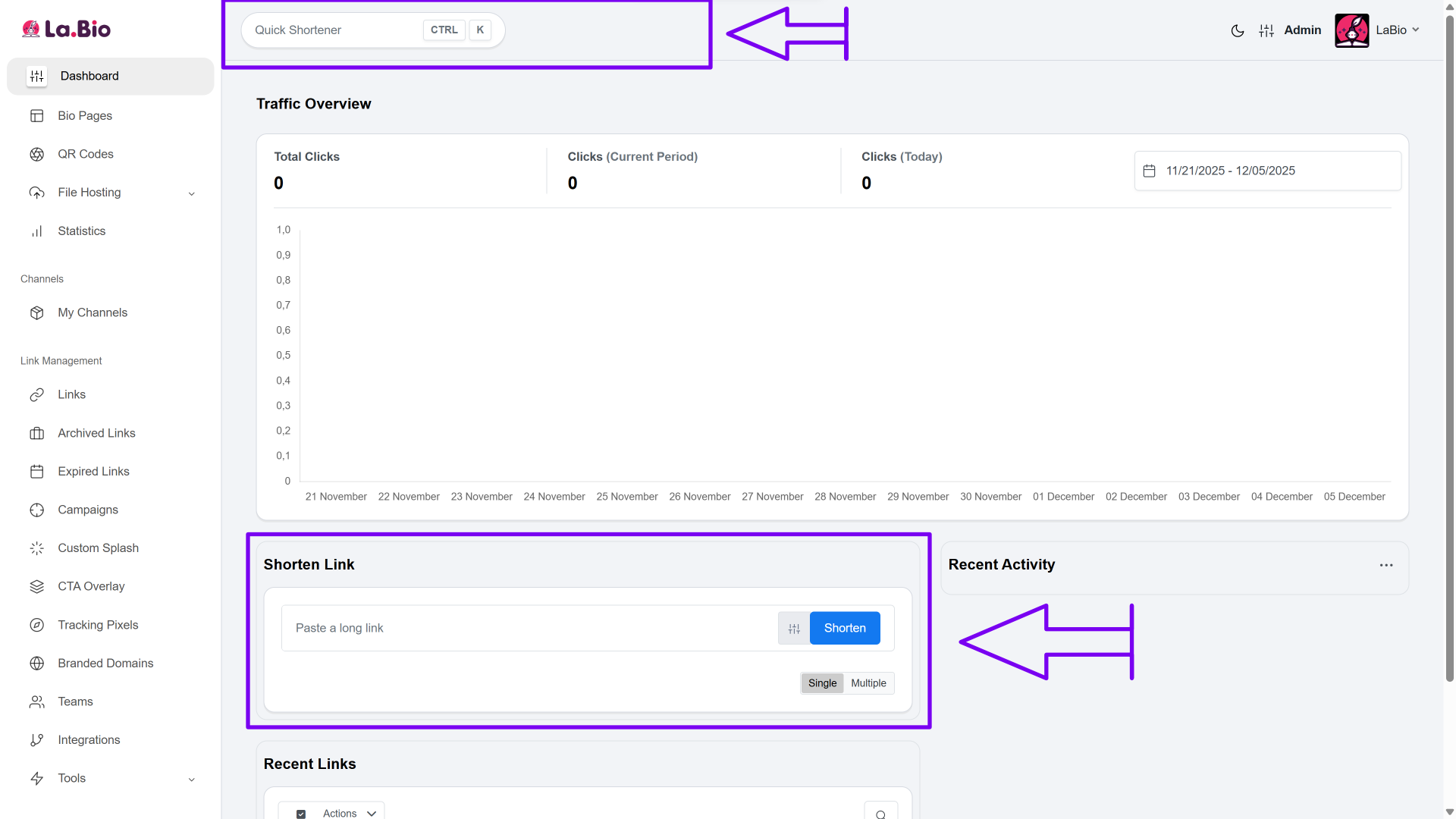
Step 2: Click the Advanced Options icon (represented by a settings gear) next to the shorten button. This will expand the menu to reveal more fields for customization.
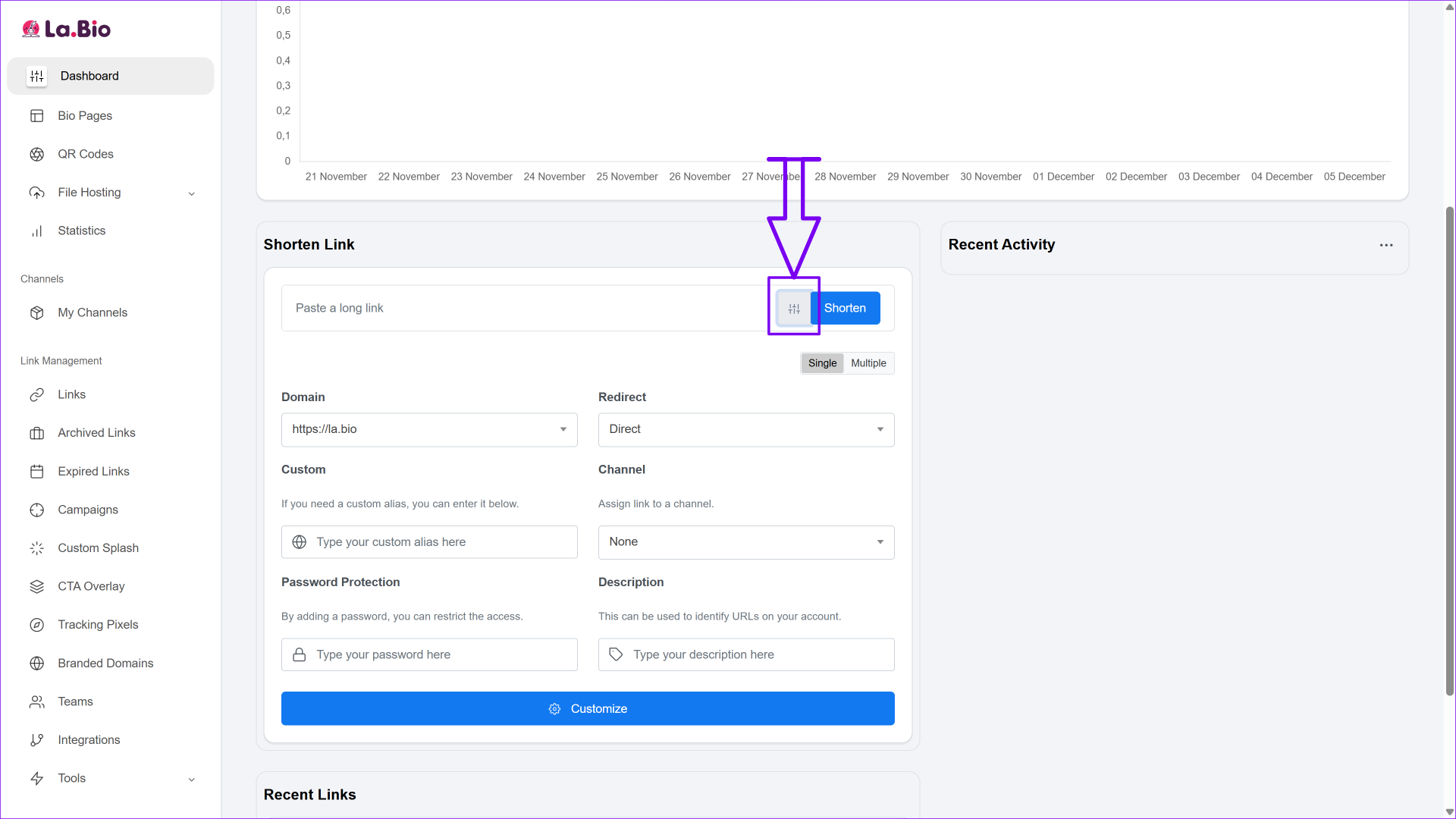
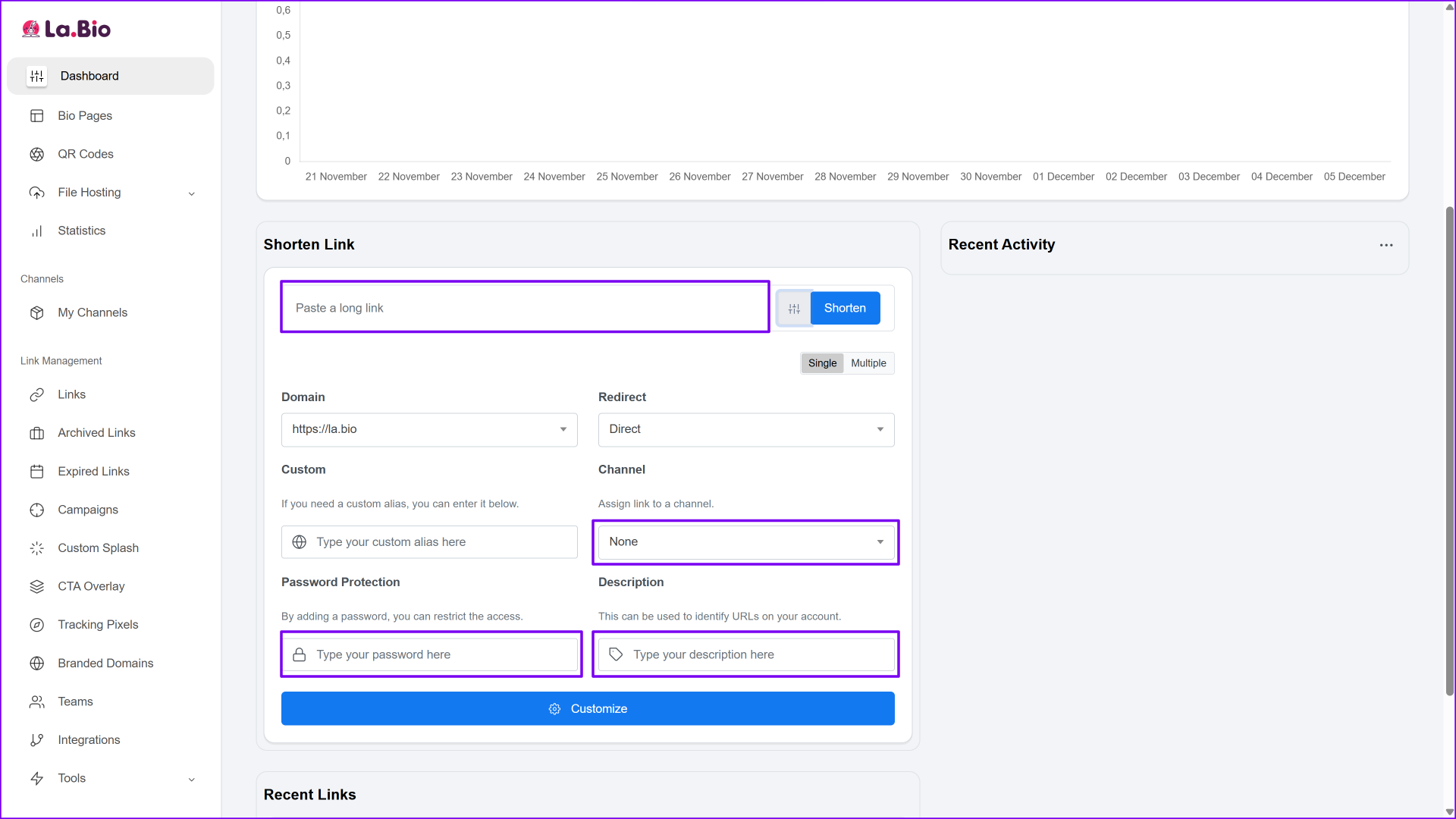
Step 3: Paste your long song URL from Spotify or YouTube into the main input field.
(Optional) Add a Description to help you remember the purpose of this link later (e.g., "Twitter Promo Campaign" or "Instagram Bio Link").
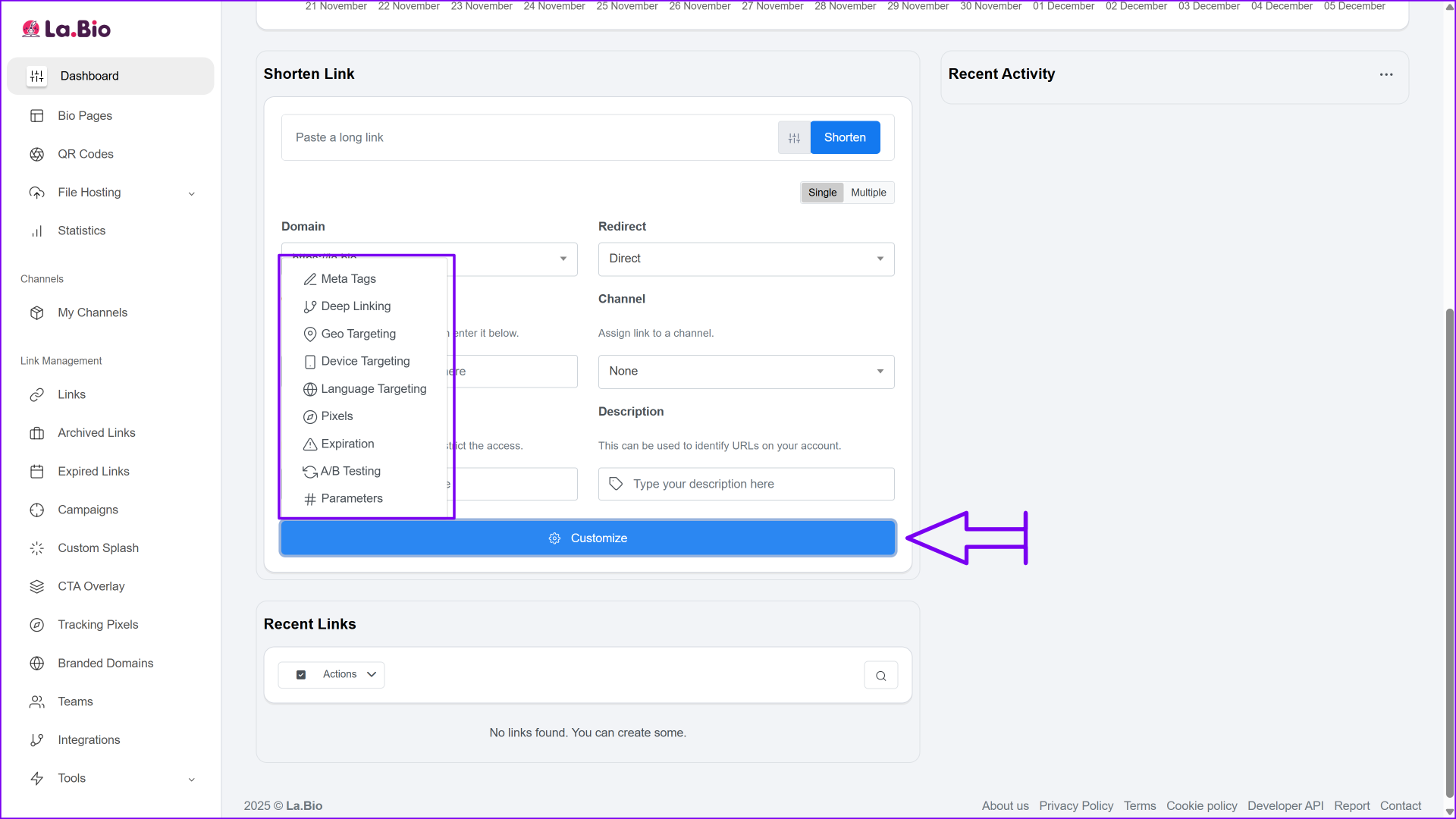
Step 4: Click Customize if you wish to use advanced features like Geo Targeting. This allows you to redirect users to specific content based on their country (for example, sending fans to a region-specific music video).
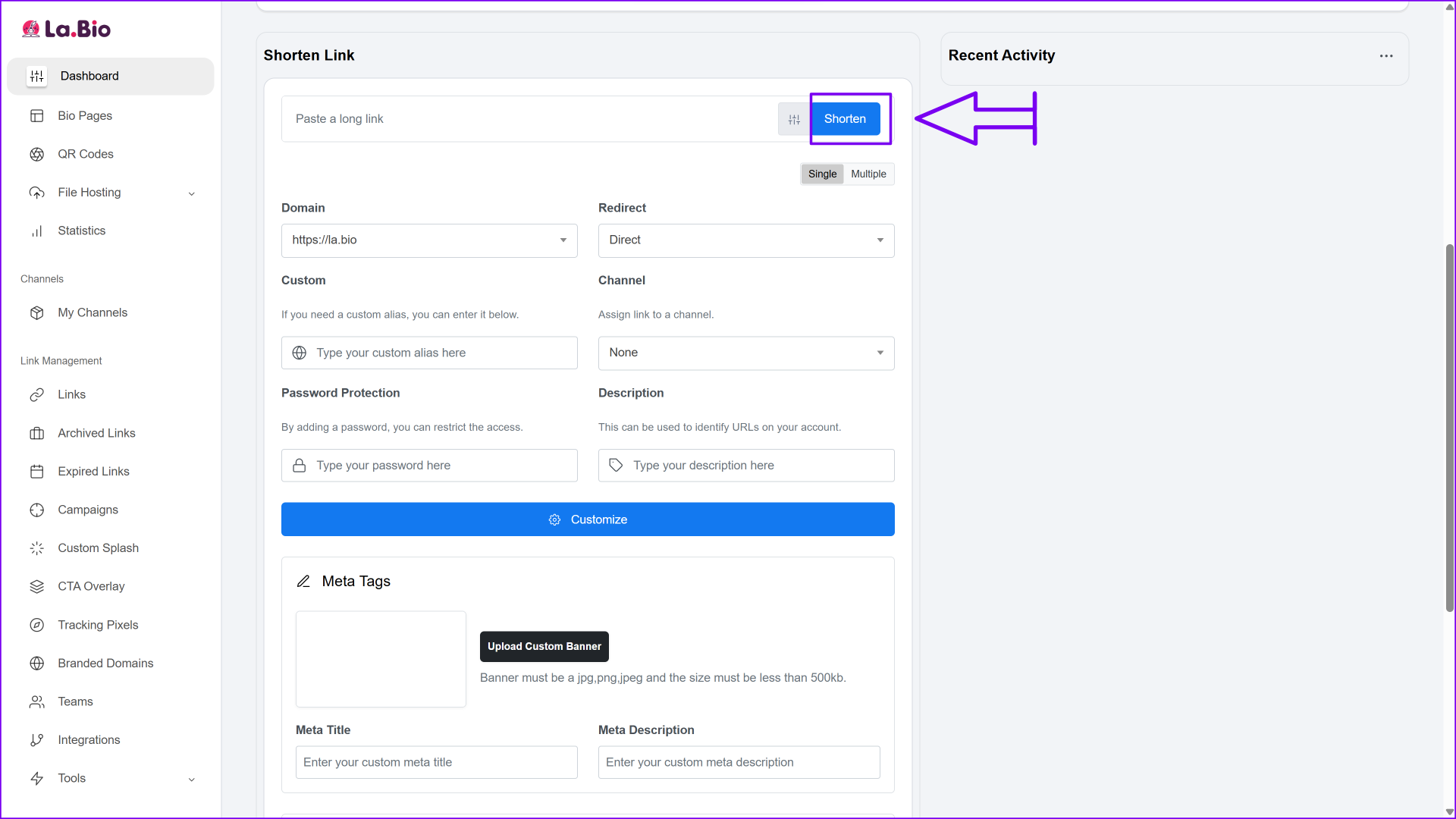
Step 5: Click the blue Shorten button. Your professional link is now generated and ready to share!
Short Link vs Smart Link - What is the difference
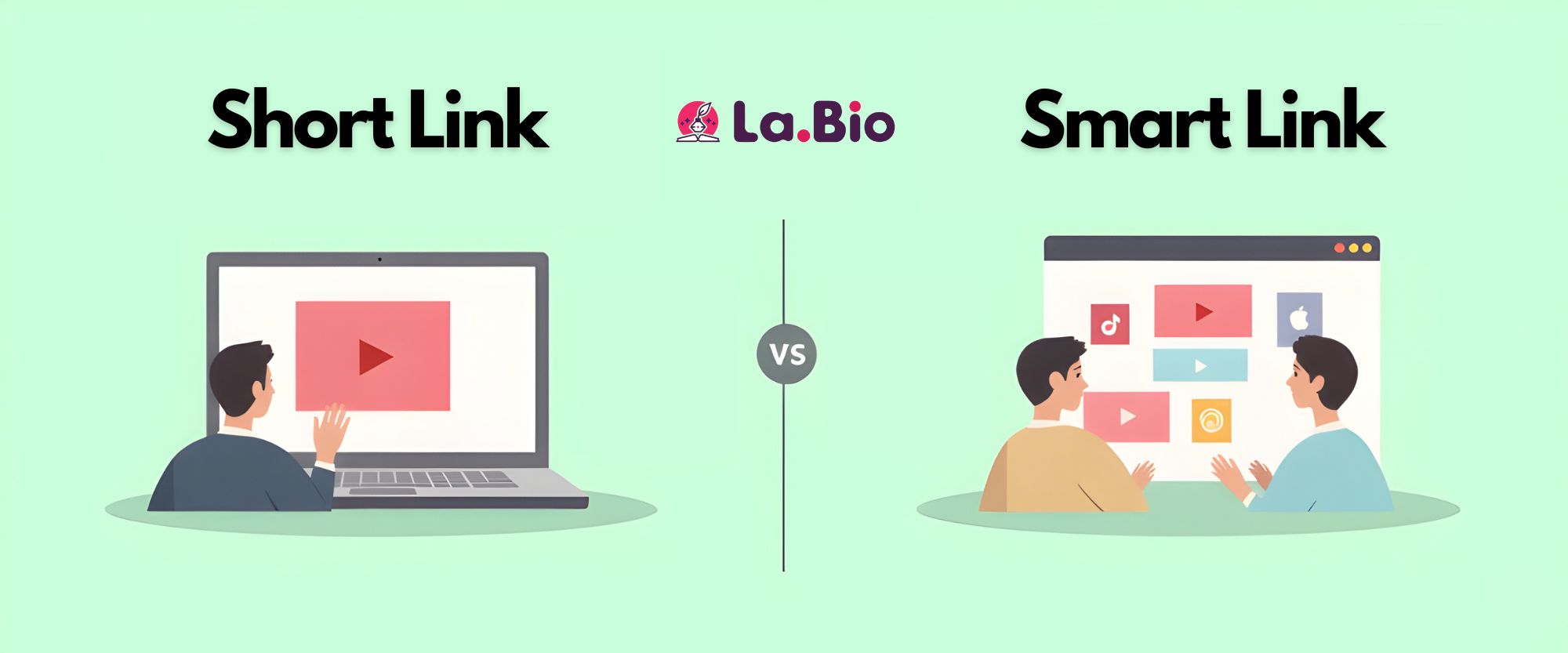
Musicians often confuse simple shortened URLs with "Smart Links" (also known as Fanlinks or Bio Pages). Understanding the difference ensures you use the right tool for the right moment.
Short Link: This is a direct redirection to one specific destination. For example, if you are sharing a specific music video, you use a short link to send fans straight to YouTube. It is the best option for quick sharing on platforms like Twitter/X or via SMS, where you want immediate action without friction.
Smart Link (Bio Page): This is a beautifully designed micro-landing page that lists all the streaming services where your music is available (Spotify, Apple Music, Deezer, Tidal). Instead of forcing a fan to use one specific platform, you give them the choice to listen on their preferred app.
If you are releasing a new album and want to give fans a choice of platforms, you should use a Smart Link instead. Read our guide on how to [create a free smart music link] to maximize your reach across all streaming services.
Frequently Asked Questions
Q: Does shortening the link affect the music quality?
A: No, not at all. A short link is simply a redirection tool. It acts as a bridge that sends the user to the original high-quality audio source on Spotify or YouTube. The audio quality remains exactly as you uploaded it to the streaming platform.
Q: Can I track clicks on these links?
A: Yes. When you use La.Bio, every link comes with built-in analytics. You can log in to your Dashboard to view total clicks, see which countries your fans are visiting from, and determine which marketing channels (like Twitter, SMS, or Email) are performing best.
Conclusion
Professional artists know that presentation is key. Whether you are an independent musician or a label manager, using clean, trackable links is a standard best practice. It not only cleans up your social media presence but also provides the data you need to grow your career effectively.
Start sharing your music like a pro. Shorten your Spotify Links for Free on La.Bio.







