Quick Answer: Real estate agents use Dynamic QR codes on signage to direct potential buyers to property listings, virtual tours, or contact forms. The main advantage of using [La.Bio] is that you can update the link destination after a sale, allowing you to reuse the same printed sign for your next listing.
The concept of "Curb Appeal" has gone digital. In today's high-speed market, potential buyers aren't just looking at the manicured lawn; they are looking for immediate information on their smartphones. When a prospective client drives by a property, they want the price, the interior photos, and the square footage instantly. If they have to manually type a long URL or call a number to get basic details, you have likely already lost the lead.
However, bridging the gap between physical signage and digital listings comes with a logistical cost. Realtors spend a fortune on printing physical assets—sign riders, "For Sale" signs, and directional boards. The traditional problem is that once the specific house is sold, the printed flyers or static QR codes associated with that specific property URL become useless. That marketing capital is wasted, and the cycle of re-printing begins again for the next listing.
This is where the "Forever Sign" strategy comes into play. By utilizing a qr code for real estate generated through [La.Bio], you stop renting your marketing materials and start owning them. The solution lies in Dynamic QR Codes: a technology that allows you to print a high-quality sign once and simply change the destination URL on your dashboard. You save money, reduce waste, and ensure your marketing is as agile as the market itself.
The Strategy - Reusable Signs with Dynamic QR Codes
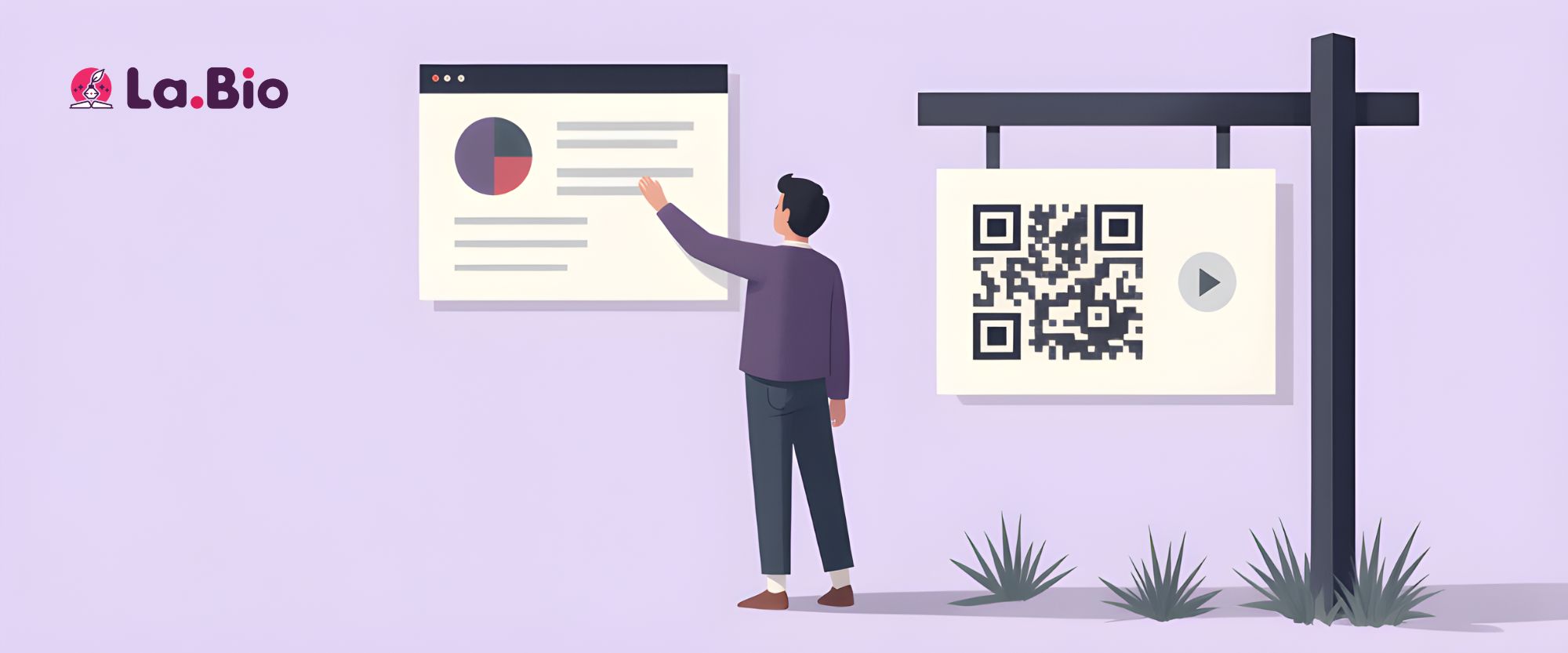
The traditional approach to real estate signage is inefficient. If you use a standard (static) QR code, that square matrix is hard-coded to a specific URL forever. If you print a batch of riders linking to "123 Main Street," those signs become trash the moment the property closes.
The "Forever Sign" strategy utilizes Dynamic QR Codes from [La.Bio] to completely eliminate this waste. A Dynamic QR Code acts as a permanent gateway that you control digitally. You can change the destination of the link as many times as you want, even after the sign has been printed, laminated, and installed.
Here is how the lifecycle of a Reusable Smart Sign works:
Print Once: You invest in high-quality, durable signage (metal or heavy plastic) featuring your branding and a [La.Bio] Dynamic QR Code.
Assign to Listing A: You log into your dashboard and direct the QR code to the URL for House A. Prospective buyers scan it and see that specific property.
The Sale: House A is sold. Usually, this is where the sign would be discarded.
Update Digitally: Instead of throwing the sign away, you simply log in to [La.Bio], click "Edit," and paste the URL for your new listing, House B.
Relocate: You take the exact same sign and place it on the lawn of House B.
The result? The scanner takes the user to the new property immediately. You have successfully marketed a second property with zero additional printing costs.
Top 3 QR Code Use Cases for Realtors

While the reusable lawn sign is your primary asset for driving traffic, QR code technology offers versatility across your entire marketing suite. To maximize your efficiency and lead capture, you should integrate these specific types of codes into your daily workflow.
1. The Open House Location
Nothing kills a potential sale faster than a frustrated client who cannot find the property. Directions can be confusing, and typing addresses into a GPS while driving is dangerous. By placing a specific Location QR Code on your directional signage or social media posts, you ensure a frictionless experience. One scan automatically opens the navigation app on their phone with the coordinates pre-loaded.
2. The Digital Business Card
Paper business cards are a relic of the past; they are easily lost, damaged, or thrown away. In the high-ticket world of real estate, you need to ensure your contact details make it directly into the client's phone address book. A qr code for realtor business card (vCard) solves this instantly. When a client scans it, your photo, phone number, email, and agency details populate on their screen, ready to be saved with a single tap.
3. The Property Brochure
Printing full-color, high-gloss flyers for every open house is an immense expense, and most of them end up in the trash bin within an hour. Instead, place a single display stand in the foyer with a PDF QR Code. Prospective buyers can scan it to instantly download the full property brochure, floor plans, and disclosures directly to their device to view later.
How to Set Up Your 'Open House' Hub

A common mistake many agents make is linking their QR code directly to a single image or a third-party listing site like Zillow or Realtor.com. While this provides information, it often results in "leaked traffic"—potential clients get distracted by other agents' advertisements on those platforms.
To retain control over the lead, you should link your QR code to a Bio Link Page (a "Link in Bio" microsite) hosted on [La.Bio]. This acts as a centralized mobile landing page—your digital "Open House" Hub—where you curate exactly what the client sees.
Instead of a scattered experience, your Hub should be structured to drive conversions immediately:
Property Gallery: Display high-resolution photos and a video walkthrough first to hook the viewer.
"Book a Viewing" Button: Integrate a scheduling tool like Calendly. Allow the client to reserve a private tour instantly without playing phone tag.
"Call Agent" Button: Add a direct click-to-chat button for WhatsApp or a direct dial link. High-intent buyers often have immediate questions; make it easy for them to reach you.
Sign-In Sheet: Replace the clipboard with a digital form to capture names and emails for your newsletter.
By consolidating these tools into one mobile-optimized page, you transform a passive scanner into an active lead.
[Read our strategic guide on building a Digital Real Estate Hub.] (Link to your existing article "Your Digital Real Estate Hub")
Step by Step - Creating Your Reusable Sign

Ready to stop wasting money on single-use prints? Follow this simple workflow to generate a professional QR code that serves your agency for years.
Log in to [La.Bio]: Access your dashboard. To ensure the code is reusable, verify that you are creating a Dynamic QR Code. This is crucial; a static code cannot be edited later.
Select Your Type: Click on the "Create QR" button and select the "Link" option. This is the most flexible choice for directing traffic to property listings.
Input Destination: Paste the URL of your current property listing (e.g., your agency's website listing page or your [La.Bio] Open House Hub).
Branding & Customization: Appearance matters in real estate. Upload your agency’s logo (e.g., Remax, Century21, Keller Williams) to appear in the center of the QR code. You should also adjust the color of the QR code to match your official brand palette for a cohesive look.
Download for Print: For professional signage, format is everything. Do not use a standard image file. Select SVG (Scalable Vector Graphics) format before downloading. This ensures that when your printer enlarges the code for a yard sign or rider, it remains 100% crisp and scannable.
Frequently Asked Questions
Q: What size should I print the QR code on a yard sign?
A: To ensure potential buyers can scan the code from their car window without needing to step onto the lawn, visibility is key. We recommend a minimum size of 2x2 inches (5x5 cm). However, for larger "For Sale" signs placed further back from the sidewalk, increasing the size to 4-5 inches ensures the highest scan success rate.
Q: Do the QR Codes expire?
A: No. Unlike some platforms that require expensive subscriptions to keep links active, [La.Bio] codes are unlimited and lifetime. As long as your account is active, your codes will continue to function forever without scan limits.
Q: Can I see how many people scanned the sign?
A: Yes. When you use Dynamic QR Codes, you gain access to real-time analytics. You can track exactly how many times a sign was scanned, the time of the scan, and even the general geographic location. This helps you measure which neighborhoods or sign placements are driving the most interest for your agency.
Conclusion: Smarter Marketing, Higher ROI
In the competitive world of real estate, efficiency is just as important as the sale itself. Every dollar spent on disposable signage is a dollar taken away from your bottom line. By shifting from static, single-use materials to a dynamic qr code for listings, you are not just adopting a new technology; you are adopting a smarter business model.
This strategy allows you to maintain a polished, modern brand image while significantly reducing overhead costs. You capture leads faster, simplify the client experience, and eliminate the logistics of constantly re-ordering print materials. The market moves fast—ensure your signage can keep up.
Modernize Your Agency Today
Don't let your marketing expire when the house sells. Start building your inventory of "Forever Signs" now.
[Modernize your agency today. Create your Real Estate QR Codes for free at La.Bio.]